

 Joomla hacked?
 Joomla 6 migration
 Security update PHP & YOOtheme
 Blog
 References
 About us
 Prices
 Contact

A second language sounds like translation work. In Joomla it is first a decision about where the translation lives: as a Joomla item of its own per language, in an extra table next to the original, or not on your server at all because a service translates the page on delivery. That decides what search engines see, how fast the page answers and what is left when you remove the extension.
We set up eight solutions on Joomla 6.2, each with the same small website in German and English, and measured database queries, response time, hreflang, search, YOOtheme Pro, uninstalling and moving from one solution to another.
The short version
- Joomla itself is enough for most websites. Every language gets its own items, menus and modules, linked through Joomla’s associations. hreflang, search and YOOtheme layouts work per language. An English article needed 38 instead of 33 database queries.
- Falang and Speedy Translate keep translations in a table of their own and replace Joomla’s database driver to do it. With Falang the queries per article page rose to between 172 and 197, and the response time from 79 to 152 ms; with Speedy to 54 queries and 86 ms.
- Lists and tags widen the gap. On the page of a tag with 20 tours Falang needed 320 queries and 283 ms, Joomla itself 75 and 124 ms. Every additional tour in the list cost 11 queries with Falang and 2 with Joomla.
- After uninstalling both leave the English URLs at 404. Falang leaves its translations in two tables, Speedy deletes its own.
- GTranslate Free translates in the browser through Google: the URL stays the same, search engines only see German, and the visible page text goes to Google.
- A domain per language is something Joomla cannot do alone. The free Domain per Language by Joomill solved it cleanly in our test.
- When switching, Speedy took over all 80 Falang translations without loss. For the way from Falang to Joomla’s own items Falang brings no tool.
Three ways, one question: where does the translation live?
Own items per language: Joomla stores every language version as an item, menu and module of its own and links the versions through “Multilingual Associations”. The AI translators Autolanguage and AutoLingo fill exactly this structure automatically.
Translation next to the original: Falang and Speedy Translate leave the German item alone and put the translation field by field into a table of their own. On every page view they swap the texts.
Translation on delivery: GTranslate and ConveyThis store nothing in Joomla. A service translates the finished page, with GTranslate Free only in the visitor’s browser.
| Solution | Approach | Price (3 Nov 2026) |
|---|---|---|
| Joomla 6.2.0 | own items per language | part of the Joomla core |
| Falang Pro 6.9 | next to the original | Free with a credit link; Basic €49.90, Standard €84.90, Pro €139.90 plus VAT |
| Speedy Translate Lite 3.0.0 | next to the original | Lite free; Pro $49 subscription |
| Autolanguage 2.7.1 | own items, created by AI | free; Pro paid, all Joomill extensions together €65 |
| AutoLingo 1.5.0 | own items, created by AI | free; Pro €39.99 or $39.99 per year |
| GTranslate Free 7.0.1 | on delivery | Free; with indexing from $12 a month |
| ConveyThis 67 | on delivery | Free: 10,000 words, 1 language; from $12 a month |
| Domain per Language 1.0.1 | add-on: domain per language | free |
The test site “Stadtlicht Tours” has five articles, two categories, three custom fields (duration, meeting point and difficulty as a list), two tags, one contact, a menu with four items, three modules and Smart Search. Every solution got the same English texts from one shared file. We tested the free editions; Falang as Pro, because the free edition is only available after registering with Faboba. For Autolanguage and AutoLingo we had no API key for a translation service; there we checked setup, settings and code, but had no texts translated.
Joomla itself: own items per language
Joomla has everything on board: content languages, the plugin “System – Language Filter”, the module “Language Switcher” and the component “Multilingual Associations”. There original and translation sit side by side, and “Copy Reference to Target” creates the copy. The Multilingual Status in the header shows what is still missing.
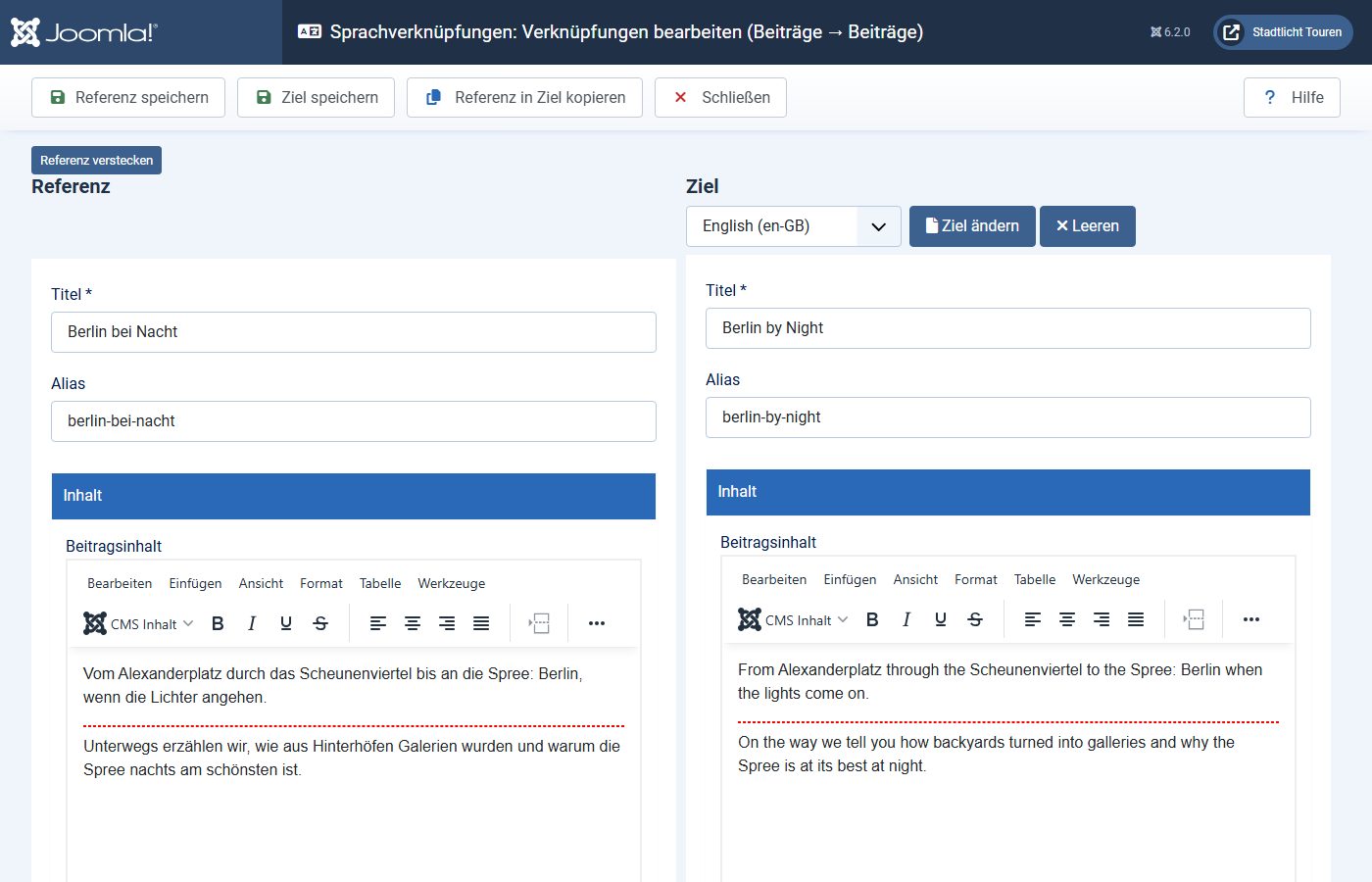
For our small test site that meant 5 English articles, 2 categories, 2 tags, 1 contact, 5 menu items in 2 new menus (one per language), 4 modules and 24 rows in Joomla’s associations table. Field values are stored per article. Only the labels of custom fields and the texts of the list have no language version: we entered them as language keys and translated them through Joomla’s language overrides, 6 strings per language.
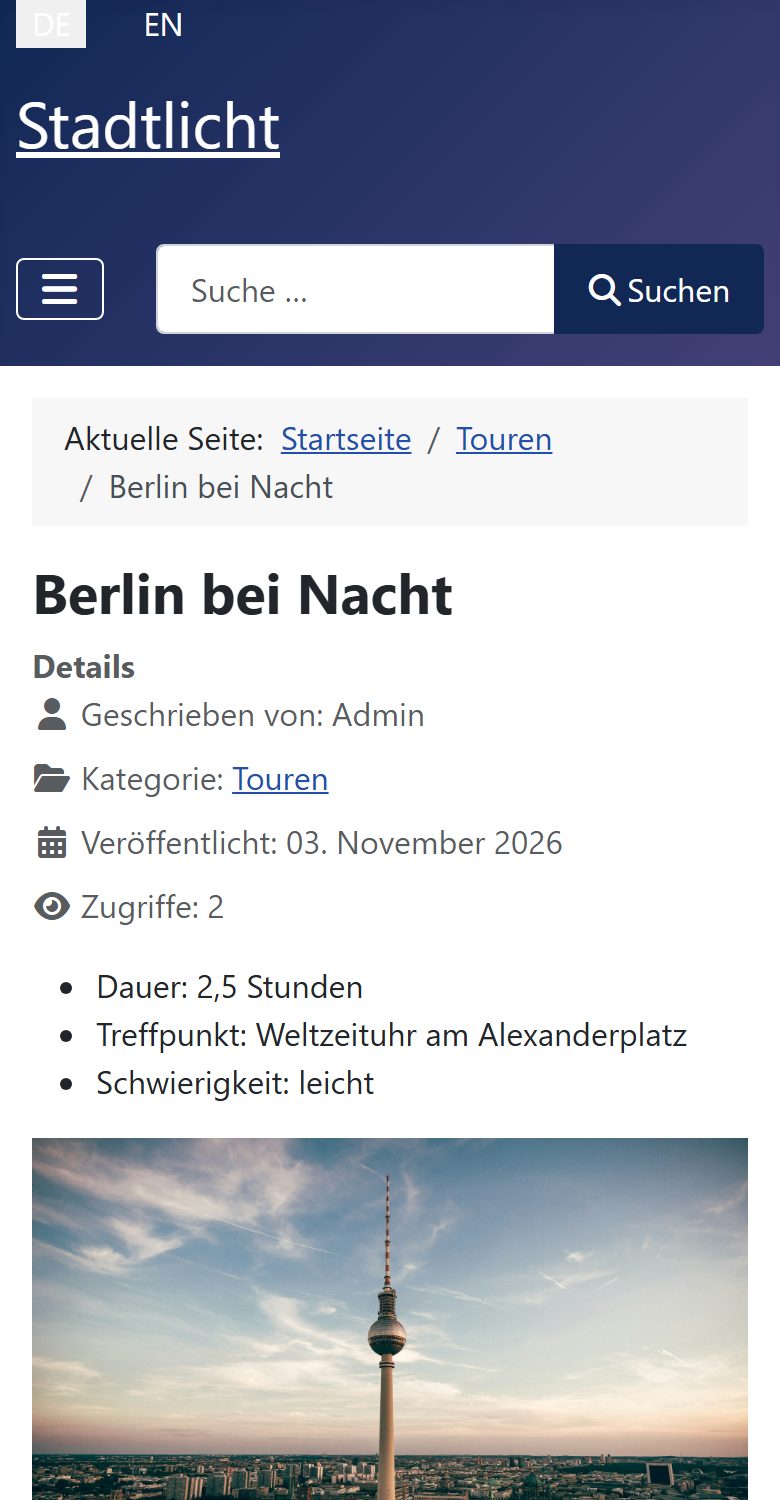

The result is URLs of their own per language with translated aliases, hreflang for German and English plus x-default in the head of every page, and the English search finds English words. An English tour article needed 38 database queries (single-language 33) and answered after a median of 84 ms (single-language 79 ms).
The price is maintenance: if a picture, a price or a meeting point changes, you change it in every language. In return every translation is normal Joomla content. Every extension that respects Joomla’s language field works with it, and there is nothing to uninstall.
Falang: translations next to the original
Falang has been in the JED since 2014 and has 368 reviews there; it makes Joomla multilingual without copying content. The German content stays on “All languages”, the translation sits field by field in the table #__falang_content; for our test site that was 76 rows. To make Joomla show the translation, the plugin “falangdriver” replaces Joomla’s database connection with a class of its own that inserts translations into query results, and it ships its own routers for articles and tags. After installation Falang reported that it had reordered the system plugins.
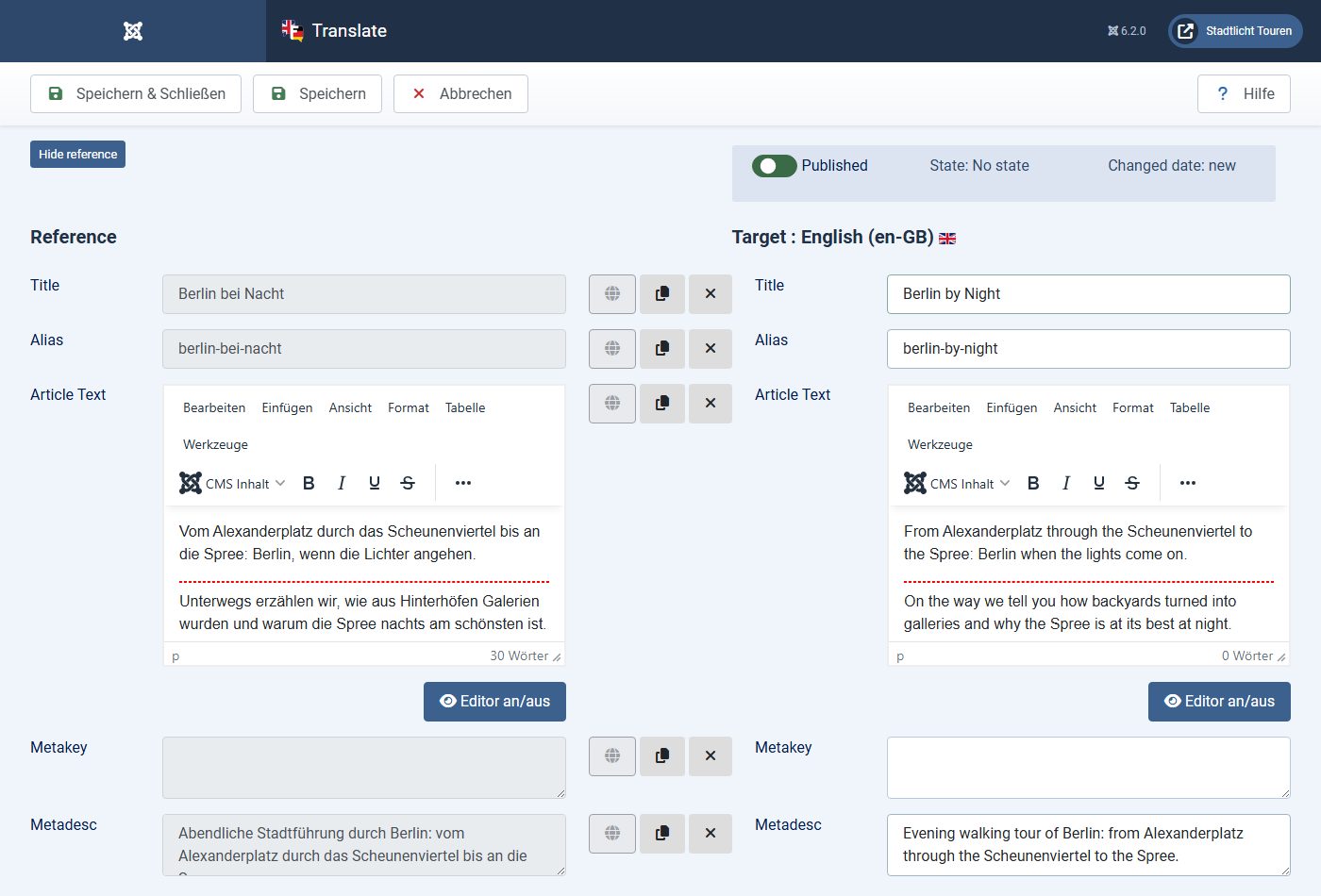
We found a trap in the defaults: after installation “Copie images and urls params” and “Copy original custom fields” are set to No. A new translation then starts without picture and without field values. If you only translate title and text, the English page has no article picture, and in our test duration and meeting point were missing. With both options on Yes Falang copies picture and field values, first in German for you to translate.
Falang delivered hreflang with x-default and translated URLs correctly. The swapping on every page view is expensive: an English tour article needed 197 database queries instead of 33 and answered after 152 ms instead of 79 ms; the German one after 143 ms with 172 queries. Falang’s own option “Enable query analysis caching” is described as “Not available actually”. On lists and tag pages the gap grows with every tour; the measurement is under “Performance”.
Speedy Translate Lite: Falang’s principle, in Joomla’s forms
Speedy Translate by Solid Labs has been in the JED since October 2026 and is built for Joomla 6 only. A wizard walks you through setup in four steps; language, language filter and switcher were done after three clicks. You translate right in Joomla’s own forms: below every field sits a flag with the English version behind it. Image paths are already filled in there.
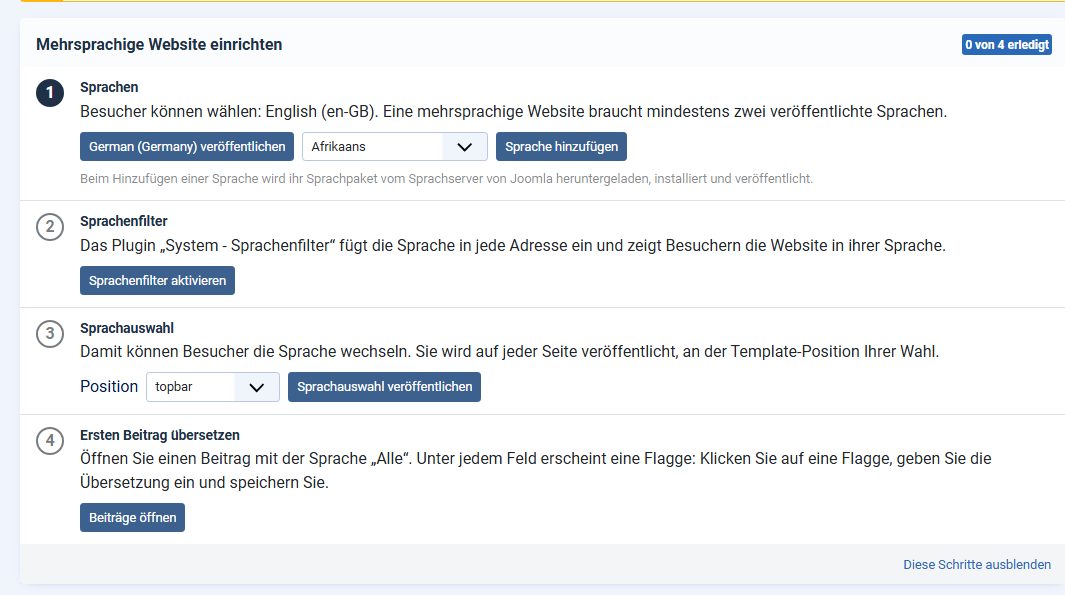
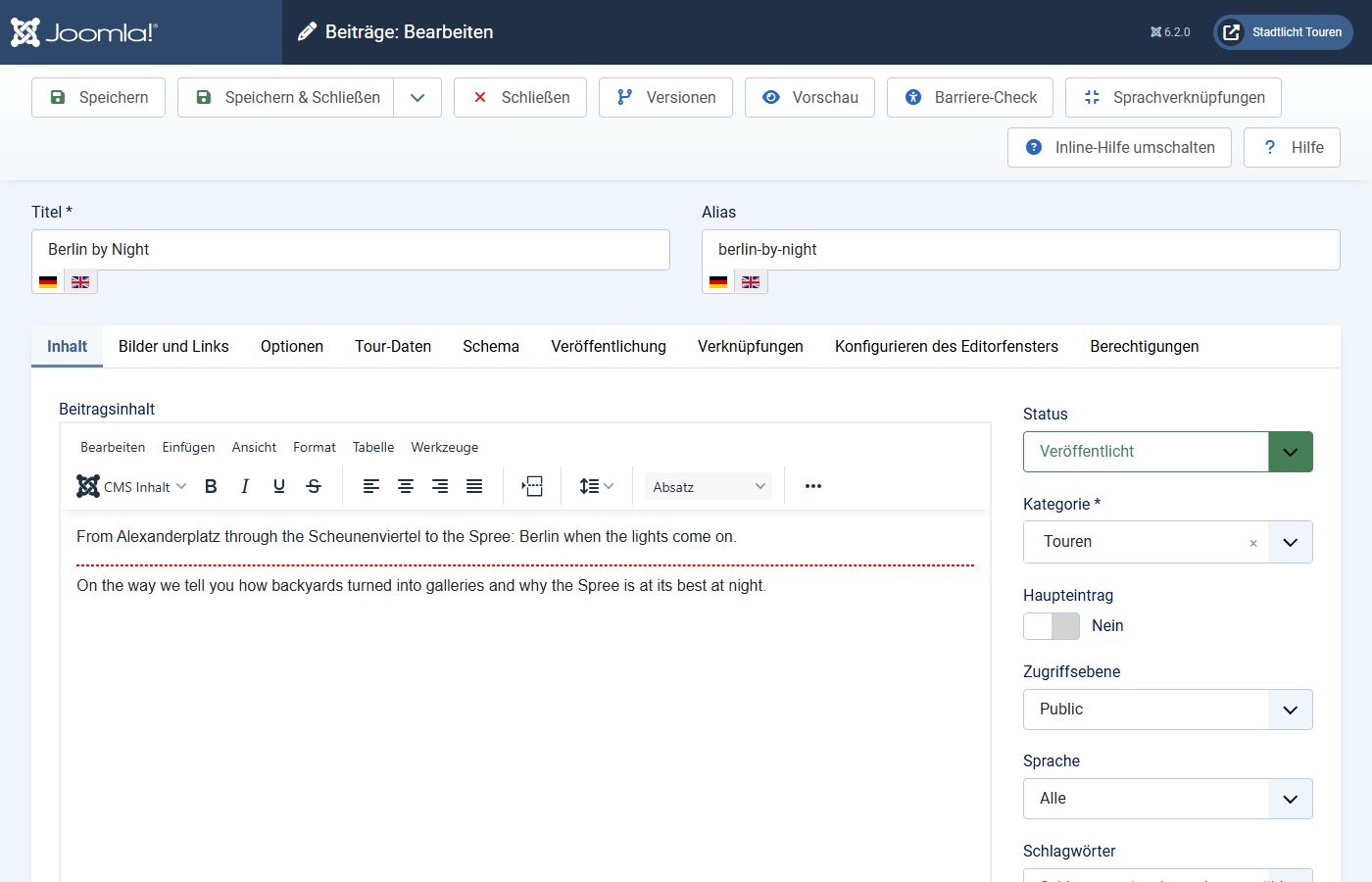
Technically Speedy works like Falang: translations live in the table #__translations, and the system plugin uses Joomla’s service container to replace the database driver with a translating subclass. It costs less than Falang: 54 queries and 86 ms for the English article, 46 queries for the German one.
Lite has gaps. We found no flags for contacts and tags. The texts of the list field could be typed in but were not saved; the English page kept showing “leicht”. Search in the visitor’s language is listed by Solid Labs as a Pro feature. According to the code, Lite also offers a second mode that creates Joomla’s associated copies instead; we did not test it.
AI translators that create Joomla items
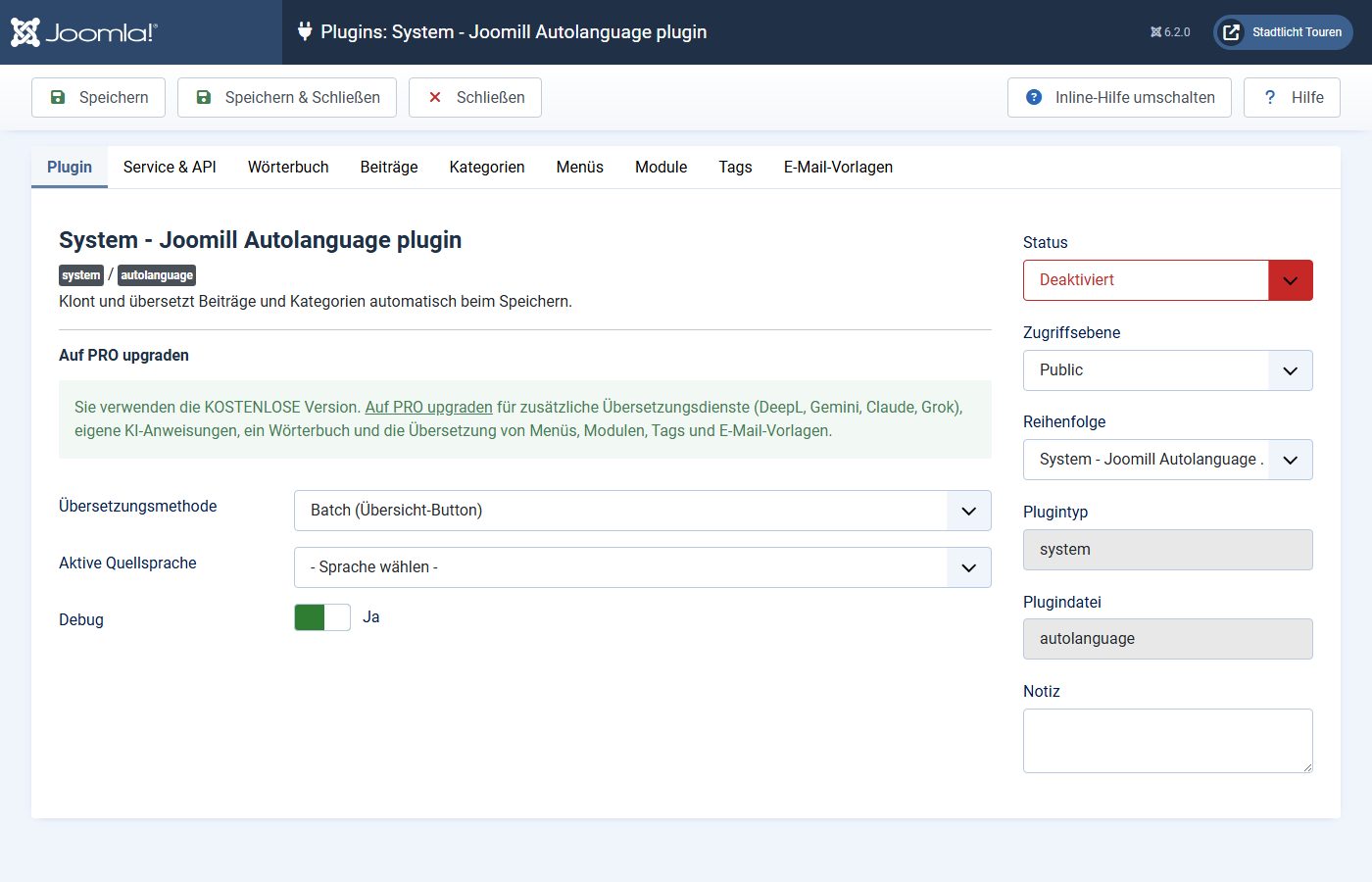
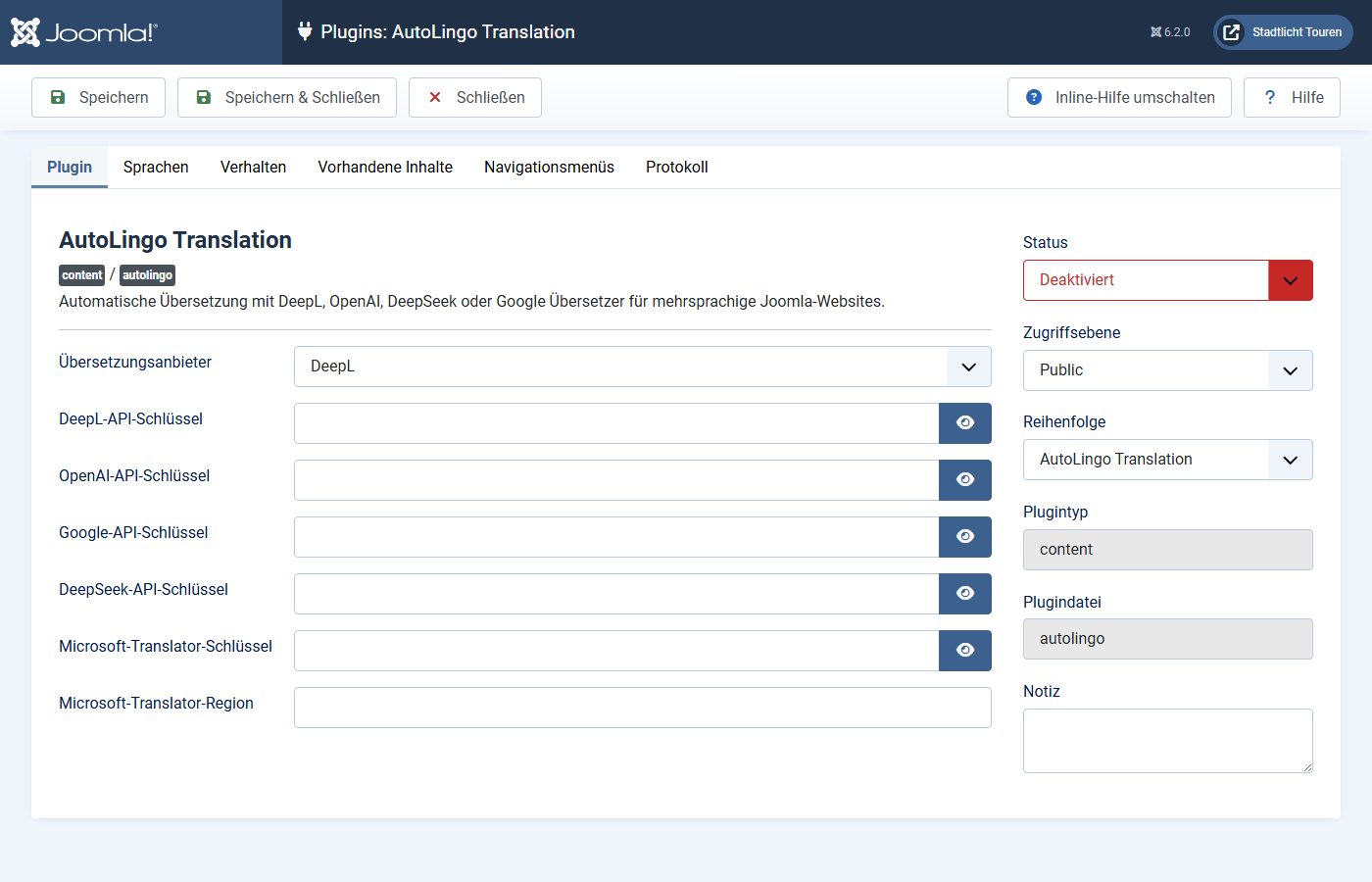
Autolanguage by Joomill and AutoLingo work with Joomla’s own way: when you save an article, or with a button in the list, they have a service translate it and create the version as an associated Joomla article. Both are disabled after installation and need an API key of your own, for instance for DeepL, OpenAI, Google or Microsoft. The texts then go from your back end to that service; visitors are not involved.
The free editions do not cover everything. Autolanguage points out in the plugin itself that menus, modules, tags and mail templates need Pro; Joomill also lists the texts in YOOtheme builder pages. For AutoLingo the vendor lists menus, custom fields and meta data as Pro. Because the result is normal Joomla content, everything from the section on Joomla itself applies afterwards. Without a key we did not check translation quality.
Translation on delivery: GTranslate and ConveyThis
GTranslate Free is a module with a language switcher. On every page view the browser loads a script from cdn.gtranslate.net (7.4 KB). A click on English sent the visible page text to translate-pa.googleapis.com, and seconds later the page was in English. The URL stayed the same, and so did the German HTML from the server. Search engines therefore only see the German page, there is no hreflang, and search only knows German words. GTranslate says so itself: the free edition brings no benefit for search engines.
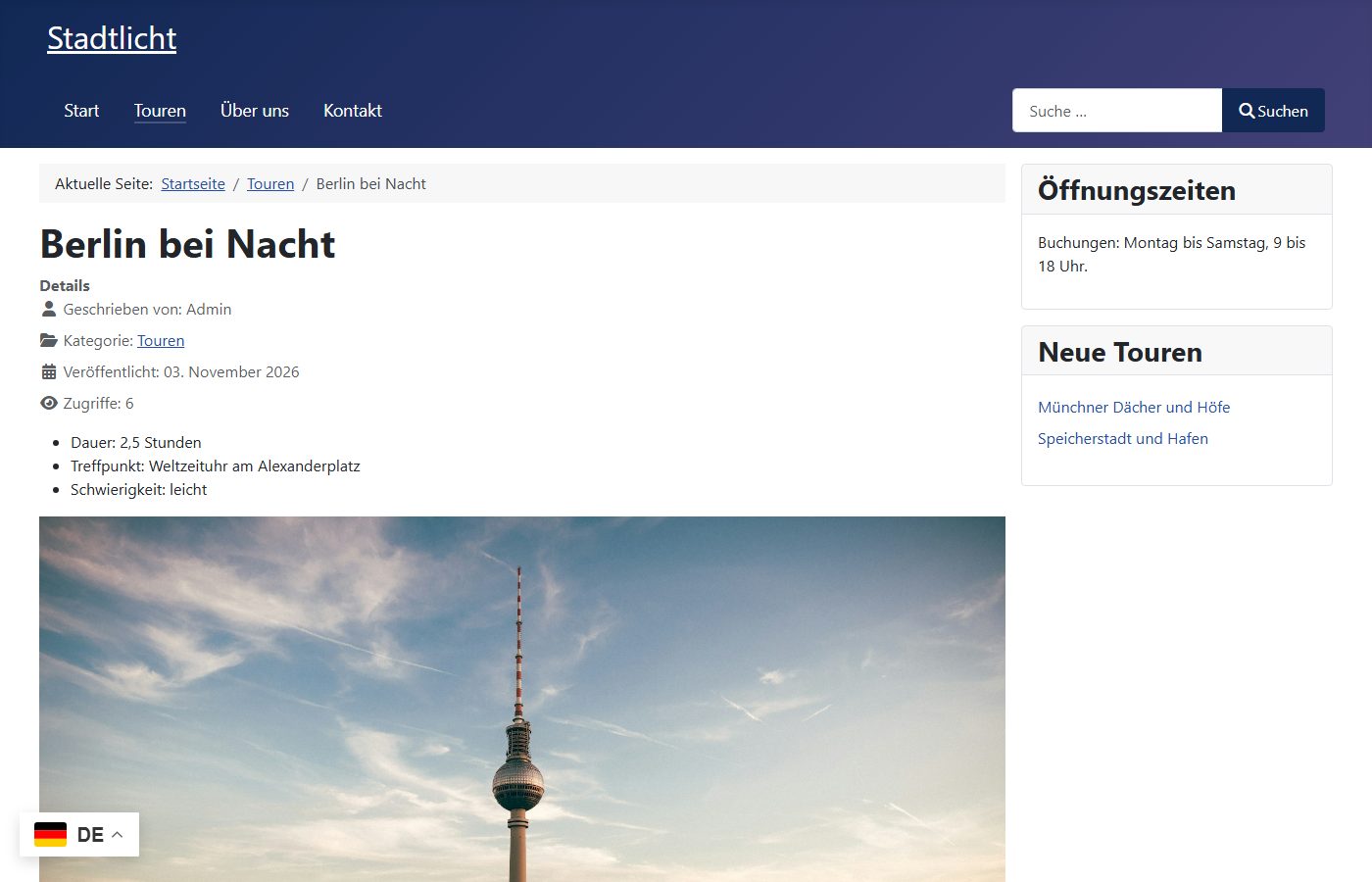
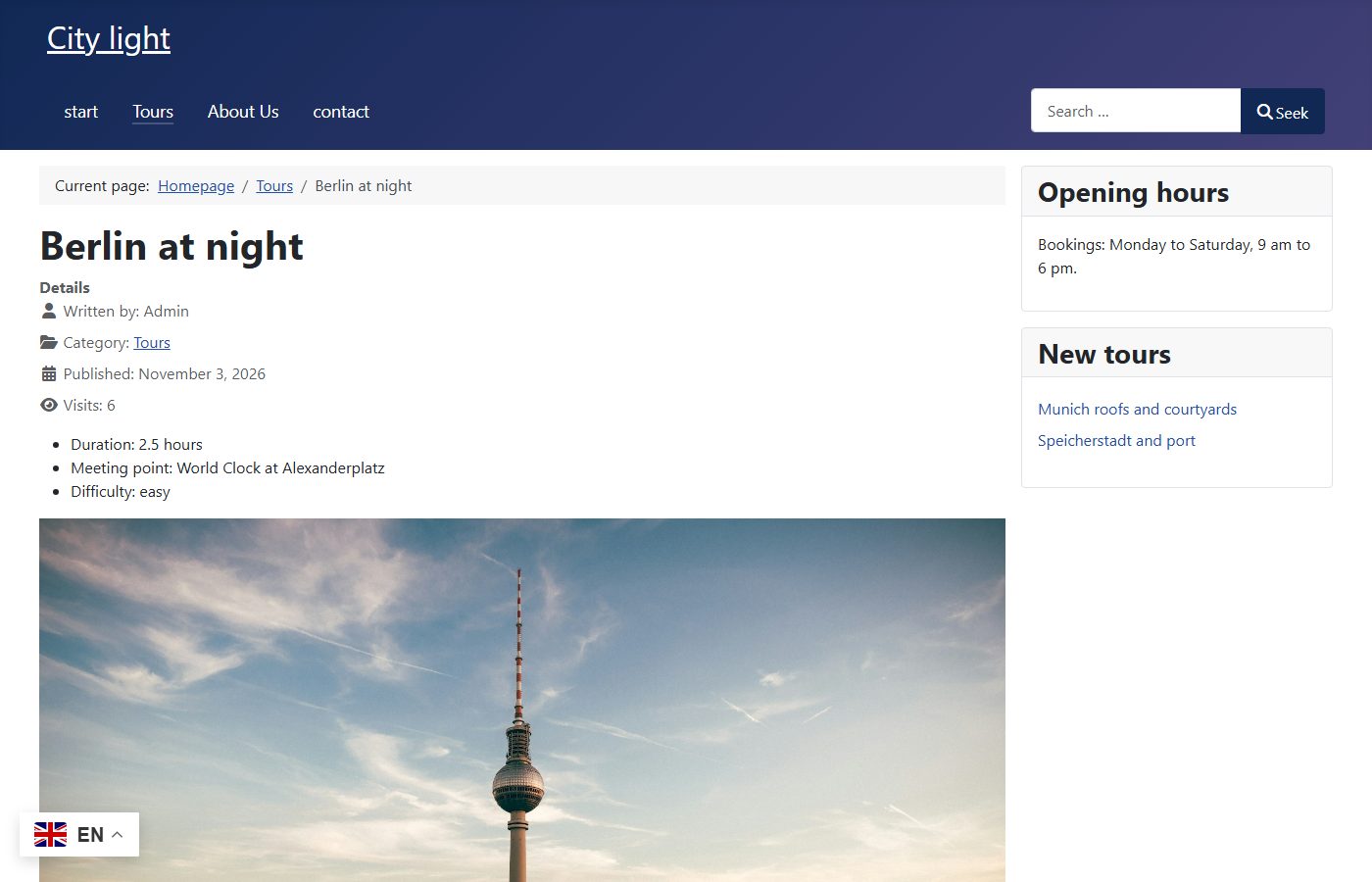
The machine translates without context: the button “Suchen” became “Seek”, “Kontakt” a lower-case “contact”, “Speicherstadt und Hafen” “Speicherstadt and port”. GTranslate also translates a YOOtheme layout, because it translates the finished page in the browser. For a privacy policy this means: on every page view the browser connects to GTranslate’s server, and to Google when switching. Whether you need consent for that is a question for your data protection adviser. Language URLs and indexing come only with the paid plans.
ConveyThis translates on the server through its own service and needs an account with an API key for that. We did not create an account. Even without a key and without a target language every page loaded a script from cdn.conveythis.com (43.8 KB). According to the code the page texts go to the ConveyThis API (USA by default, EU selectable), translations are edited in the service’s dashboard, and your server keeps a cache. When it is disabled and enabled again and when the settings change, the plugin also reports an event with your domain to ConveyThis, even without a key. The free plan covers 10,000 words and one language.
One domain per language
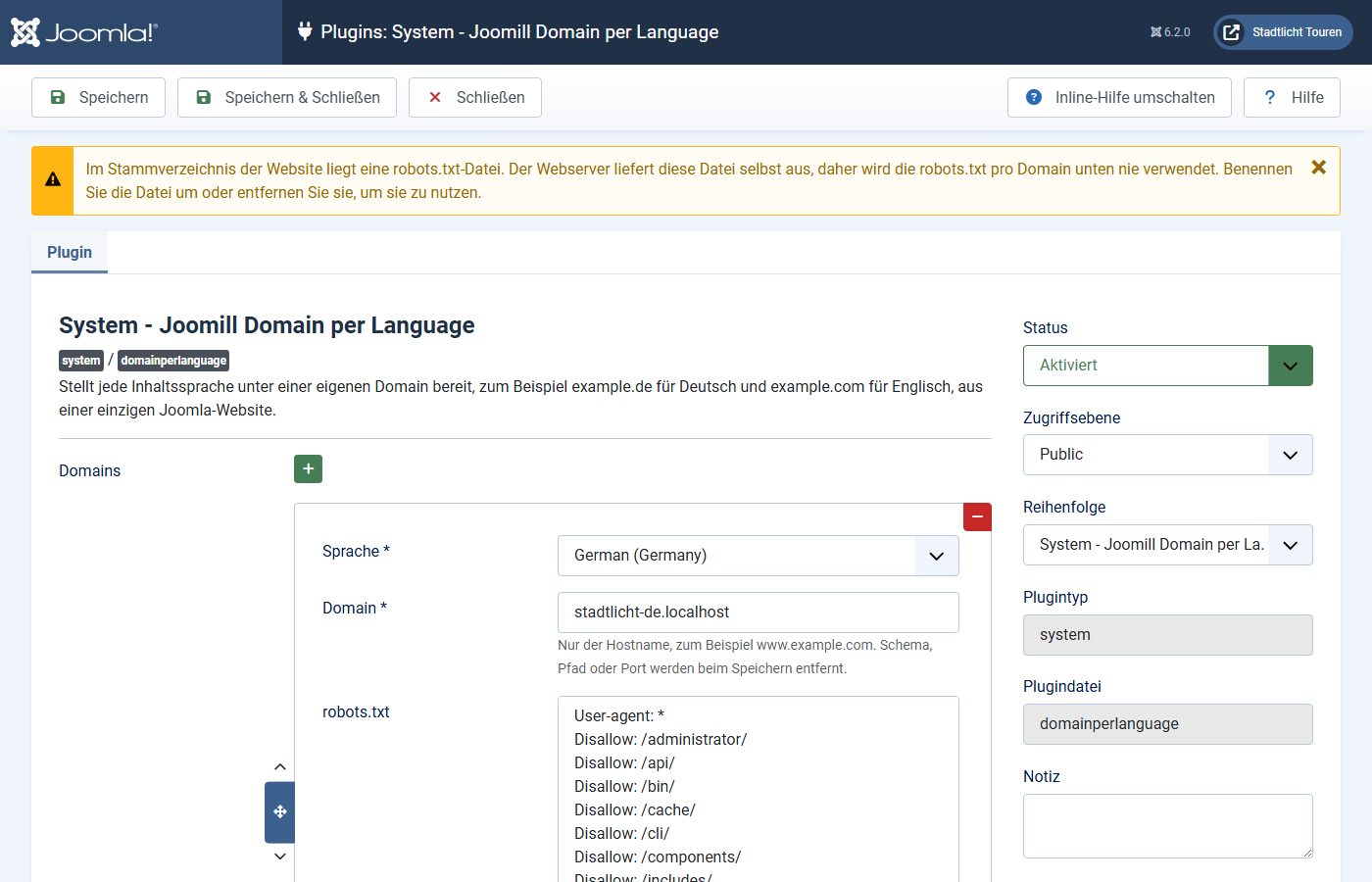
Joomla alone serves all languages under one domain, with /de/ and /en/ in the path. For example.de and example.com you need an extension. We tested Domain per Language by Joomill (free, Joomla 6 only) with two local domains: each domain served its language without a code in the path, hreflang pointed to the other domain, and the old /en/ URLs redirected with 301 to the English domain. According to the vendor a login can optionally carry over to the other domain.
You are reading a real example. joomla-agentur.de is German, joomla-agency.com English, from one Joomla installation. On 3 November 2026 266 articles each were published in German and English, as Joomla articles of their own linked through Joomla’s associations, and hreflang points to the other domain.
YOOtheme Pro
YOOtheme stores a builder layout inside the article. We installed YOOtheme Pro 5.0.53 and gave the article “About us” the layout of the test page from our page builder comparison.
| Solution | Result |
|---|---|
| Joomla | yes – own layout per language |
| Falang Pro | no – form hides builder text; add-on needed |
| Speedy Translate Lite | no – English page shows German layout |
| GTranslate Free | yes – machine, in the browser |
| Autolanguage | no – vendor: Pro only |
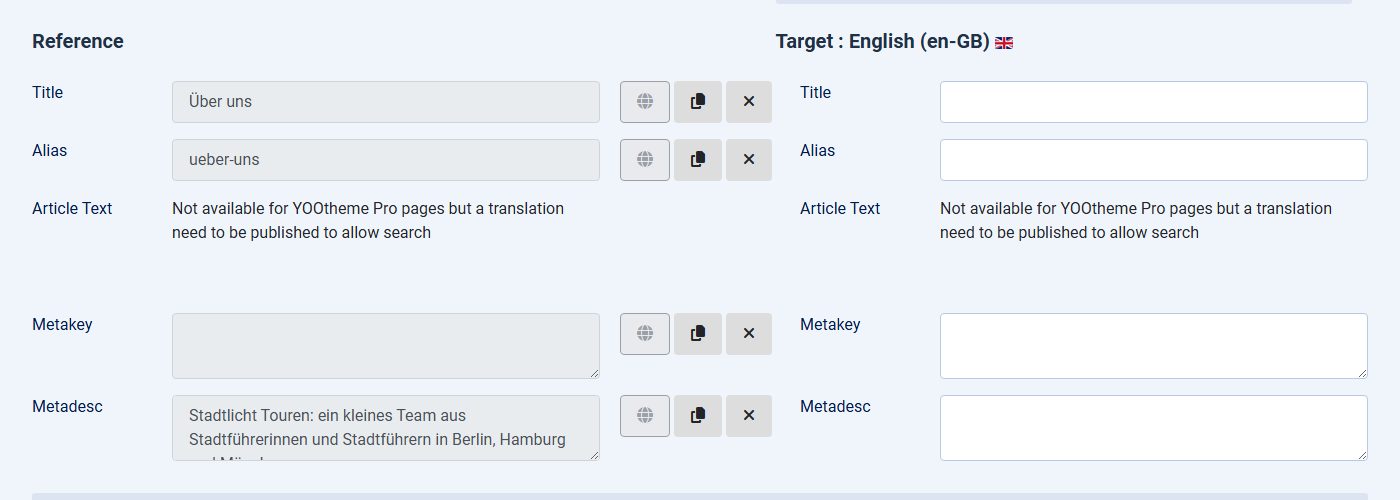
With Joomla’s own way every language has a layout of its own that you translate in the builder. For builder content Falang refers to Faboba’s add-on “Translate for YOOtheme Builder” (Lite free, otherwise from €54.90 plus VAT), which we did not have. With Speedy Lite the English text only ended up in the intro text; the English page kept showing the German layout.
Smart Search
We rebuilt the search index with Joomla’s command line and searched for “harbour” on the English site.
| Solution | Hits for “harbour” | Note |
|---|---|---|
| Joomla | Speicherstadt and Harbour | yes – index per language |
| Falang Pro | no hit | no – separate add-on plugin |
| Speedy Translate Lite | no hit | no – vendor: Pro only |
| GTranslate Free | no hit | no – German index only |
With Falang and Speedy Lite the English search only found German words and showed German titles. Falang offers an add-on plugin “Smart Search – Falang Content” as a separate download that was not in the package.
Performance: queries and response time
We first measured the English tour article of the small test site (three fields, no tags; single-language: the German one) without Joomla’s cache: database queries of one request from MariaDB’s log, plus the time to first byte as the median of 50 requests. GTranslate and ConveyThis change nothing on the server; their cost is in the browser.
With Joomla’s cache (conservative) the queries dropped to 18 single-language, 23 with Joomla itself, 32 with Speedy and 92 with Falang; response times were 66, 75, 81 and 108 ms. In the browser GTranslate loaded 7.4 KB before switching, ConveyThis without a key 43.8 KB.
With many tags and fields
To see how tags and custom fields affect this, we built a larger test site: 65 articles, 18 custom fields (12 text, 6 lists) and 24 tags. Each of the 60 new tours has all 18 field values and 8 tags. We measured three English pages: a tour article, the tour list with 6 tours and the page of a tag with 20 tours.
The gap is wider in database queries: Joomla itself needed 38, 47 and 75 queries for the three pages, Speedy Lite 54, 63 and 106, Falang 212, 272 and 320.
Every additional tour in the list cost 2 queries and just under 2 ms with Joomla, and 11 queries and about 7 ms with Falang. The number of fields and tags on a single article hardly mattered: with 3 instead of 18 fields or with no tags at all the tour article needed 212 and 210 queries with Falang, 38 and 38 with Joomla.
The log of the tag page shows where the queries come from. Joomla loaded the tours’ category 3 times there, with Falang 54 times: Falang’s own router for articles requests the category with a forced reload for every link (get($id, true)), while Joomla’s router takes it from its cache. On top of that Falang read its table list #__falang_tableinfo 86 times and queried #__falang_content 110 times for translations.
Joomla’s cache (conservative) caught the tour list: Falang 26 queries and 77 ms, Joomla 14 and 59 ms. Not the tag page: there it stayed at 256 queries and 240 ms with Falang, 65 and 122 ms with Joomla.
Uninstalling: what is left
We uninstalled every extension through “Extensions: Manage” and compared tables, Joomla’s own registry tables and files with the state before.
| Solution | Own tables | After uninstalling |
|---|---|---|
| Joomla | – | nothing to uninstall; translations are normal items |
| Falang Pro | #__falang_content, #__falang_tableinfo | two tables with 76 translation rows stay; English URLs 404 |
| Speedy Translate Lite | #__translations, #__speedytranslate_jobs | no leftovers, but the translation table is dropped; English URLs 404 |
| Autolanguage | – | installer plugin “Joomill” and an update site stay |
| AutoLingo | #__autolingo_hashes, #__autolingo_logs | no leftovers |
| GTranslate Free | – | no leftovers |
| ConveyThis | #__conveythis_data | one orphaned row in #__assets (scheduled task) |
| Domain per Language | #__domainperlanguage_sso | installer plugin “Joomill” and an update site stay; URLs back to /de/ and /en/ |
This is the real difference between the approaches: with Falang and Speedy the translations depend on the extension. Without it the English website is gone; under /en/ we then saw the German text marked as English. With Joomla’s own way and the AI translators the translations remain normal articles.
Switching between solutions
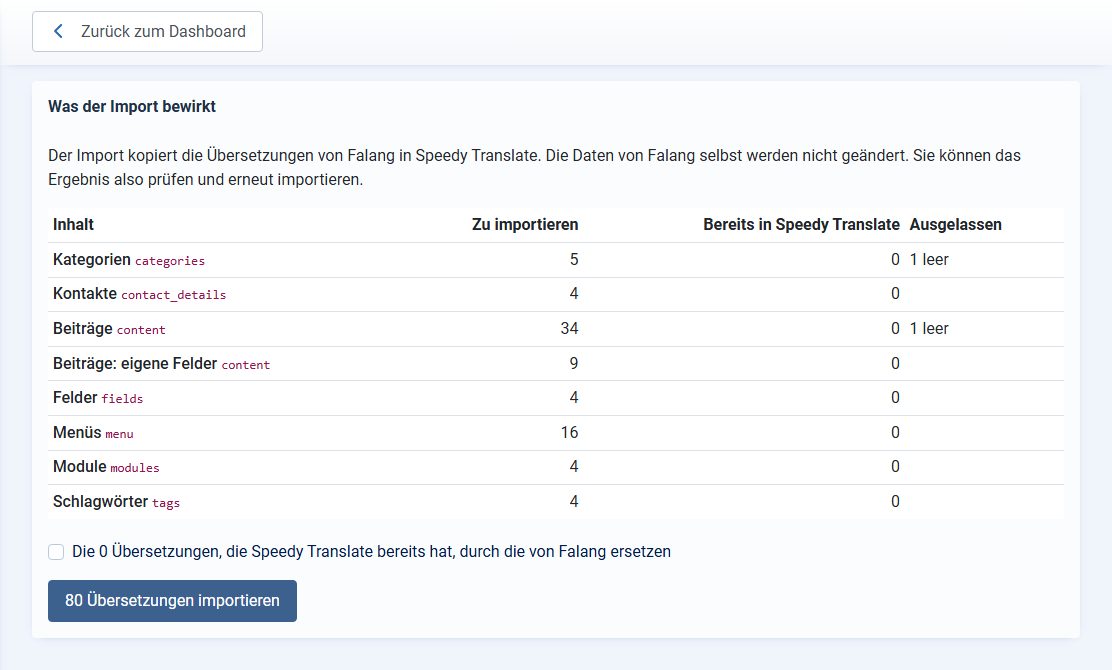
- From Falang to Speedy: Speedy’s import “Migrate from Falang” took over all 80 translations, including contacts, tags and list texts. After uninstalling Falang every English page answered 200 with English content.
- From Falang or Speedy to Joomla’s own way: neither brings a tool for that. Falang only exports XML and XLIFF for re-importing into Falang. The translations have to be turned into items, menus and modules of their own and associated.
- Away from Joomla’s own way: the content stays what it is. The AI translators work on the same structure.
- Away from GTranslate Free: there is nothing to take along, because nothing was stored.
Security
In the NVD we found no CVE for the Joomla editions of the tested extensions (as of 3 November 2026). The entries under the names Falang, GTranslate and ConveyThis concern editions for WordPress and Drupal or other products with similar names. One point on the design: Falang and Speedy replace Joomla’s database driver and are therefore closely tied to Joomla’s internals. Check the translated pages after every Joomla update.
A look back
Multilingual sites were a job for extensions in Joomla for a long time. Joom!Fish translated Joomla 1.5, among others, on the principle Falang continues; Faboba offered Fish2Falang to take over Joom!Fish translations, last updated in 2016. Josetta by Weeblr, a tool for Joomla’s own multilingual system, was retired on 20 January 2017. Neno Translate for Joomla 3 no longer has a JED listing, and its website could not be reached on 3 November 2026. jDiction is only listed for Joomla 3. If you still run one of them, a migration is ahead.
Which solution for whom?
- New website: Joomla’s own way. If there is a lot of text, an AI translator that creates Joomla items, followed by a person who reads the texts.
- Existing Falang website: keeps working. Watch the response time, above all on list and tag pages, the YOOtheme add-on and the copy options. Moving to Speedy worked without loss in our test; moving to Joomla’s own way is manual work or a project.
- Domain per language: Joomla’s own way plus Domain per Language.
- Just a reading aid for visitors: GTranslate Free, not as a replacement for a translated website.
Our own extension newtastic Languages is left out on purpose. We will add it in a follow-up with the same measurements.
Want to make your Joomla website multilingual or move from Falang to Joomla’s own multilingual system? We handle setup, translation workflow and migration, tested before the switch.
More comparisons with the same method: YOOtheme Pro or SP Page Builder, download components for Joomla and backup extensions for Joomla.
How we tested
- Three Docker environments with Joomla 6.2.0 from the official package, PHP 8.4.26, MariaDB 10.11.19, Apache 2.4, Cassiopeia, German as main language, clean URLs, otherwise Joomla’s defaults. One saved state per solution.
- Versions: Falang Pro 6.9, Speedy Translate Lite 3.0.0, Autolanguage 2.7.1, AutoLingo 1.5.0, GTranslate Free 7.0.1, ConveyThis 67, Domain per Language 1.0.1, YOOtheme Pro 5.0.53. Packages from the vendors’ sites, Falang Pro from an existing licence.
- Installed, translated and uninstalled through the back end like in daily work, automated with Playwright; for Falang the remaining content was entered in the format of its form and cross-checked with the form.
- Server: 50 requests per URL after five warm-up requests, median; database queries of one request from the MariaDB log. Browser: Chromium, empty cache, median of three runs.
- Larger test site: 60 more tours, 15 more fields and 22 more tags, entered by script, for Falang and Speedy Lite in the format of their forms. Tag page with 1, 5, 10 and 20 tours through Joomla’s
limitparameter; tour article also with 3 instead of 18 fields and without tags. - Leftovers: tables, Joomla’s registry tables and file list compared before installing and after uninstalling.
- CVEs: NVD keyword search per product and the CISA KEV list, as of 3 November 2026. Prices from the vendors’ sites on the same day.


