★★★ newtastic Extensions · exclusive to our clients ★★★
newtastic Languages
newtastic Languages

Multilingual, made simple.

Your German website goes international within hours – with its own domain for every language if you like.
Multilingual Joomla websites that feel like one language.

newtastic Languages: Multilingual Joomla websites that feel like one language.
01 / In short

In short.

The problem

Joomla wants every language version separately, linked by hand – and you never see when one is outdated.

The solution

Languages creates all versions when you save, pre-translates them if you like and shows the status per language.

Suitable for

Companies, associations and schools with several languages – also with a domain per country or after Falang.

02 / Your benefits

Why Languages?

A domain per language

example.de in German, example.com in English – one website, wrong addresses redirect.

Out of Falang

Take over translations, modules and switchers – then it is genuine Joomla, addresses stay.

International within hours

Take over your existing website, create language versions, pre-translate with DeepL or AI.

Save once

Saving creates every language version – linked and sorted into the right place.

Miss nothing

Flags in Joomla's lists show per language what is open, outdated or machine-translated.

Change once, everywhere

Image, access, category, trash: change it once and it is done in every language.

For all extensions: No changes to the core Removable again Joomla updates as usual German and English

03 / How you work with it

How you work with it.

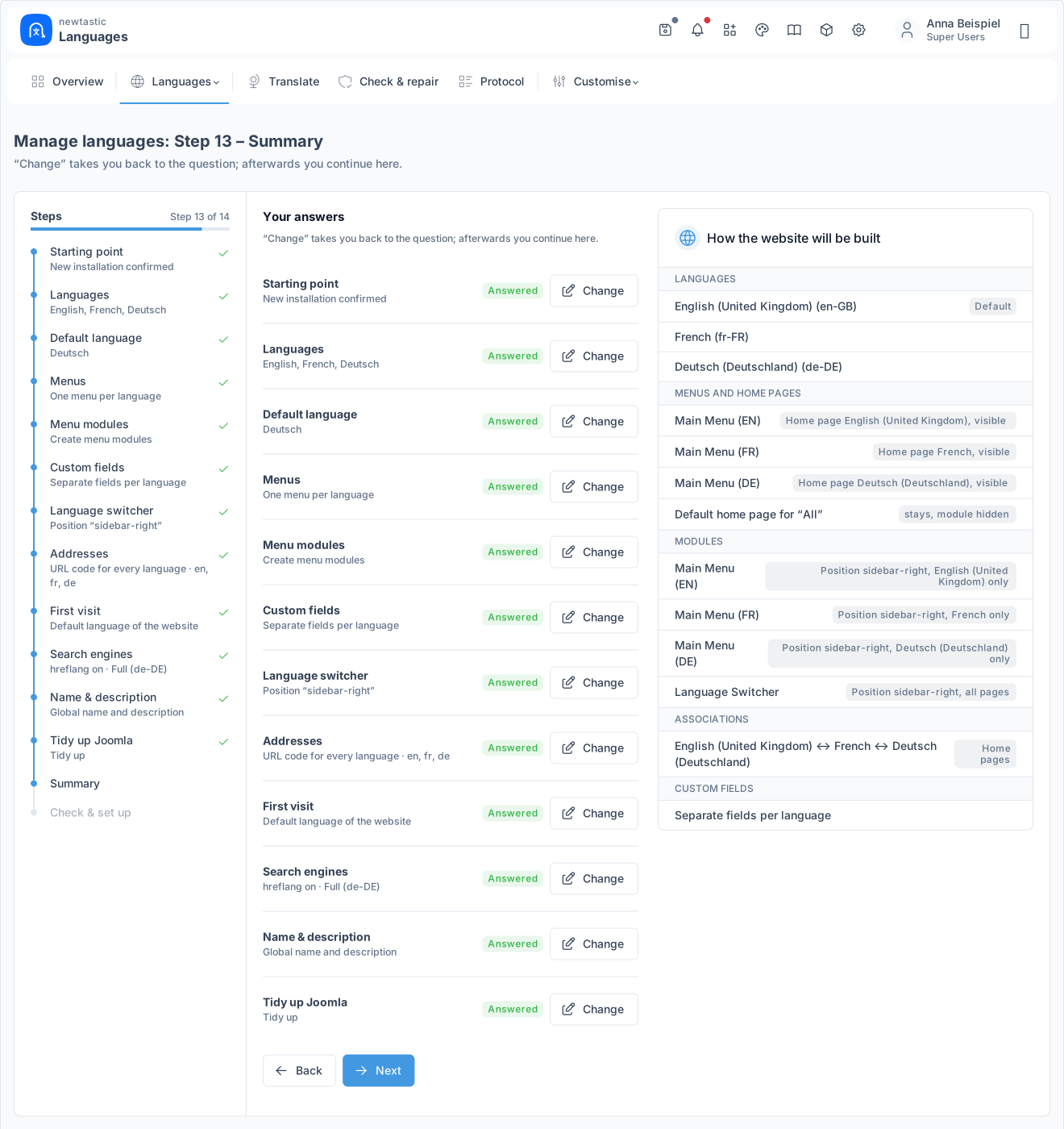
newtastic Languages: The summary of all answers with the future structure of the website.

The summary of all answers with the future structure of the website.

Step 1

Set up

A questionnaire checks the starting point and asks about languages, default language, menus and addresses – each with an explanation and a recommended answer. The summary shows how the website will be structured; only the last step changes anything in Joomla.

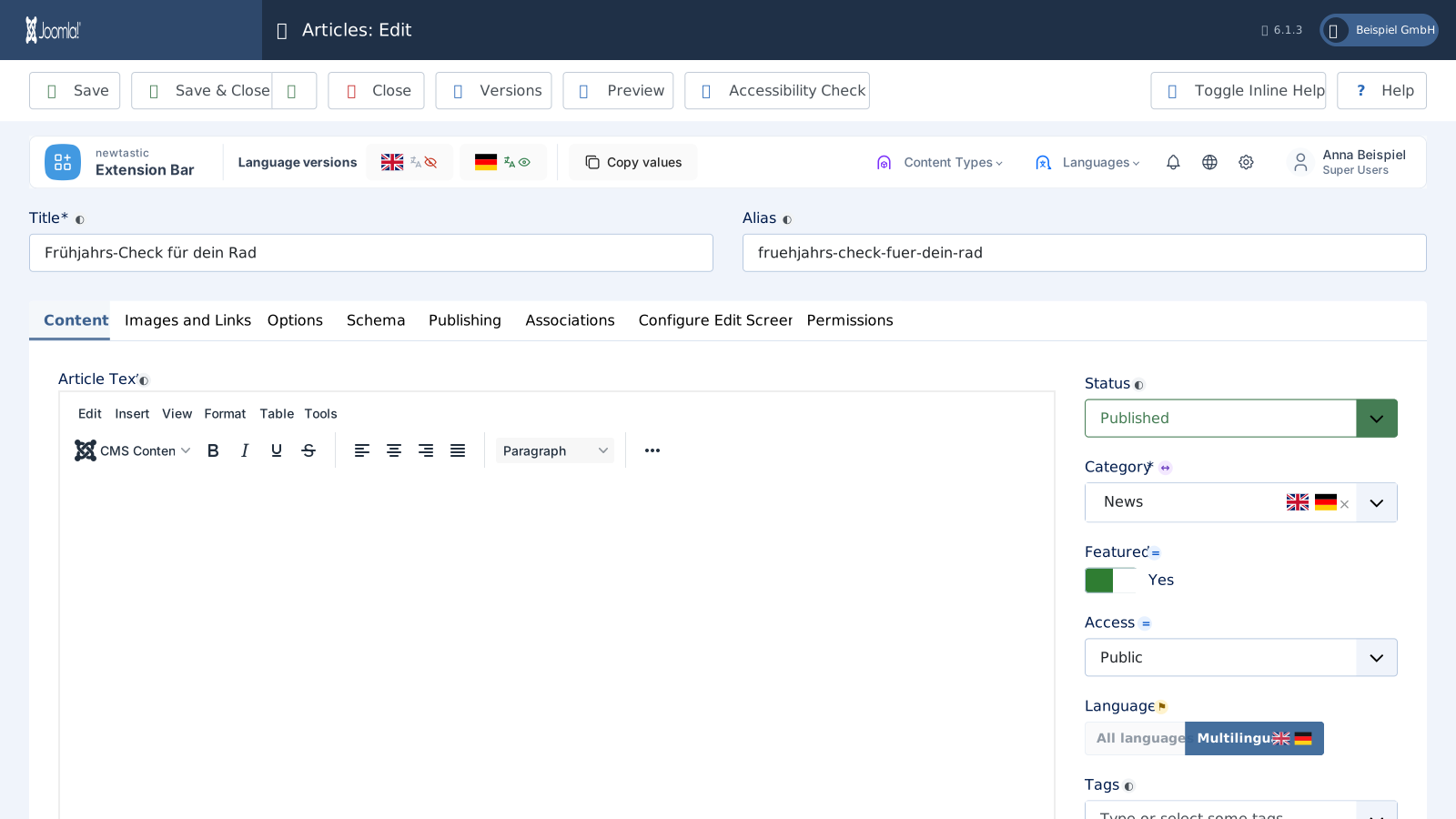
newtastic Languages: The language bar in the article editor.

The language bar in the article editor.

Step 2

Create and translate

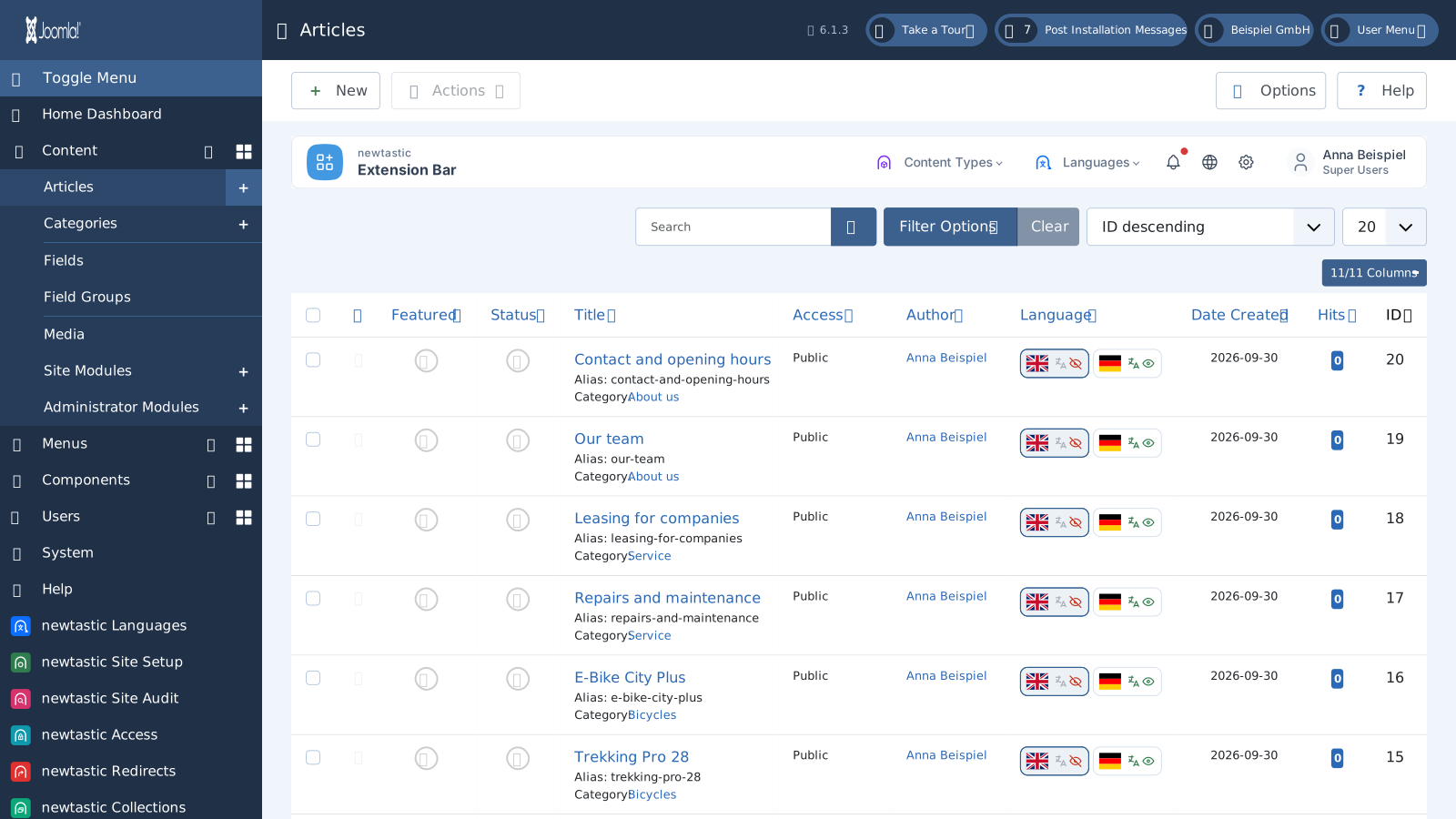
Choose your working language with the flag at the top of Joomla's header. You create content once, the language versions appear with their title, and the flags in the editor take you from version to version.

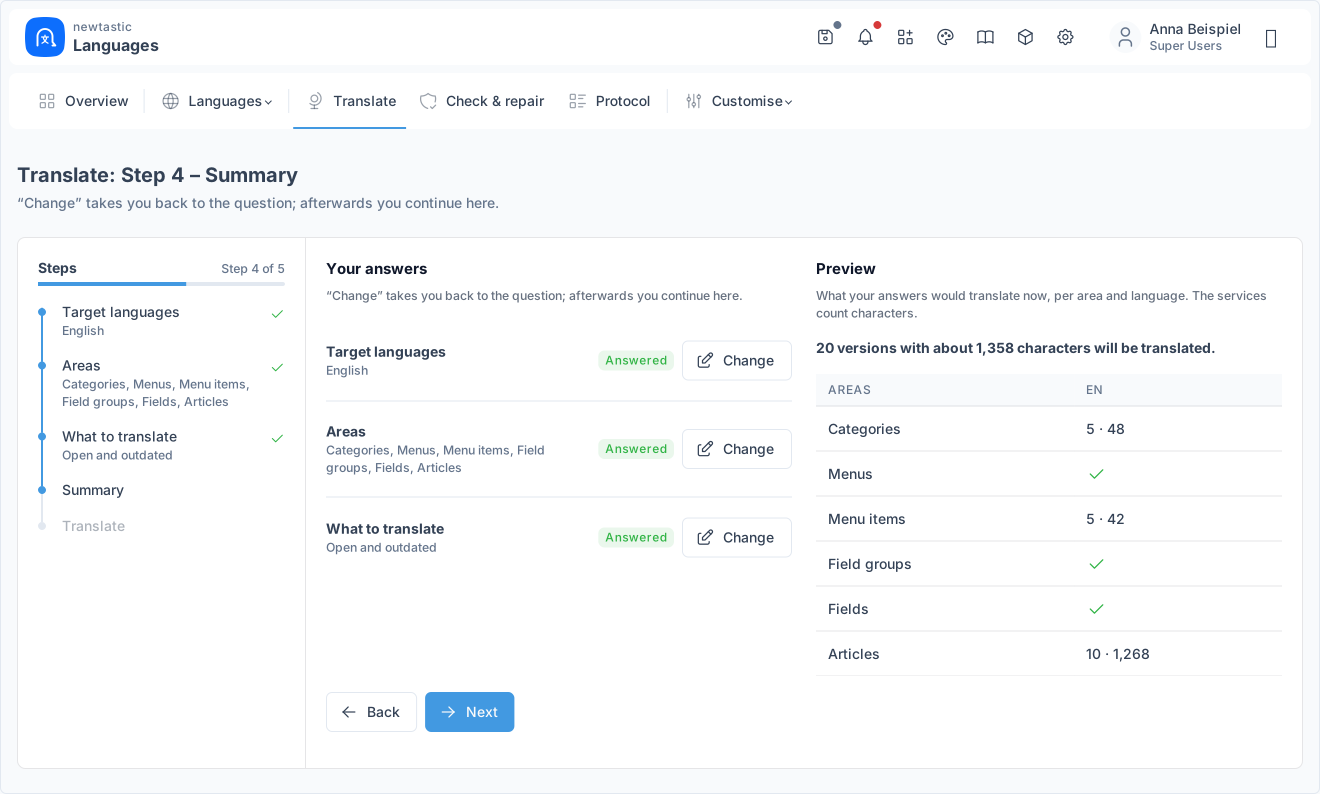
newtastic Languages: The summary shows items and characters per area and language.

The summary shows items and characters per area and language.

Step 3

Translate many items at once

If you like, translate many items in one run: choose target languages and areas, then decide whether to translate only open and outdated items or everything again. Before anything is sent, the summary shows items and characters per area and language.

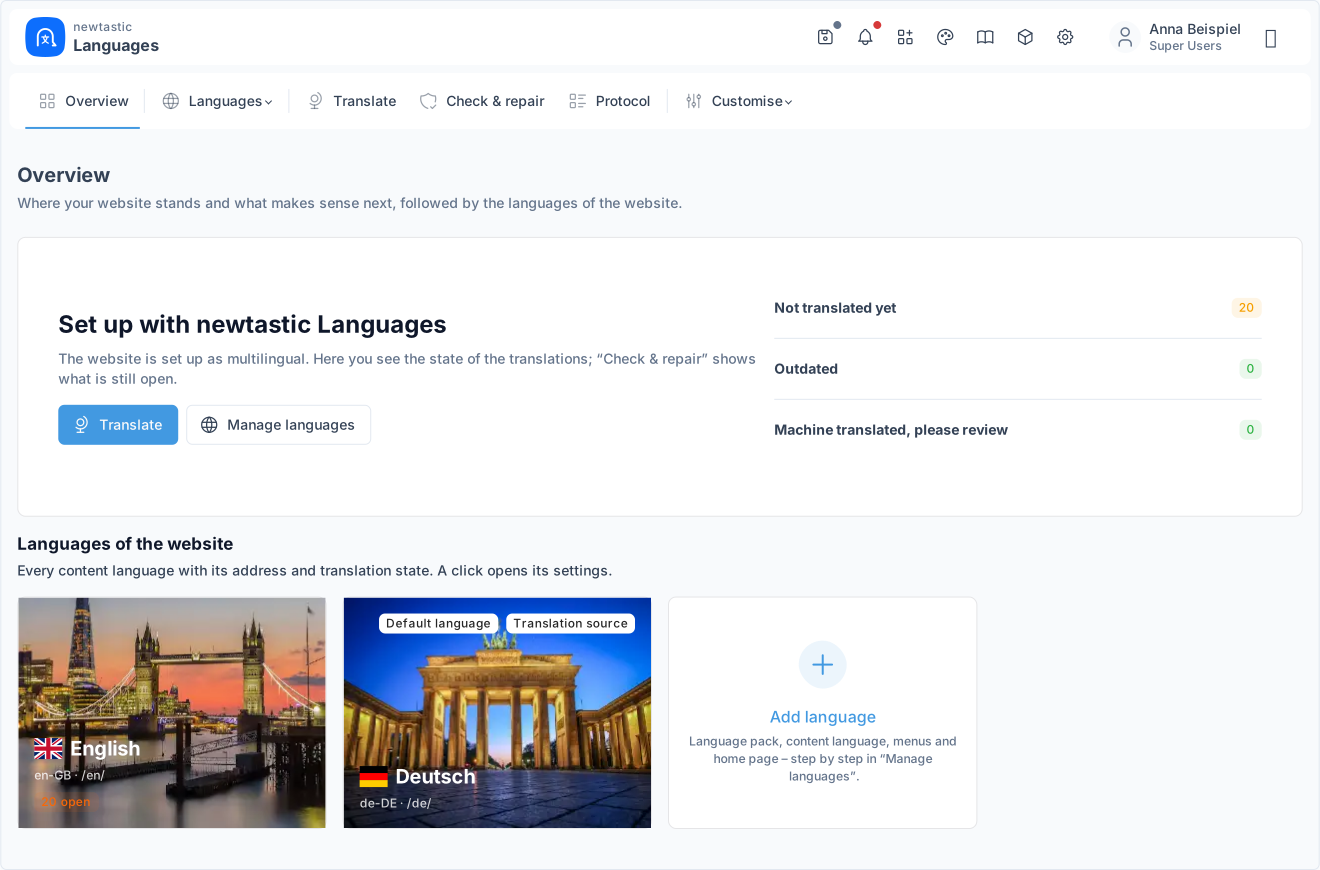
newtastic Languages: The overview of a multilingual website with one tile per language.

The overview of a multilingual website with one tile per language.

Step 4

Keep track

The overview shows every language as a tile with its address and the number of versions that are missing, open, outdated or waiting to be checked. You see at once where work is left – until every flag shows a check mark.

04 / More insights

More insights.

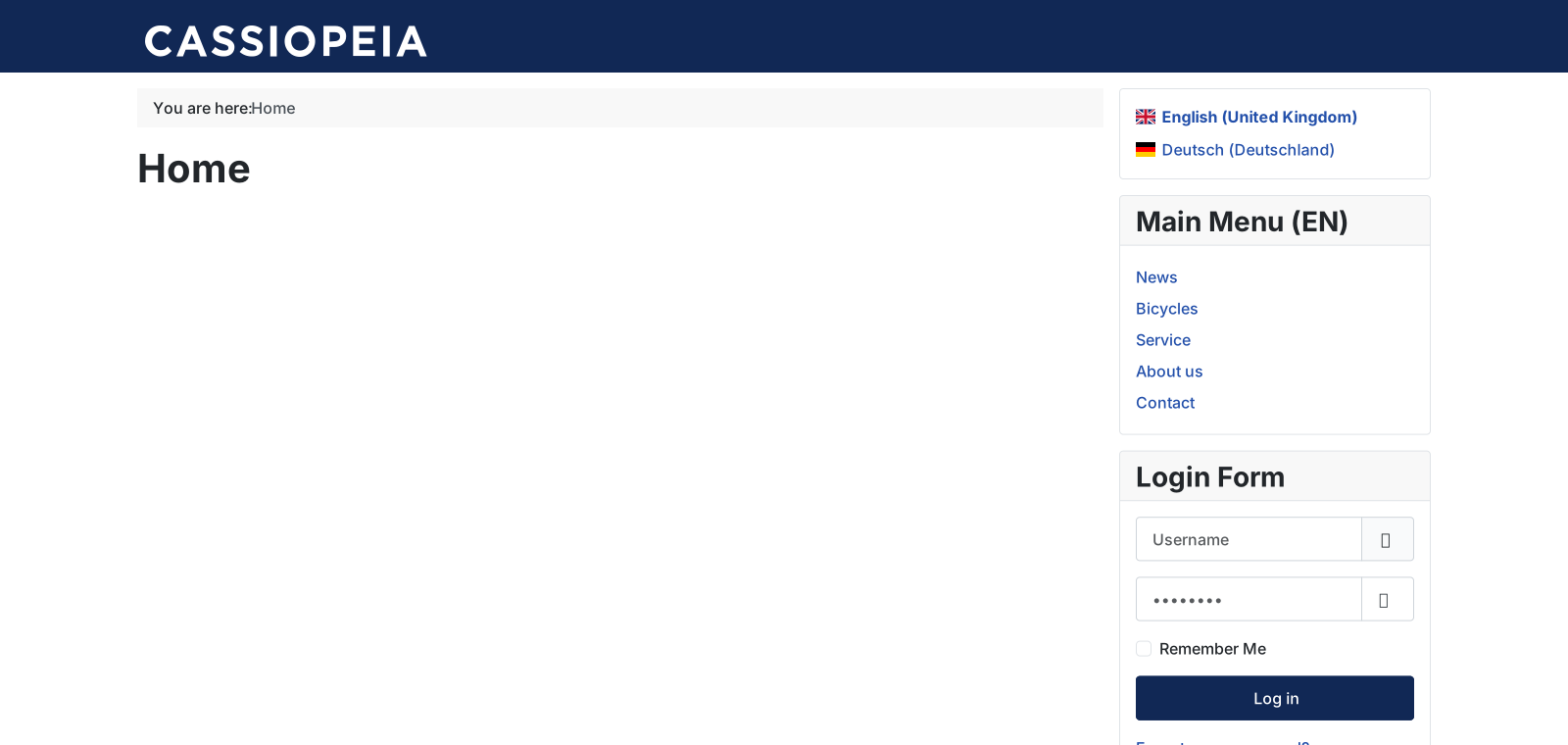
newtastic Languages: The language switcher on the website.

The language switcher on the website.

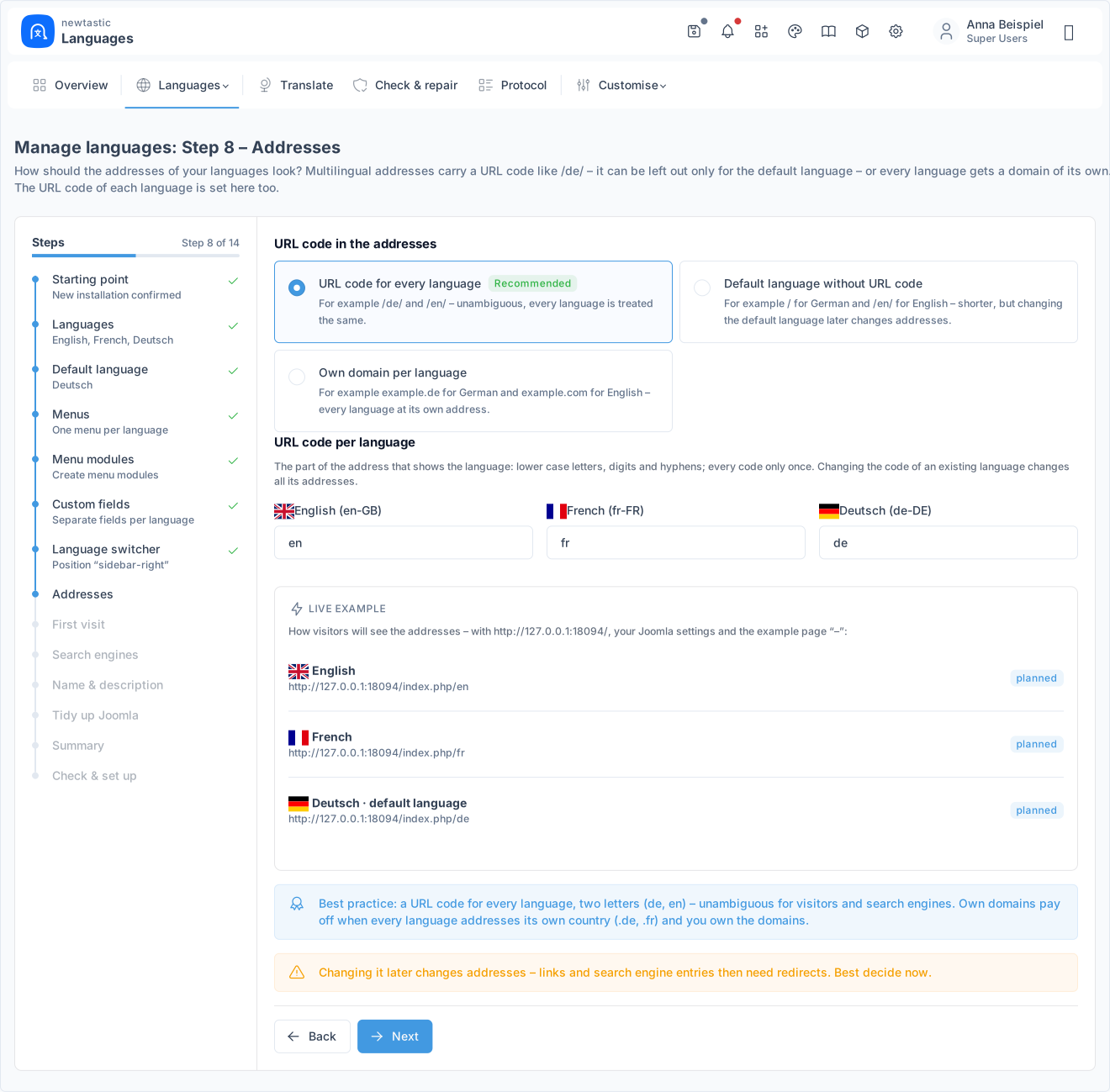
newtastic Languages: Addresses with a URL code per language and a live example.

Addresses with a URL code per language and a live example.

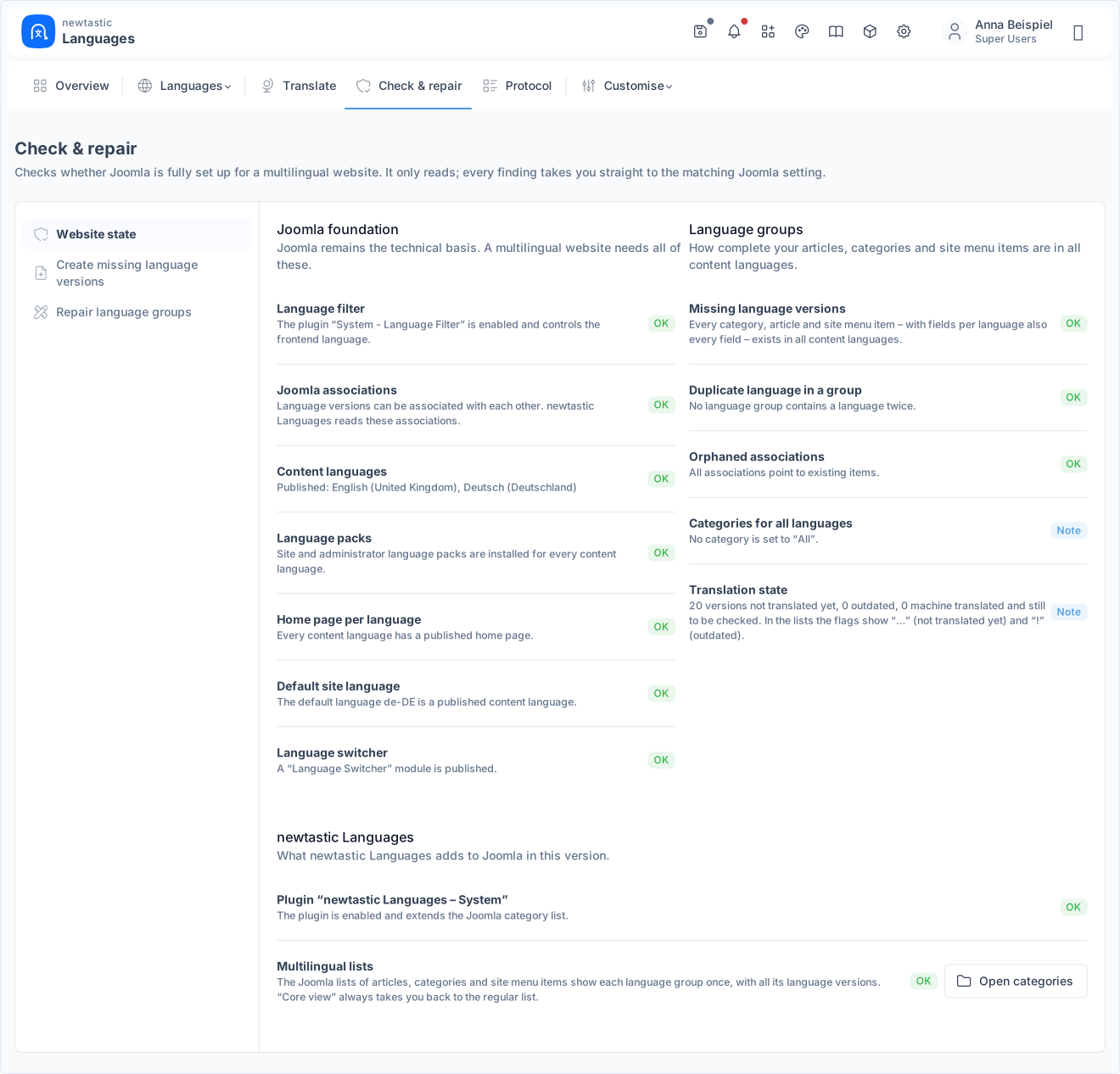
newtastic Languages: The state of the website with its findings.

The state of the website with its findings.

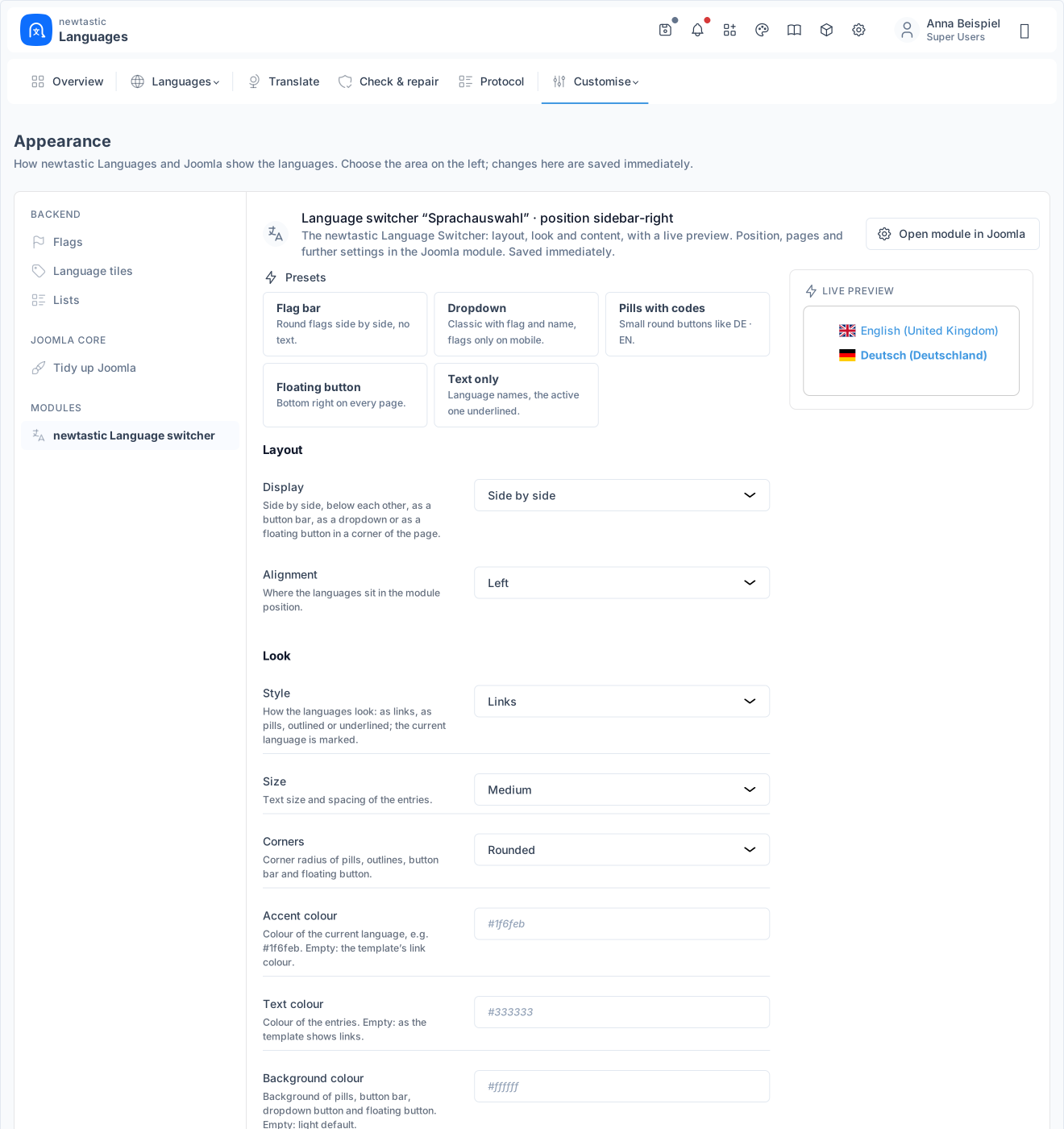
newtastic Languages: The newtastic language switcher with a live preview.

The newtastic language switcher with a live preview.

05 / All functions

All functions.

Guided setup

  • Setup wizard for languages, menus and home pages
  • Detects whether your site is new, single-language or already multilingual
  • Language packs from Joomla’s catalogue are installed automatically
  • One menu per language or a shared menu, language switcher included
  • Addresses like /de/, browser language, site name and meta per language
  • Live before/after example, advice and warnings for every question
  • Add more languages later, create missing versions in the same run

One domain per language

  • Own domain per language, e.g. beispiel.de and example.com
  • Extra addresses and wrong domains redirect correctly with a 301
  • Links, language switcher and hreflang use each language’s domain
  • Domain test plus warnings about settings that break domains
  • Test copies and IP addresses keep working normally with URL codes
  • Switch from n3t Language Domains: your domains are taken over

Takeover and Falang

  • Make an existing website multilingual, fully reversible
  • Per area: create language versions or just assign a language
  • Menus, home pages, modules and links follow, addresses stay the same
  • YOOtheme Pro: builder templates and mega menus set up per language
  • Falang migrator: take over your translations from Falang
  • Falang analysis: translated, outdated and missing per area and language
  • Texts, images, meta, field values and modules as Falang shows them
  • Falang’s switchers and search replaced, then Falang is switched off
  • No Falang translation layer: pages come straight from Joomla

Versions, menus, fields

  • Saving in the backend creates and links missing language versions
  • New versions as titled drafts in their language’s category and menu
  • Change image, access or category once – done in every language
  • Trash and delete apply to all versions, publishing as you choose
  • Menu groups: language menus and menu modules stay in sync
  • Article custom fields: one field for all or fields per language
  • Field labels per language, values like date or image shared by all

Lists and editors

  • One row per language group: articles, categories, menus and fields
  • Flags in lists and editors show the status, one click switches
  • Field marks show which fields are per language or shared
  • Copy all values or single fields from another language
  • Language lock; new items inherit the language of their category
  • Working language per person, language picker in Joomla’s header
  • Switch back to Joomla’s unchanged view at any time

Translation and status

  • Translation status per version, “outdated” once the source text changes
  • Machine translation with DeepL, Google, Claude or OpenAI
  • Whole areas in one run or single items right in the editor
  • Preview with character count before sending, stop the run any time
  • Plugin codes, placeholders, HTML and links stay intact
  • Results stay marked “machine translated, please check”
  • Your own API key, usage and remaining DeepL quota at a glance

Switcher and SEO

  • Language switcher in five layouts, incl. dropdown and floating button
  • SVG flags, names or codes, colours and style as you like
  • Presets with live preview, replace Joomla’s switcher in one click
  • Switcher leads to the same page in the other language
  • hreflang even for archived articles and filtered pages
  • Joomla’s language settings explained in one place, short codes like “de”

Check and undo

  • Health check with repair of duplicates and orphaned associations
  • See missing versions per language and create them in one run
  • Log of every setup, takeover, structure and language change
  • Undo the latest run; anything changed since then stays untouched
  • Hide or remove a language, old addresses redirect with a 301
  • Change the structure later: fields per language or menu layout

Own languages and more

  • Own languages like Sorbian as a real Joomla language pack
  • Upload your own flag, have Joomla’s texts machine translated
  • Regional flags for Catalan, Galician, Basque and Arabic
  • Overview with customisable language tiles and open translations
  • Guide built right into Joomla
06 / Frequently asked questions

Frequently asked questions.

We use Falang – what happens to our translations?

The migrator takes them over: titles, texts, images, meta data, field values, translated modules and Falang's language switchers become genuine Joomla language versions – as Falang shows them today. Addresses stay, the run is logged and can be undone. Falang is only switched off; uninstall it once everything is right.

Can every language have its own domain?

Yes. Every language can get its own domain, for example example.de for German and example.com for English – one Joomla website behind them. Wrong addresses redirect with 301, hreflang names every domain, and a test checks that each domain answers correctly. Test copies under other addresses keep working as before. Our own website runs this way.

Can we make an existing website multilingual?

Yes. The questionnaire also takes over a website that already has content in one language: if you wish, categories, articles and menu items get associated versions in every further language, ready for translation. You confirm a backup first, and the run can be undone from the log.

How does machine translation work?

You add the API key of a service: DeepL, Google, Claude or OpenAI. Translation always starts from the master language, and before anything is sent a summary shows how many items and roughly how many characters are involved. Machine-translated versions stay marked “to be checked” until you mark them as translated. Texts, meta data and simple field values are translated, not modules or YOOtheme builder content.

Our language is missing from Joomla's catalogue – what now?

Under “Own languages”, a missing language such as Lower or Upper Sorbian becomes a genuine Joomla language pack with its own flag. Joomla's own texts can be translated with the translation service; after that the language is available like any other.

What stays if we remove newtastic Languages?

The multilingual website stays: languages, content languages, language versions and menus and modules per language are Joomla's own data and keep working. Translated field labels become fixed texts in the default language, and Joomla's own “Language Switcher” module can take the place of the newtastic Languages switcher. Without Languages, however, the own domains per language and the redirects of removed languages no longer apply.

Exclusive to our clients.

newtastic Languages is not for sale. Have us build your website or migrate it to Joomla – and we set up newtastic Languages for you.