★★★ newtastic Extensions · exclusive to our clients ★★★
newtastic Structure
newtastic Structure

Your website as a map.

Your menus as a map: see at once what lives where and what leads nowhere – and rebuild safely, with undo.
Your website at a glance – and extended in one step.

newtastic Structure: Your website at a glance – and extended in one step.
01 / In short

In short.

The problem

In Joomla, pages, their content and their modules sit in separate lists – you never see the whole picture.

The solution

Structure shows menus, pages, categories and modules as one picture and creates new sections in one step.

Suitable for

Grown websites with many menus and modules, and everyone who wants to understand a website they took over.

02 / Your benefits

Why Structure?

Find dead ends

Menu items without a target, categories without a menu item, modules without a page.

Rebuild safely

See which addresses change before moving anything – and undo it for 24 hours.

Everything as a map

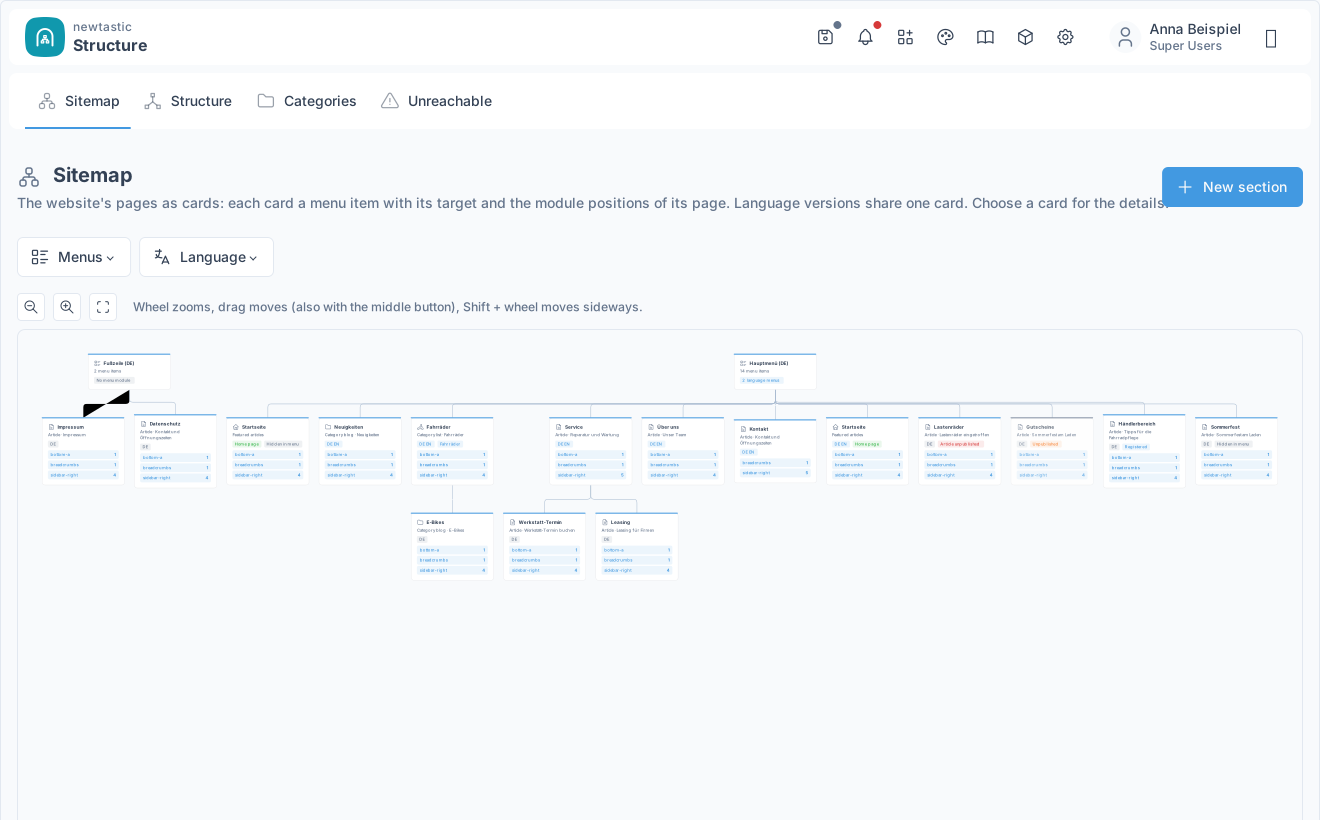
Your whole menu structure as a zoomable map – every page with content and modules.

New in one step

Menu item with a new category or a new article – previewed with its address first.

Modules per page

One click shows which modules appear on a page – sorted by their position.

All languages in view

With newtastic Languages: every language version of a page on one card, gaps marked.

For all extensions: No changes to the core Removable again Joomla updates as usual German and English

03 / How you work with it

How you work with it.

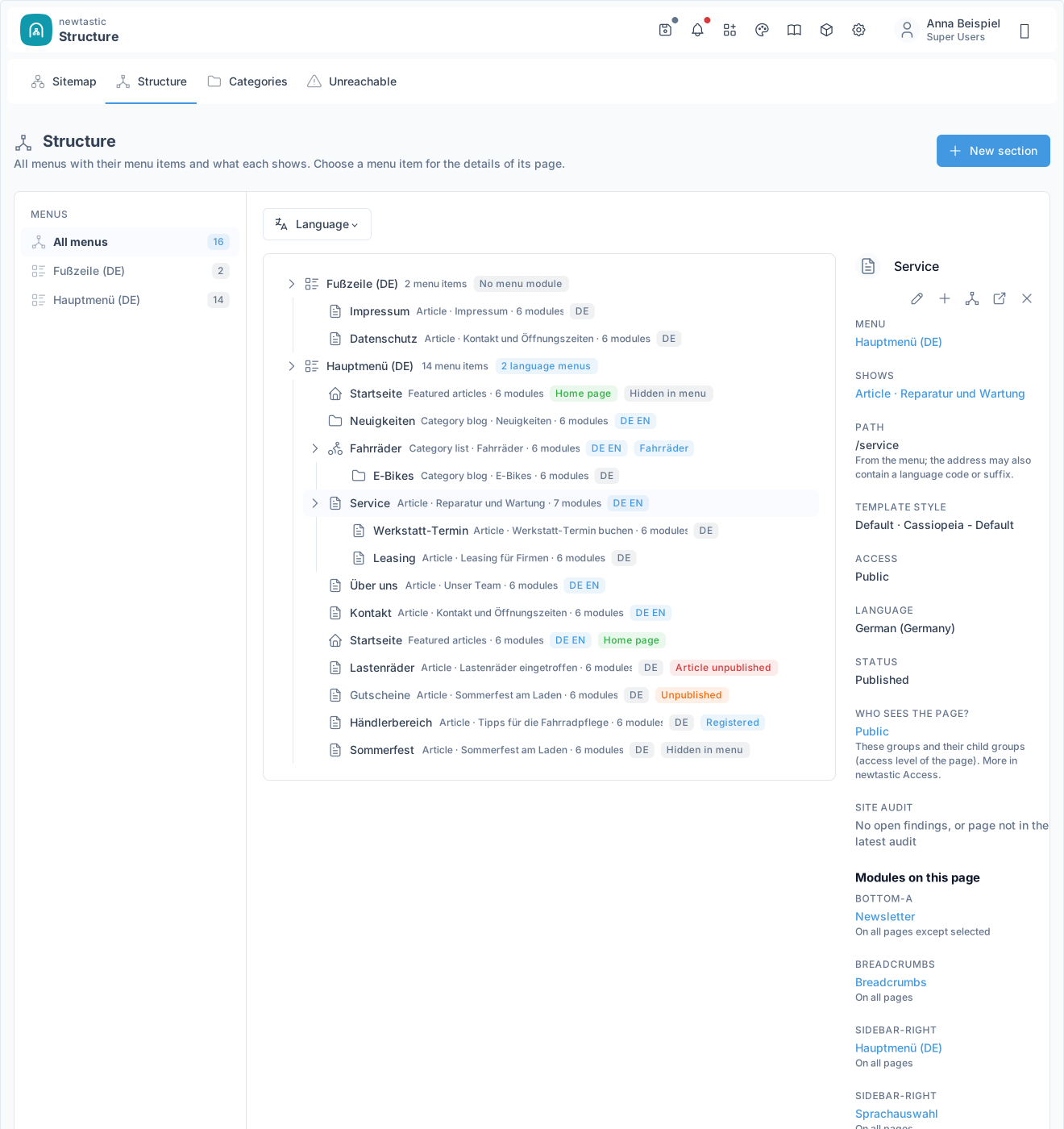
newtastic Structure: The structure with menus, tree and the details of the chosen page.

The structure with menus, tree and the details of the chosen page.

Step 1

Look

Open the structure or the sitemap and choose a menu item: the details of the page appear on the right, with all modules by position. From there, links lead into Joomla's editors and to the page on the website.

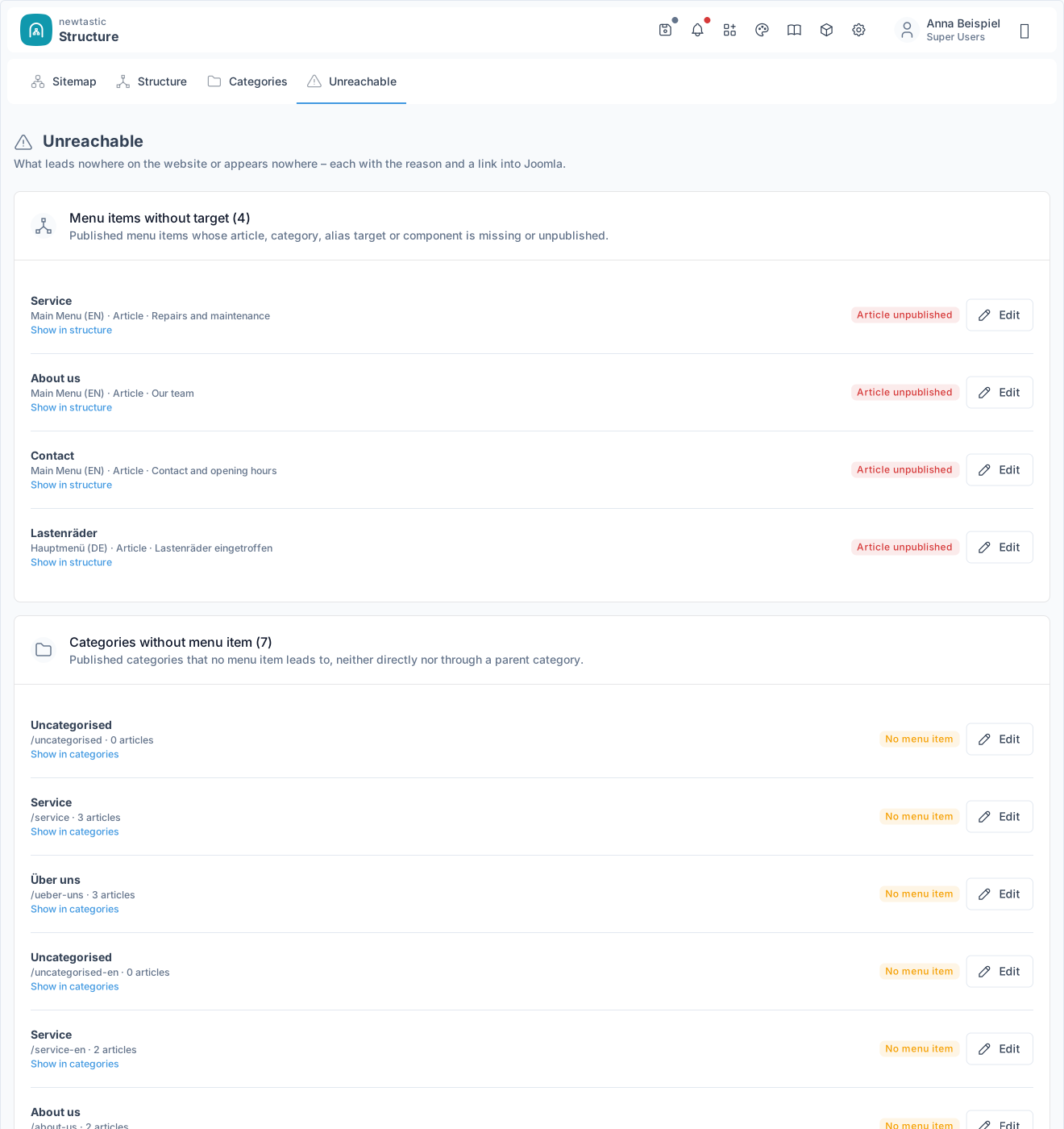
newtastic Structure: Unreachable: four cards with the reason and a button per entry.

Unreachable: four cards with the reason and a button per entry.

Step 2

Clean up

“Unreachable” shows in four cards what leads nowhere or appears nowhere. Every row names the reason and takes you to the right place in Joomla.

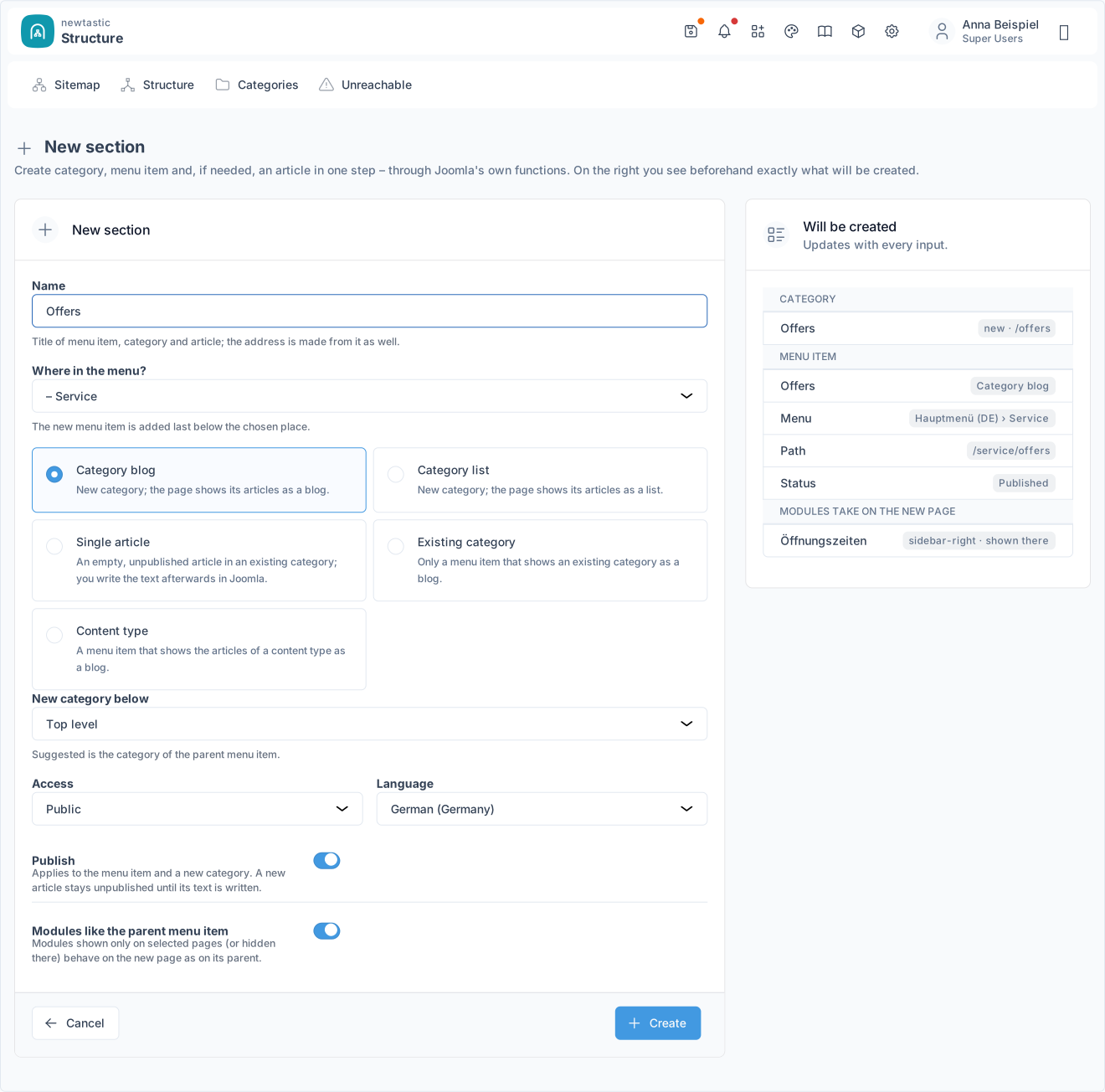
newtastic Structure: New section: the form on the left, the preview on the right.

New section: the form on the left, the preview on the right.

Step 3

Extend

“New section” creates a menu item with a new category – or with a new article in an existing category – at the right place. With every entry the preview shows what will be created – including whether the address is already taken.

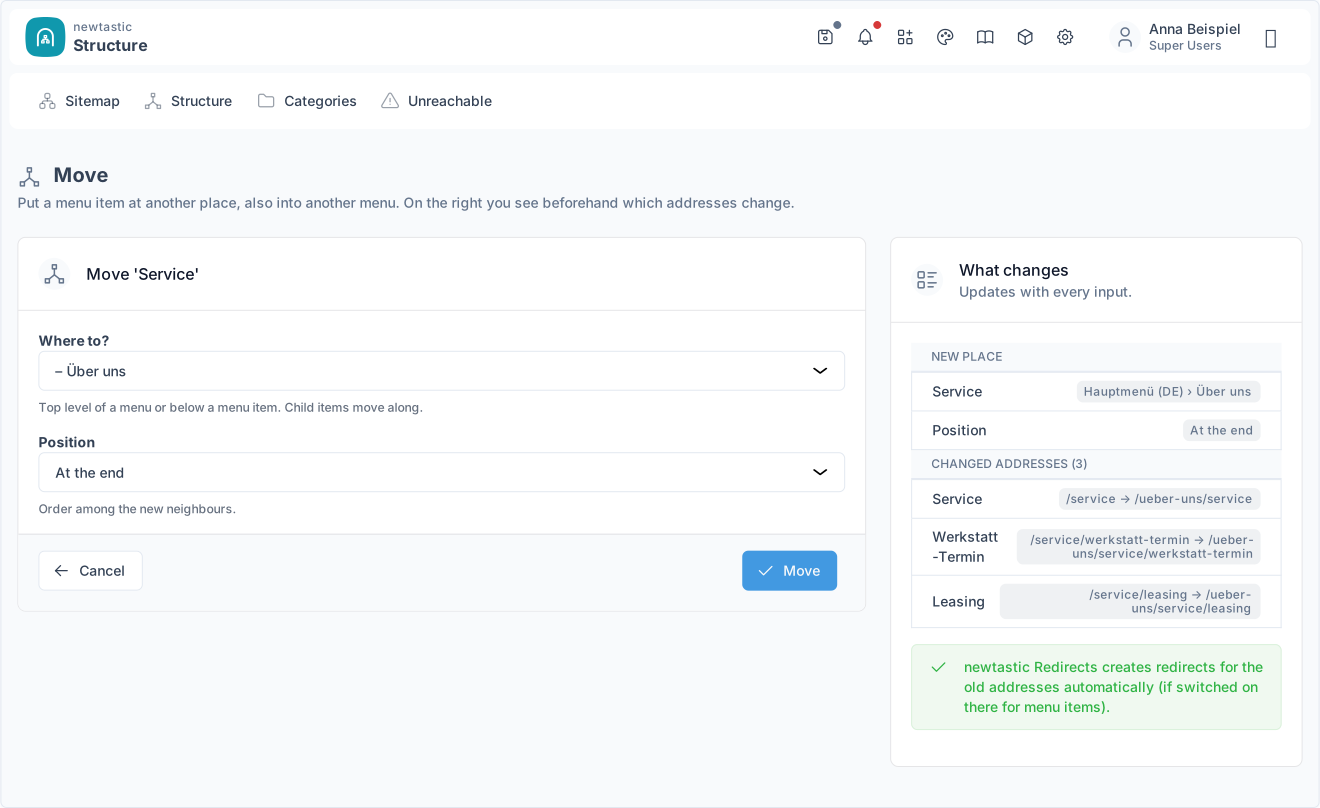
newtastic Structure: Move: the new place and every address that changes.

Move: the new place and every address that changes.

Step 4

Rebuild

Drag menu items to their new place and check the preview with every old and new address. Only “Move” applies the change; with newtastic Redirects, redirects for the old addresses can be created automatically.

04 / More insights

More insights.

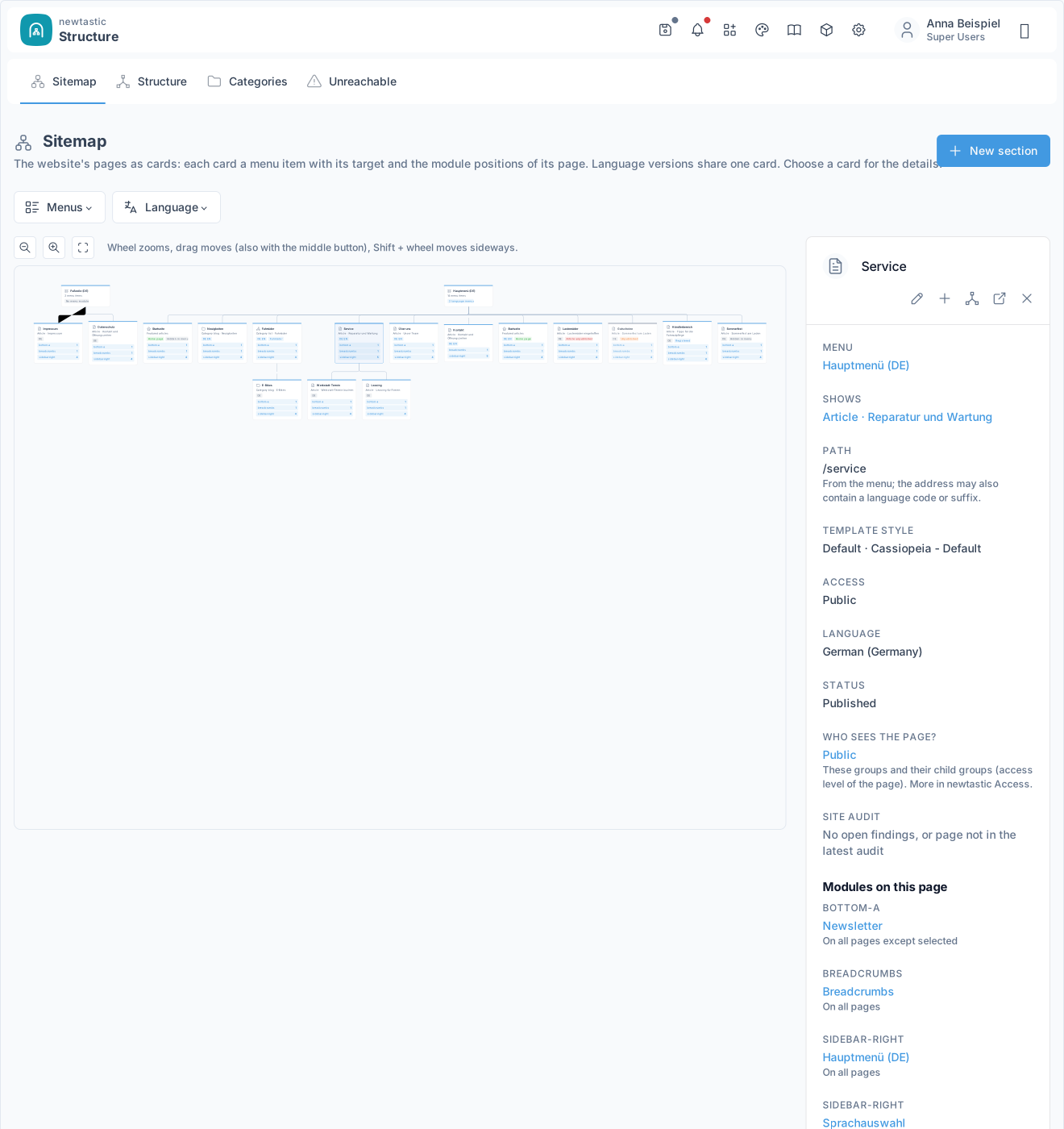
newtastic Structure: A chosen card in the sitemap with its details on the right.

A chosen card in the sitemap with its details on the right.

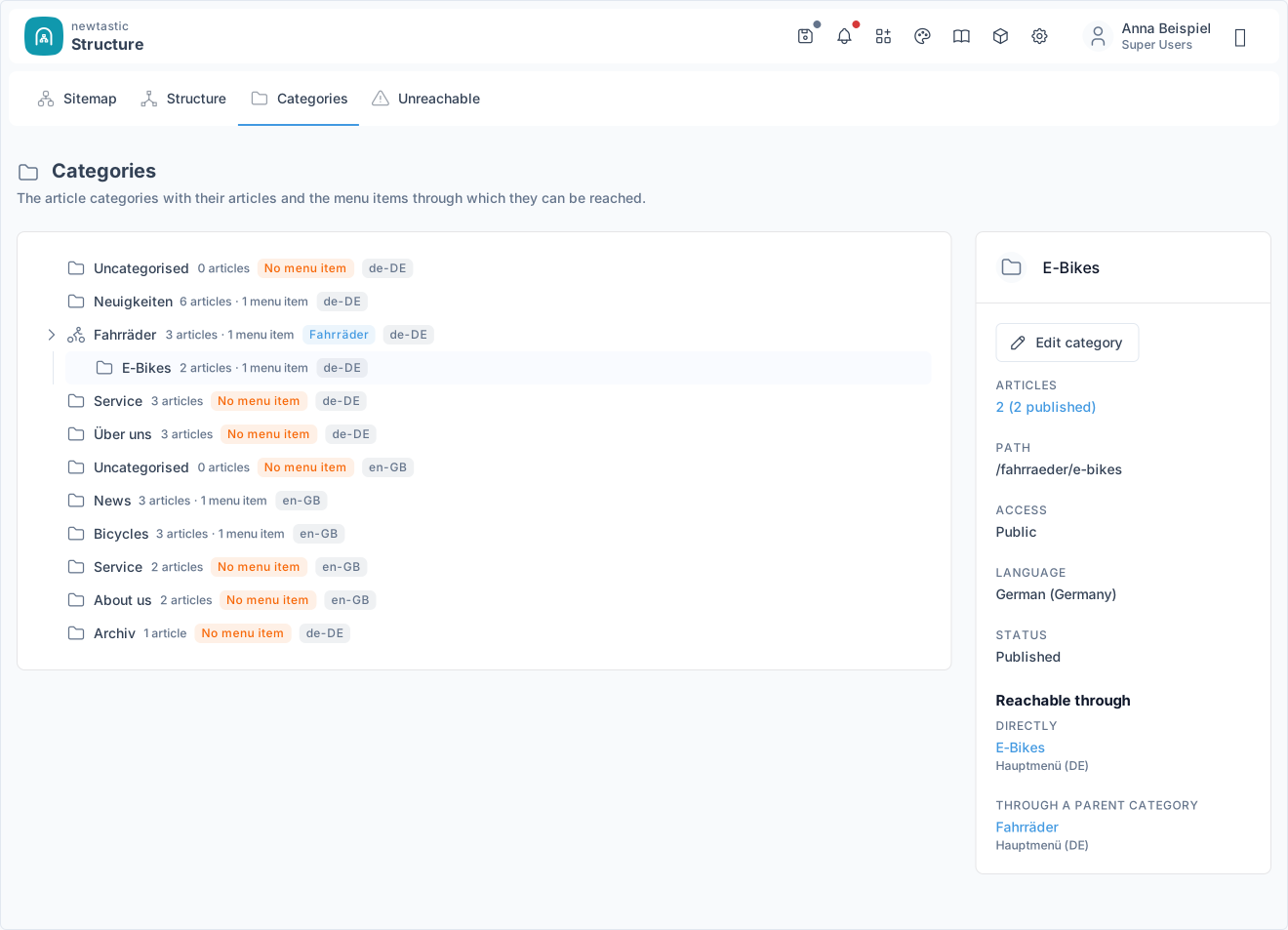
newtastic Structure: The category tree with the details of a category and “Reachable through”.

The category tree with the details of a category and “Reachable through”.

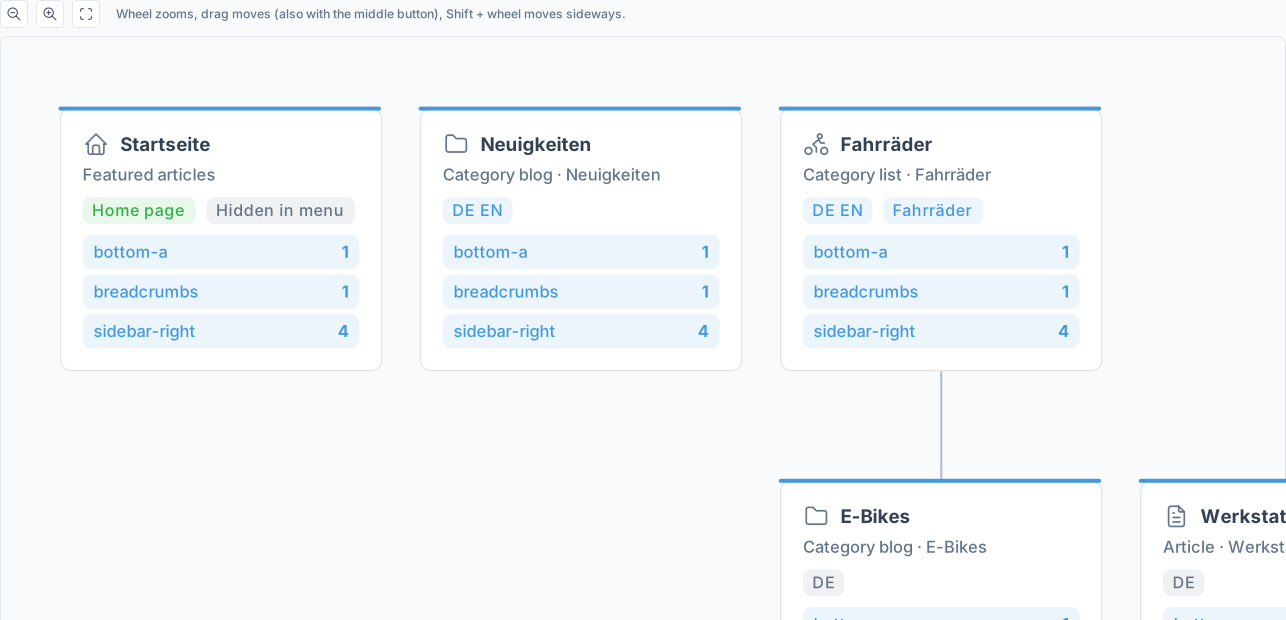
newtastic Structure: Sitemap cards with module positions, language codes and badges.

Sitemap cards with module positions, language codes and badges.

05 / All functions

All functions.

Sitemap as a plan

  • All pages of your menus as a zoomable map of cards
  • Each card shows content, badges and up to five module positions
  • Zoom, pan, and “Show all” fits the whole plan
  • Filter by menu or language
  • Click a card to open the page details

Unreachable pages

  • Menu items with a missing or unpublished target
  • Categories no menu item leads to
  • Modules without a page or position
  • Menus that no menu module shows
  • Each finding with reason, “Edit” and “Show in structure”
  • Notice in Joomla’s notifications when pages lead nowhere

Move with preview

  • Move menu items in the tree by drag and drop
  • Or via “Move” without dragging, even into another menu
  • Preview of every address that changes, sub-items included
  • Redirect hint, automatic with newtastic Redirects
  • Checks for duplicate addresses and impossible spots first
  • Undo for 24 hours: back to the old spot

New section

  • New section in one form, with live preview
  • Menu item with a new category as blog or list
  • Or menu item with an empty article in an existing category
  • Or for an existing category or a content type
  • Access and language prefilled from the parent menu item
  • New sub-page takes over the modules of its parent page
  • Duplicate addresses are reported before anything is created
  • On error Structure cleans up by itself, nothing is created twice
  • Undo for 24 hours as long as nothing was changed

Details of every page

  • Profile: menu, content, path, template style, access, language, status
  • All modules of the page by position, with their assignment
  • Straight into Joomla’s editor for menu item, article, category, module
  • Open the page on the website in one click
  • Alias menu items lead straight to their target

Menu tree and categories

  • All menus as a collapsible tree with target and module count
  • Recognises each menu item’s target: article, blog, list, link, alias …
  • Badges: home page, hidden, unpublished, access, language
  • Category tree with article count and linking menu items
  • “Reachable via”: which menu items lead to a category
  • Category details with a link to the filtered article list

Together with newtastic

  • Content Types: icon and name of the content type on each page
  • Languages: all language versions on one card, missing ones marked
  • Access: who may see a page, with a jump to Access
  • Site Audit: open findings on every page
  • Each connection can be switched off separately

Safe with Joomla

  • Reads Joomla directly: nothing to set up, no copy
  • Creating and moving use Joomla’s own functions
  • Super Users only, every action checked on the server
  • Clean uninstall: everything stays in Joomla
  • Guide built right into Joomla
06 / Frequently asked questions

Frequently asked questions.

Do I have to set Structure up?

No. Structure reads right away what exists in Joomla – menus, categories, articles and modules. There is nothing to set up.

What happens to old addresses when I move pages?

The preview shows every address that changes beforehand. With newtastic Redirects installed and switched on there for menu items, it creates redirects for the old addresses automatically; otherwise the preview reminds you to create them in Joomla.

Can I take a change back?

Yes. For one day, “Undo” takes back the last new section or the last move – as long as nobody has changed it since.

What stays if Structure is removed?

Everything that makes up your website: menus, menu items, categories, modules and everything “New section” created are ordinary Joomla data. Only the component and – depending on the setting – the log for “Undo” are removed.

Exclusive to our clients.

newtastic Structure is not for sale. Have us build your website or migrate it to Joomla – and we set up newtastic Structure for you.