★★★ newtastic Extensions · exclusive to our clients ★★★
newtastic Site Audit

Quality, checked from the inside.

57 checks across your whole website – and for every page the article or menu item where you fix it.
Your website audited – from the inside.

newtastic Site Audit: Your website audited – from the inside.
01 / In short

In short.

The problem

Online checkers only report addresses – which article or menu item is behind them, you find out yourself.

The solution

Site Audit checks every linked page from inside Joomla and names the article behind every single page.

Suitable for

Everyone who wants to know exactly where their website stands before and after updates or a relaunch.

02 / Your benefits

Why Site Audit?

Errors with a source

For every page the article, category or menu item – one click opens Joomla's editor.

Before and after

After every update you see which pages have changed – the text line by line.

Forgotten articles

Finds published articles that not a single link on your website leads to.

Staging against live

Compare the live website and a test copy page by page – before the new version goes online.

Redirects checked

Finds redirects that run in circles, lead nowhere or never take effect.

Stays with you

Runs on your server, even in maintenance mode – no outside service, no account, no upload.

For all extensions: No changes to the core Removable again Joomla updates as usual German and English

03 / How you work with it

How you work with it.

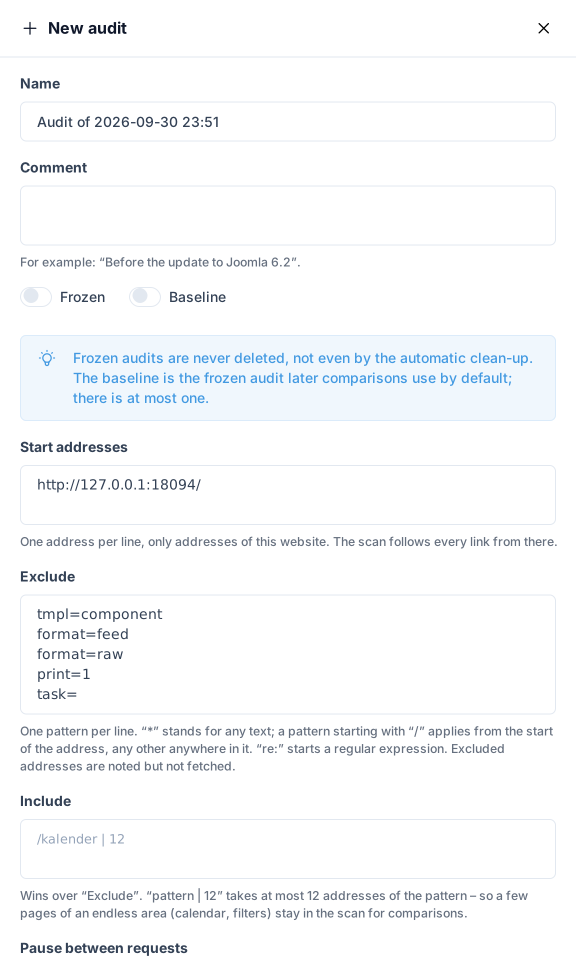
newtastic Site Audit: The “New audit” window with name, start addresses and patterns for addresses to leave out.

The “New audit” window with name, start addresses and patterns for addresses to leave out.

Step 1

Start an audit

Under “Audits”, create a new audit, give it a name such as “Before the update” and start it. The scan begins on the home page and follows every link while the page is open. When something repeats, for example in calendars or filters, it stops and asks.

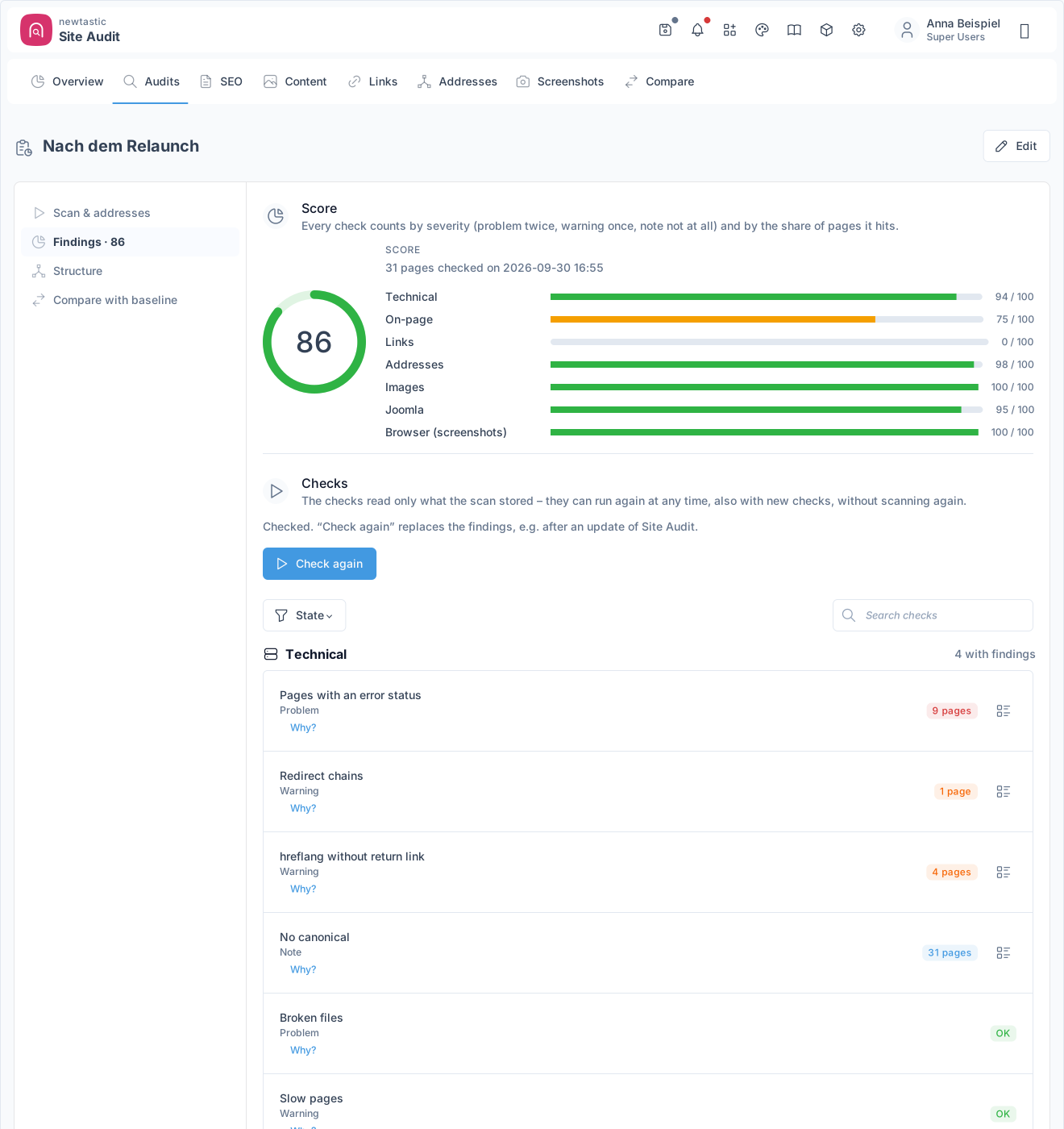
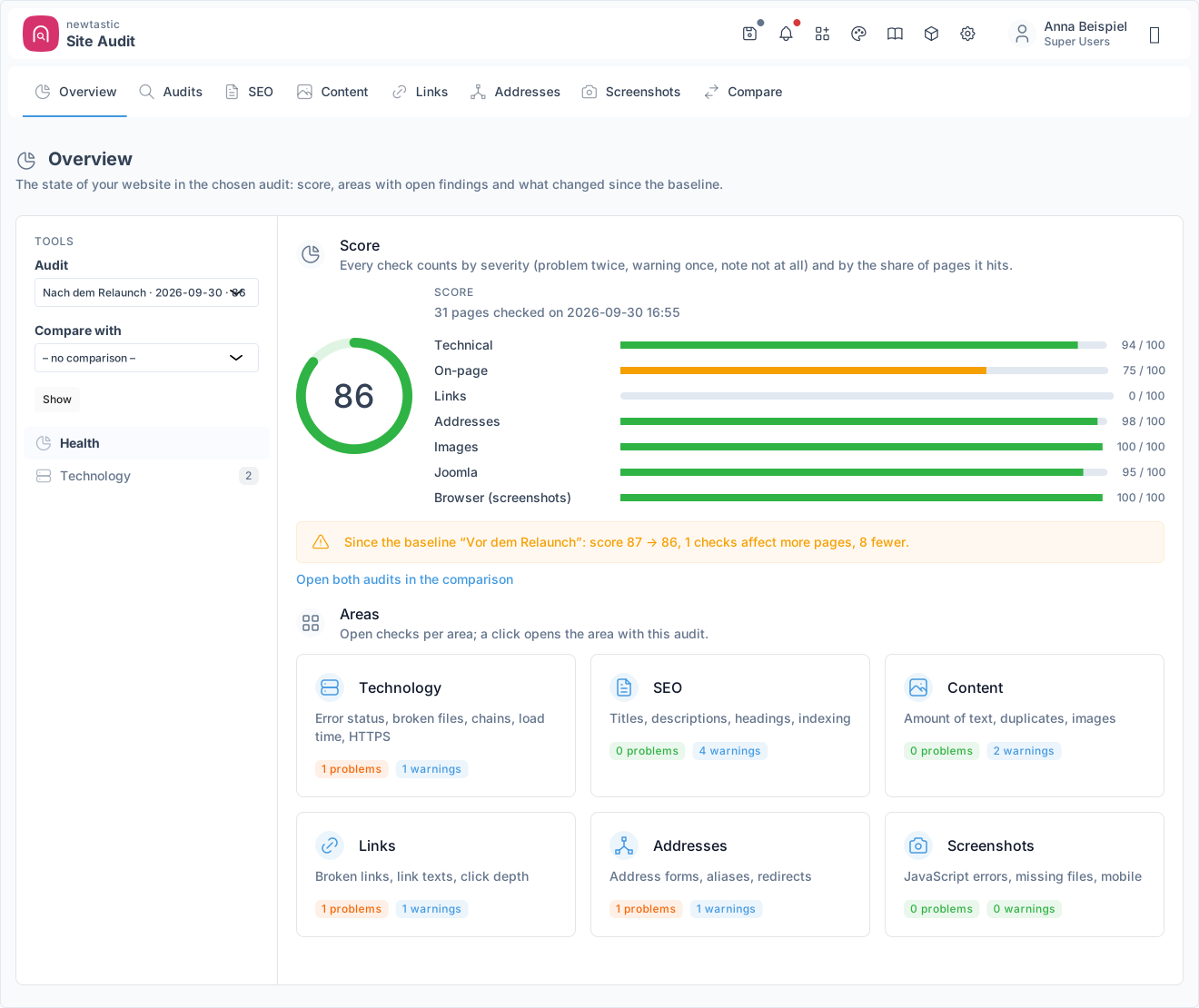
newtastic Site Audit: The findings of an audit: score per area and the list of checks.

The findings of an audit: score per area and the list of checks.

Step 2

Check

One click runs all checks on the stored scan. You see the score, the checks by severity – problem, warning, notice – and the pages affected. New checks also run on old scans without requesting the website again.

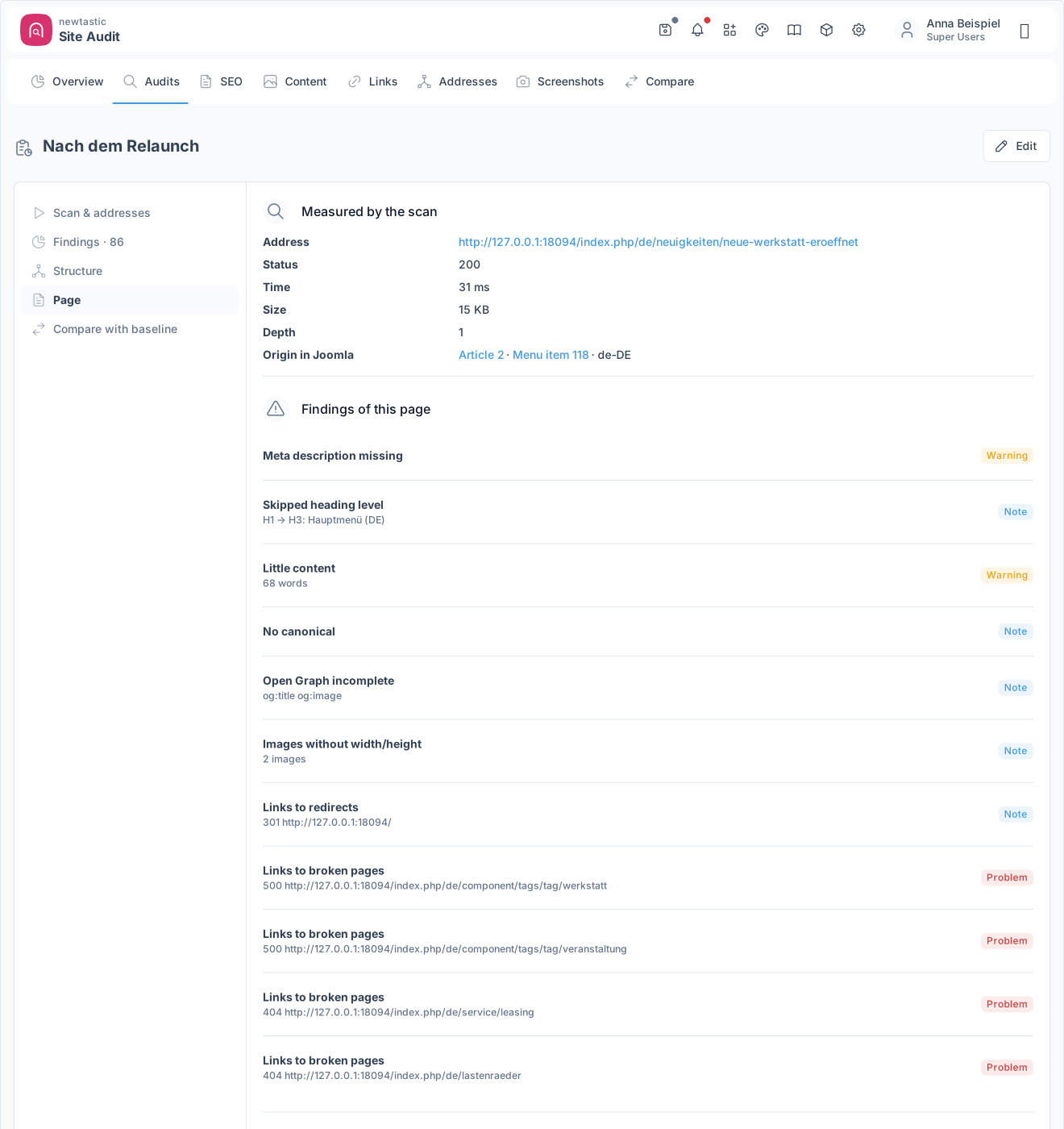
newtastic Site Audit: The page view with measurements, findings and the origin in Joomla.

The page view with measurements, findings and the origin in Joomla.

Step 3

Fix

The page view shows what was measured, every finding and where the page comes from in Joomla. One click opens the article, category or menu item in the editor; after saving, Joomla takes you back to the audit. Anything that is on purpose, you mark as “intended this way”.

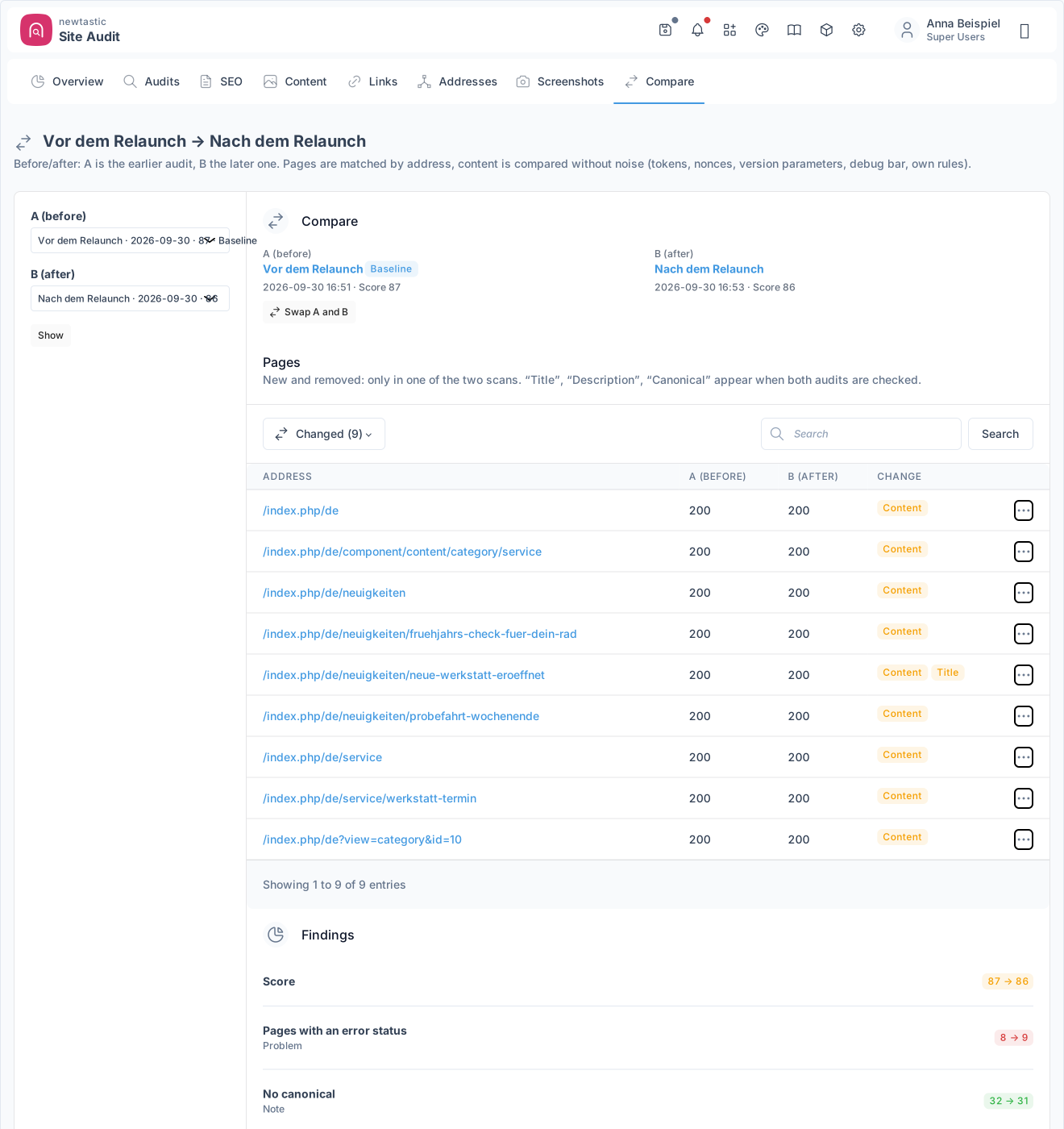
newtastic Site Audit: Two audits compared: changed pages, findings and changes to Joomla.

Two audits compared: changed pages, findings and changes to Joomla.

Step 4

Compare

After a change or an update, scan again and compare with your saved starting point, the baseline. The comparison shows changed, new and removed pages, the score and checks before and after and what changed in Joomla. Form tokens and similar noise are ignored.

04 / More insights

More insights.

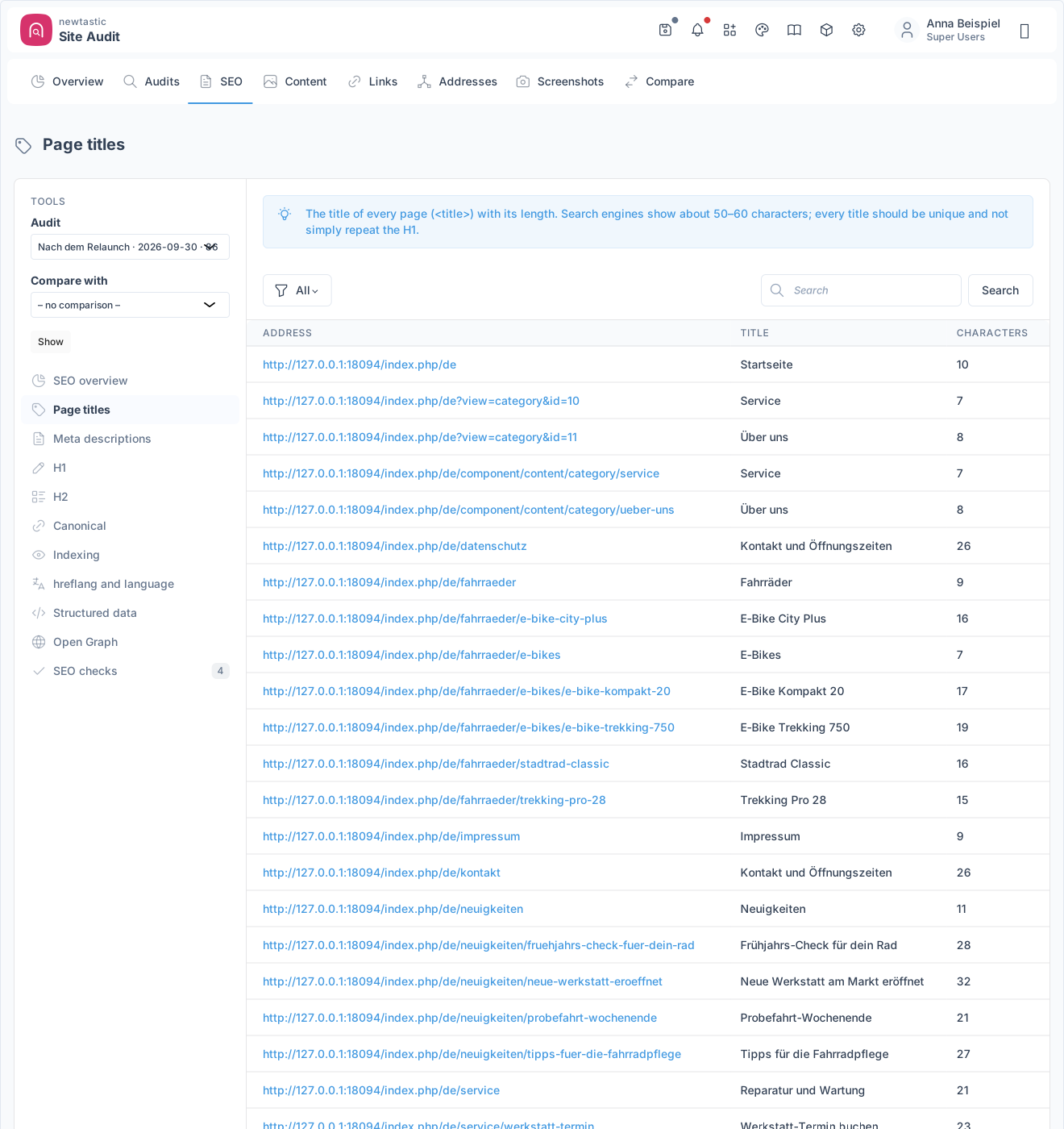
newtastic Site Audit: The SEO tool “Page titles”: every title with its length, filterable by missing, duplicate or too long.

The SEO tool “Page titles”: every title with its length, filterable by missing, duplicate or too long.

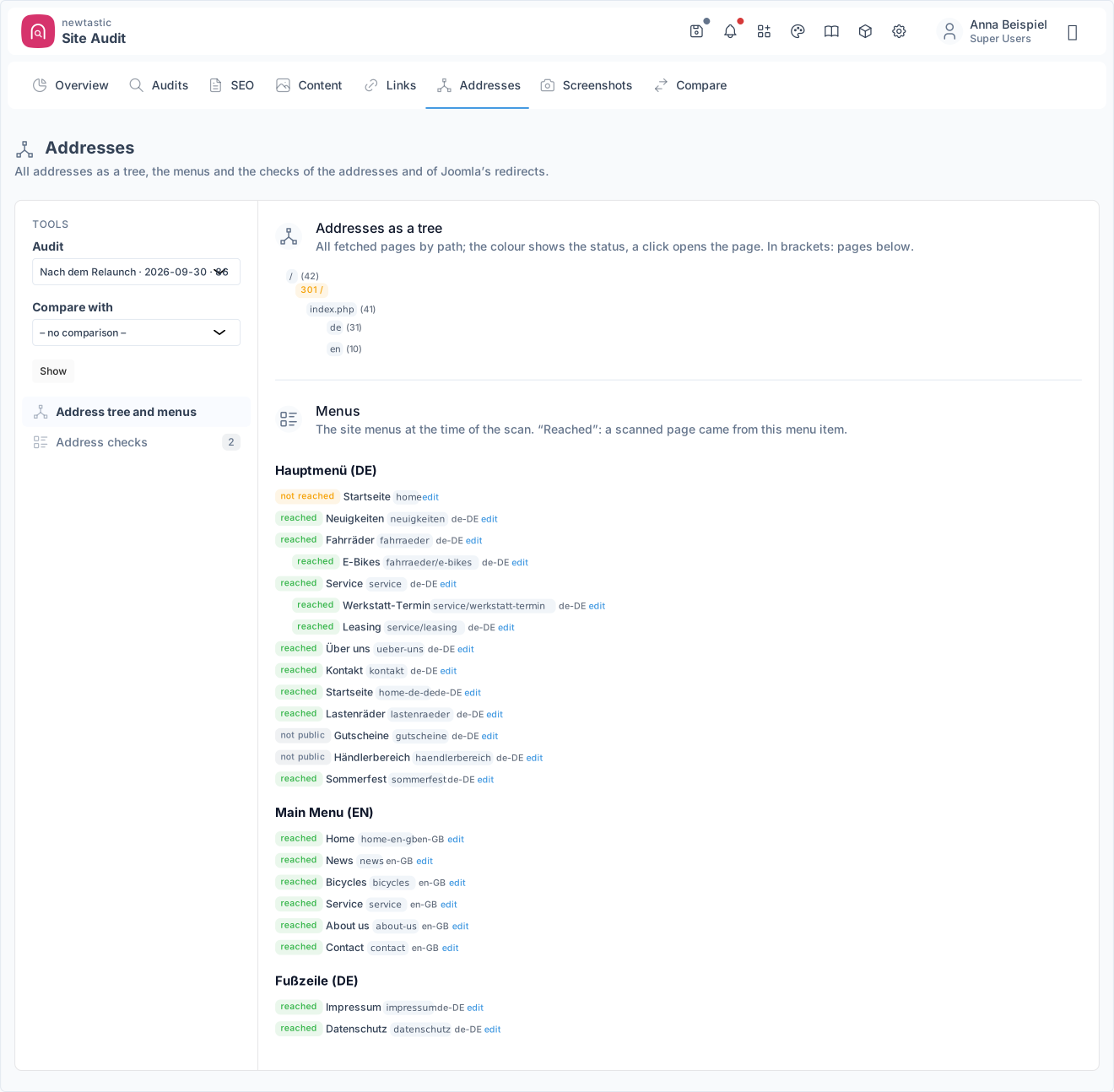
newtastic Site Audit: All addresses as a tree, with the menus at the time of the scan below.

All addresses as a tree, with the menus at the time of the scan below.

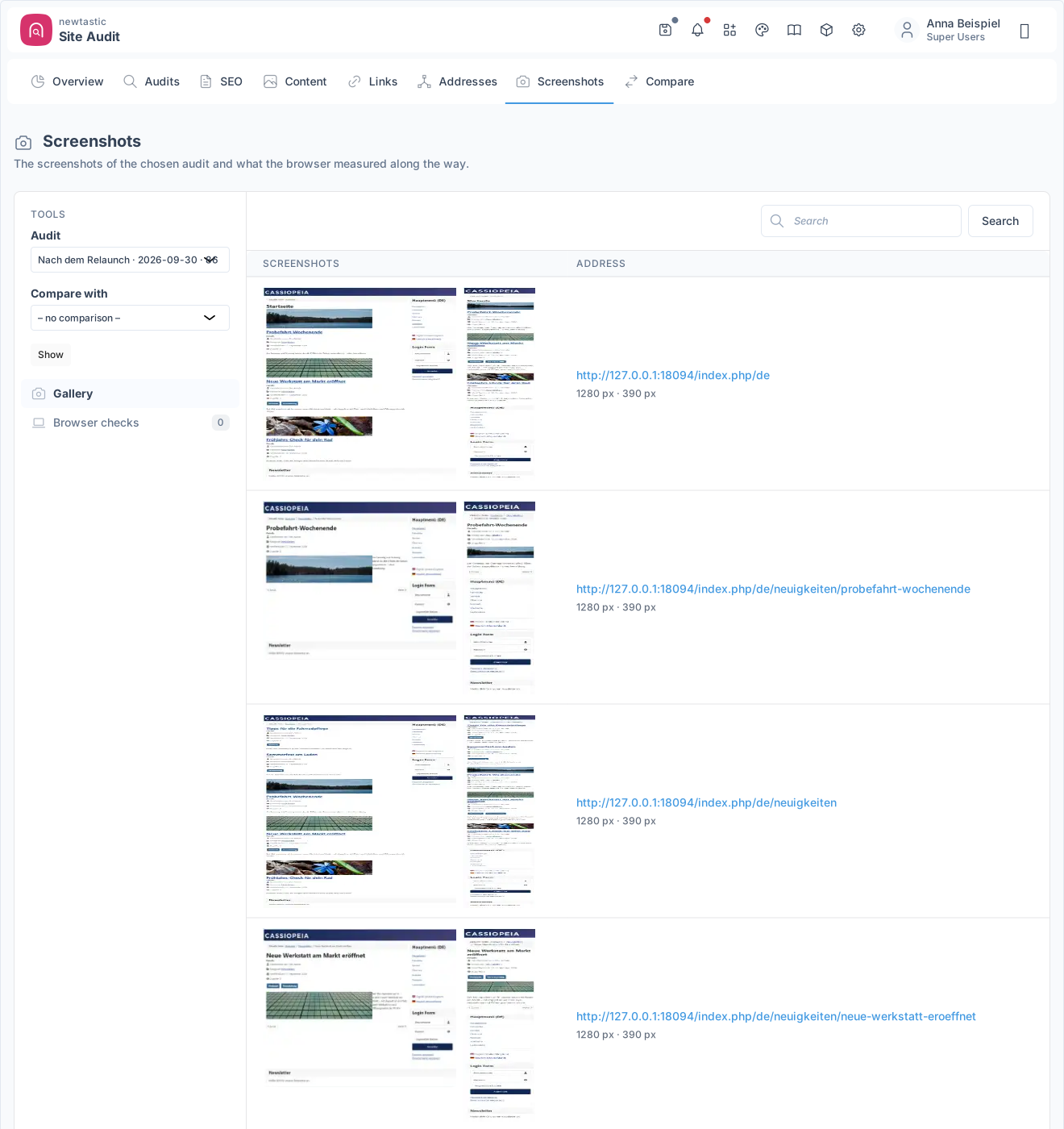
newtastic Site Audit: The gallery: screenshots of every page in desktop and mobile width.

The gallery: screenshots of every page in desktop and mobile width.

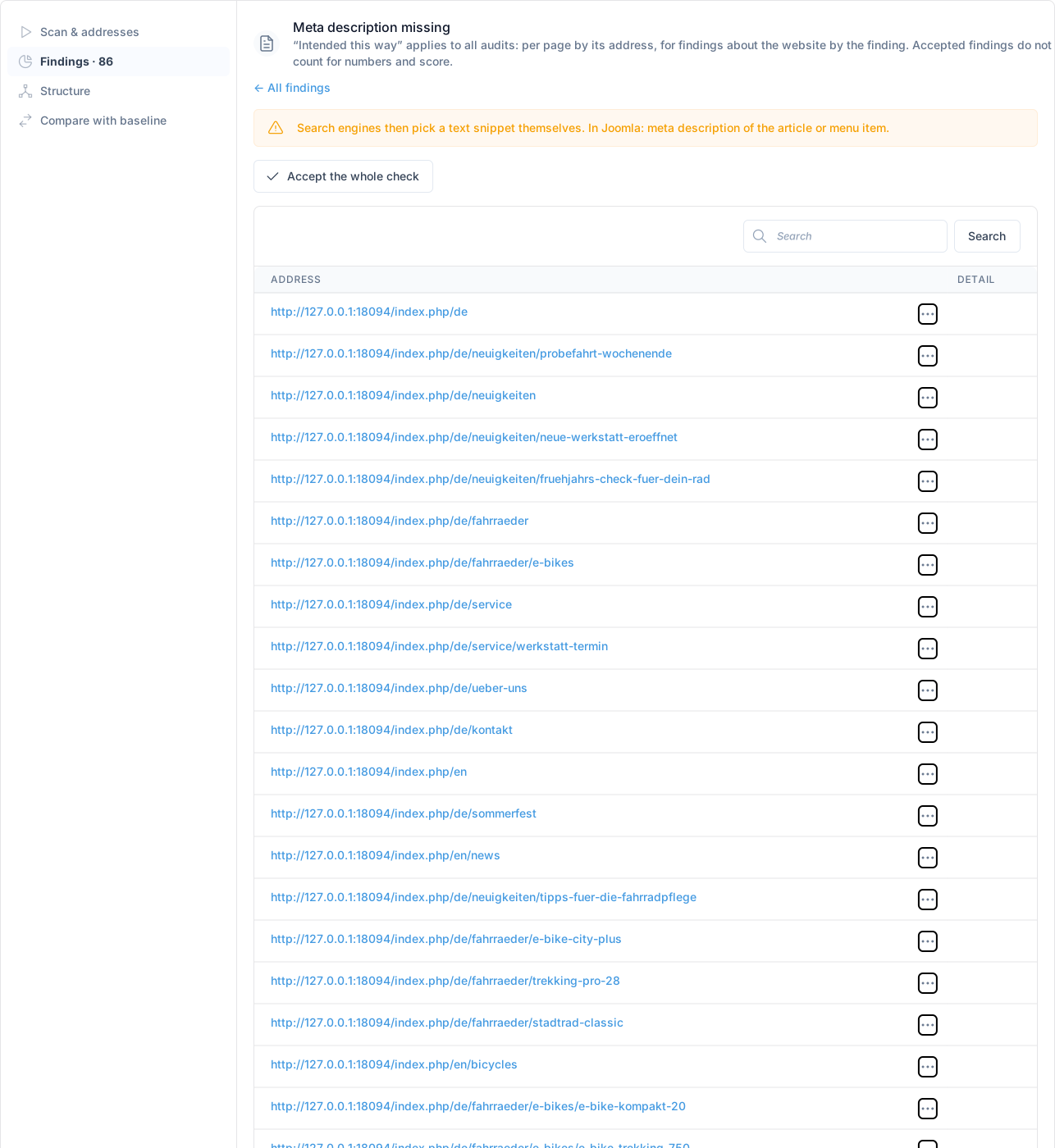
newtastic Site Audit: “Intended this way”: accept findings one by one or for a whole check.

“Intended this way”: accept findings one by one or for a whole check.

05 / All functions

All functions.

Checks & score

  • 57 checks in 7 areas, re-runnable without a new scan
  • Score 0–100 overall and per area, with progress since the baseline
  • Every check explains why and what to do, often with the place in Joomla
  • Affected pages per check with details, search and link to the page
  • “Intended this way” per finding or for a whole check
  • Notice in the Joomla backend when the latest audit found problems

The 57 checks

  • Technical (12): error pages, broken files, slow pages, canonical …
  • On-page (14): titles and descriptions missing, duplicate, too long/short
  • On-page: H1 and headings, thin content, Open Graph, structured data
  • Links (5): broken targets, redirects, “click here” texts, deep pages
  • URLs (16): capitals, umlauts, variants, parameters, language codes
  • Joomla redirects: loops, broken target, never firing, never used
  • Images (3): no alt text, no width/height, over 300 KB
  • Joomla (4): orphaned articles, duplicate URLs, /component/ URLs …
  • Browser (3): JavaScript errors, failed files, too wide on mobile

Origin & structure

  • For every Joomla page: article, category or menu item and language
  • One click into Joomla's editor, back to the audit after saving
  • Page view: metrics, findings, title, canonical, links, screenshots
  • URL tree by path, coloured by status, up to 3,000 URLs
  • Menus showing “reached / not reached” for each menu item

Before/after comparison

  • Compare two audits, by default the baseline against the latest
  • Pages changed, new, removed, with status change or unchanged
  • Page comparison: text line by line, links, screenshots side by side
  • Score A → B and every check with more or fewer affected pages
  • Changes to Joomla: versions, extensions, modules, configuration
  • Noise filter for tokens and the like, plus your own ignore rules
  • Reordered or deliberately changing pages do not count as changed
  • Staging vs. live: pages are matched by their path

SEO tools

  • 9 SEO tables: titles, descriptions, headings, canonical, hreflang …
  • Indexing, structured data and Open Graph with filters and counters
  • With a second audit: previous value alongside and a “Changed” filter
  • SEO overview with tiles per topic, optionally before → after
  • Areas for SEO, content, links and URLs, each with “Compare with”

Website scan

  • Follows every internal link as a guest, with no page limit
  • Several start URLs, exclude by pattern, maximum per section
  • Stops at endless loops and asks how to continue
  • Pause, resume or cancel, even after closing the window
  • Live progress with counters, adjustable delay spares the server
  • Fetches stylesheets, scripts and images too, own domain only
  • Scans in maintenance mode too, without raising Joomla's hit counters
  • Stores every page and Joomla's state, checks run without refetching
  • URL table with status, time and origin; refetch single URLs

Screenshots (beta)

  • Desktop and mobile, drawn in your browser while the audit page is open
  • Records JavaScript errors, failed files and overflow on mobile
  • Gallery with search, images in page view and side by side in comparison

Managing & scheduling

  • Audit list with name, comment, status, errors; search and delete
  • Baseline as starting point, freezing protects against deletion
  • Optionally delete old audits automatically by age or count
  • Storage use and free space, warning if the storage folder is public
  • Export an audit as ZIP and import it elsewhere with full verification
  • Scheduled scans as a Joomla task (no screenshots), then checked
  • Scan defaults: patterns, delay, clean-up, screenshots, ignore rules

Integration & help

  • newtastic Redirects shows 404 URLs before visitors hit them
  • newtastic Structure shows open findings right at the menu item
  • Super Users only, no external service and no account
  • Guide right inside Joomla: 9 topics, matched to the current page
06 / Frequently asked questions

Frequently asked questions.

Does newtastic Site Audit change my website?

No. Site Audit only reads; changes happen in Joomla's own editors, which it takes you to. The scan's page requests do not count in Joomla's hit counters.

Are my pages sent to an external service?

No. The scan runs on your own server, with no extra software and no external service; screenshots are drawn by your own browser. Everything stays in your Joomla installation.

Can I compare the live website with the staging site?

Yes. Export the audit of the live website as a ZIP, import it on the staging site and compare it there with an audit of its own. The archive is fully verified before the import.

What happens when I uninstall it?

Your website and all Joomla data stay unchanged. The extension and its scheduled scans are removed; whether its own audits and screenshots stay or are deleted is up to a setting – by default they are kept.

Exclusive to our clients.

newtastic Site Audit is not for sale. Have us build your website or migrate it to Joomla – and we set up newtastic Site Audit for you.