21 October 2026: critical security updates for PHP and YOOtheme Pro 5. Is your Joomla website up to date yet? Get it checked
★★★ newtastic Extensions · included for our clients ★★★
newtastic Redirects
Old links, new target.
Page renamed or moved? The old address redirects by itself – and dead links are solved with a single click.
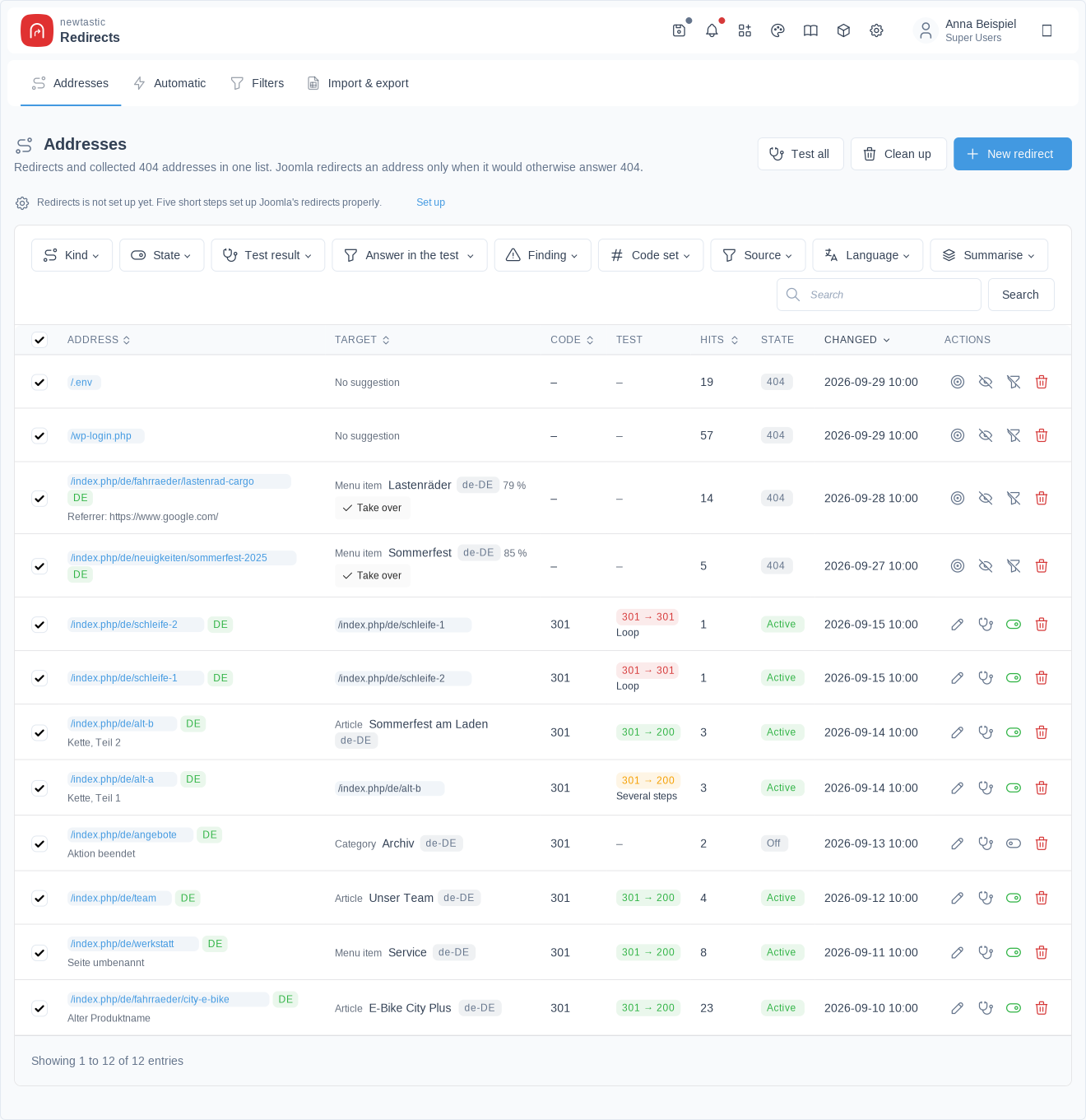
Old addresses lead to their target – automatically or with one click.
01 / In short
In short.
The problem
Real 404 errors get lost among thousands of bot requests, and you have to create every redirect by hand.
The solution
Redirects keeps bot junk out, suggests targets and redirects old addresses automatically when they change.
Suitable for
Editorial teams that rename or move articles, and websites whose 404 log is overflowing with entries.
02 / Your benefits
Why Redirects?
Redirects by itself
When you rename, move or trash an item, the old address redirects all by itself.
One-click suggestions
For dead addresses Redirects suggests the matching page – take it over with one click.
Chains repaired
A test calls every redirect; one click fixes all chains, loops and duplicates at once.
Bot junk kept out
Nine ready-made filter groups keep WordPress and scanner requests out of the 404 log.
Targets, not addresses
Redirects point to articles and menu items – renaming them later breaks nothing.
No risk
Everything stays in Joomla's own table – every redirect keeps working without Redirects.
For all extensions: No changes to the core Uninstall explained up front Joomla updates as usual German and English
03 / How you work with it
How you work with it.
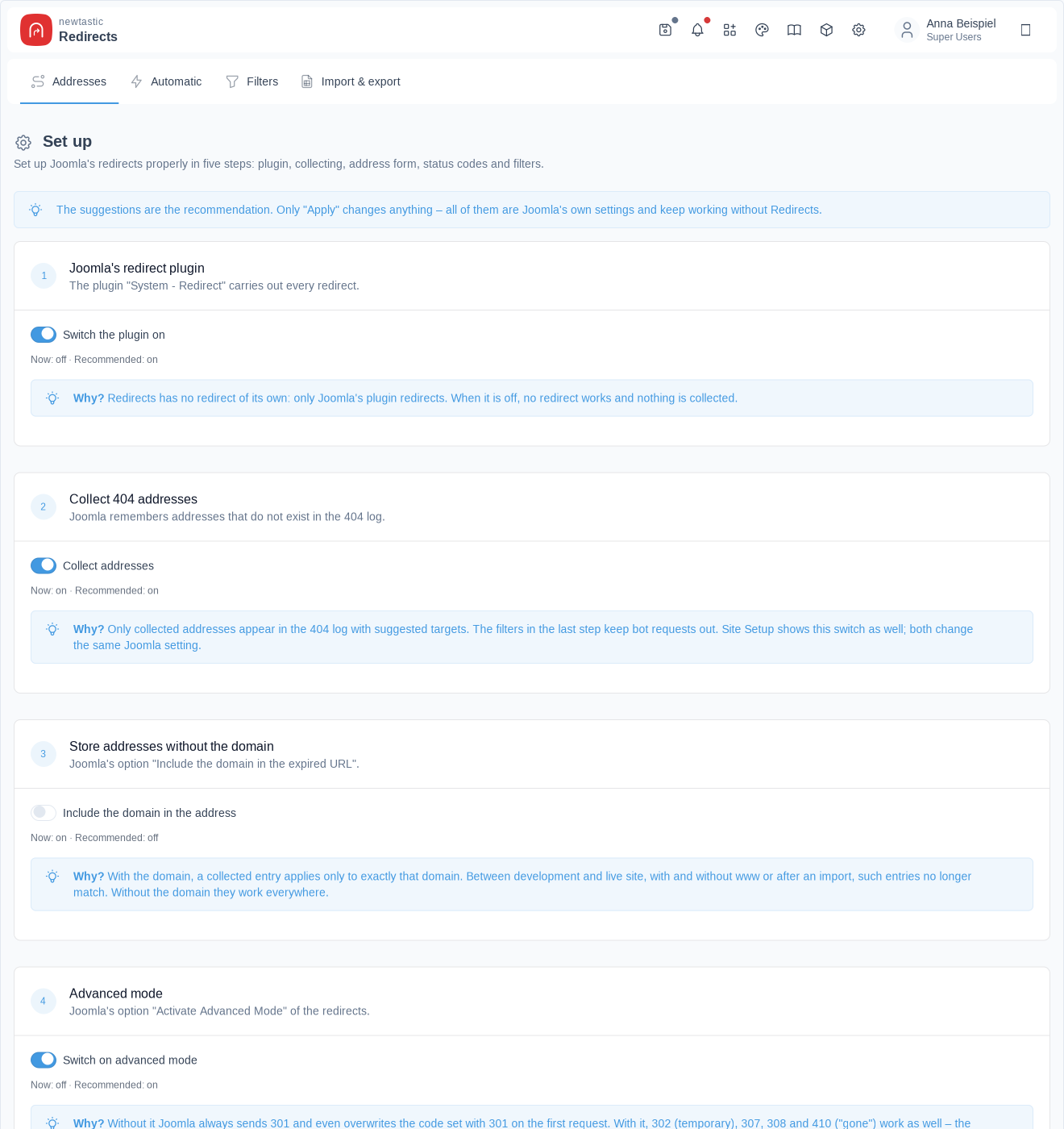
Set up: five steps with current state and recommendation.
Step 1
Set up
Five short steps set up Joomla's redirects properly: plugin, collecting 404 addresses, address form, advanced mode and filters. Each step shows the current state, the recommendation and the reason; nothing changes until you click “Apply”.
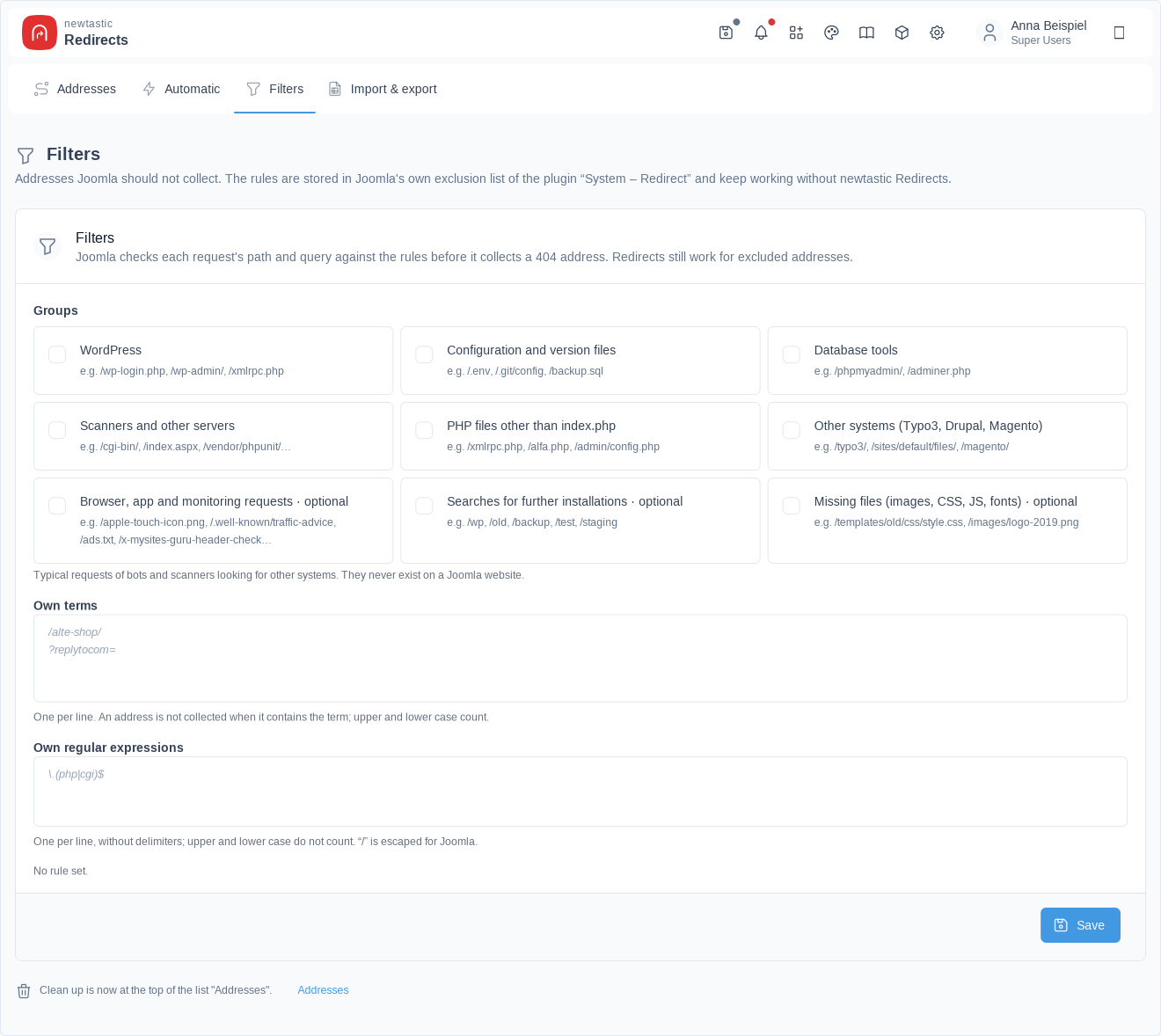
Filters: groups, your own rules and how many addresses each rule matches.
Step 2
Set filters
Switch on the ready-made groups against bot requests and add your own terms if needed. “Clean up” in the list removes the existing junk from the log – afterwards you see what is really missing.
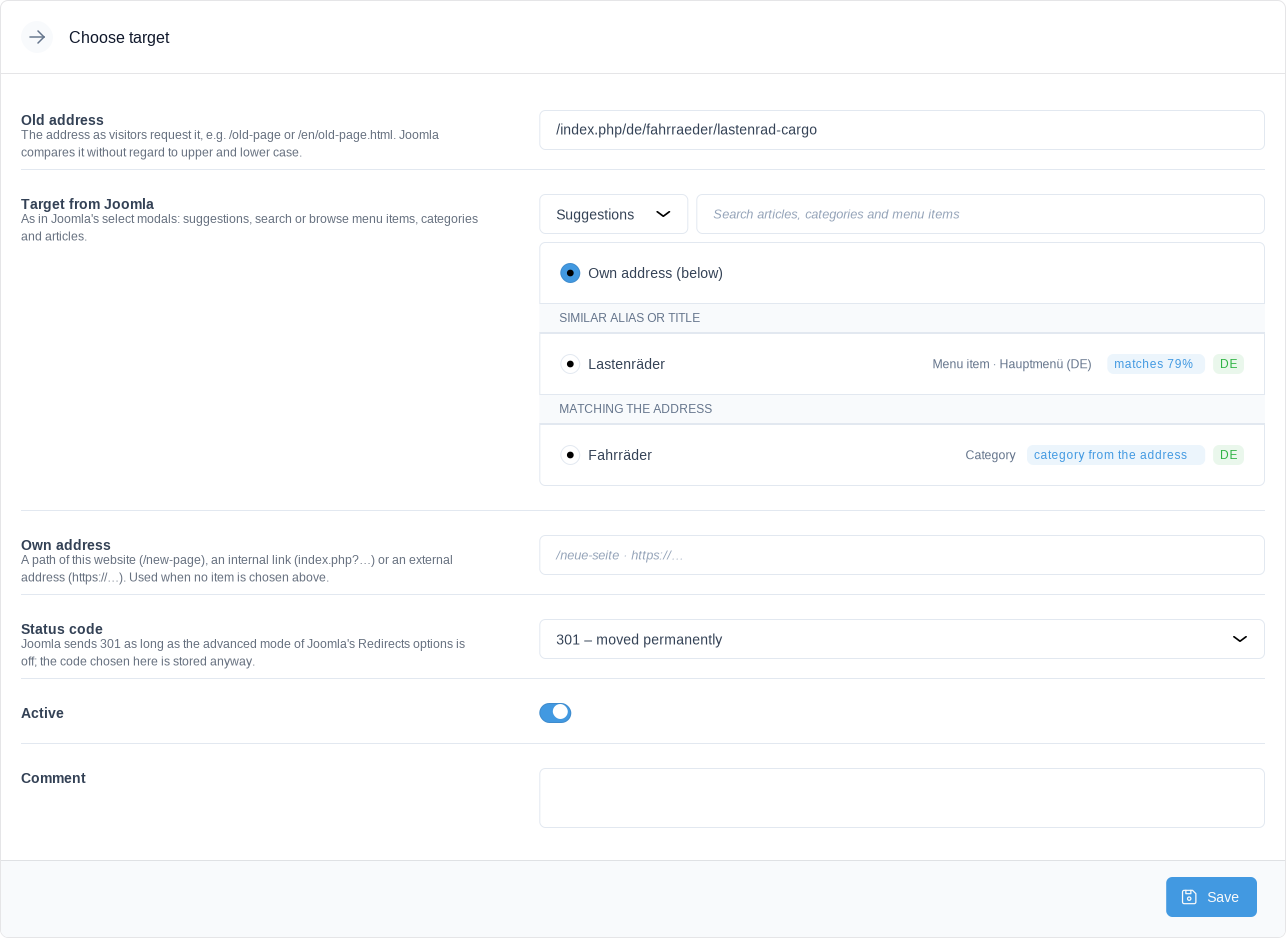
Choosing a target for a 404 address: suggestions with a match percentage.
Step 3
Work through the 404s
For every open 404 address, take over the suggestion, choose a target from Joomla, ignore it or exclude it from collecting. The redirect goes straight into Joomla's table.
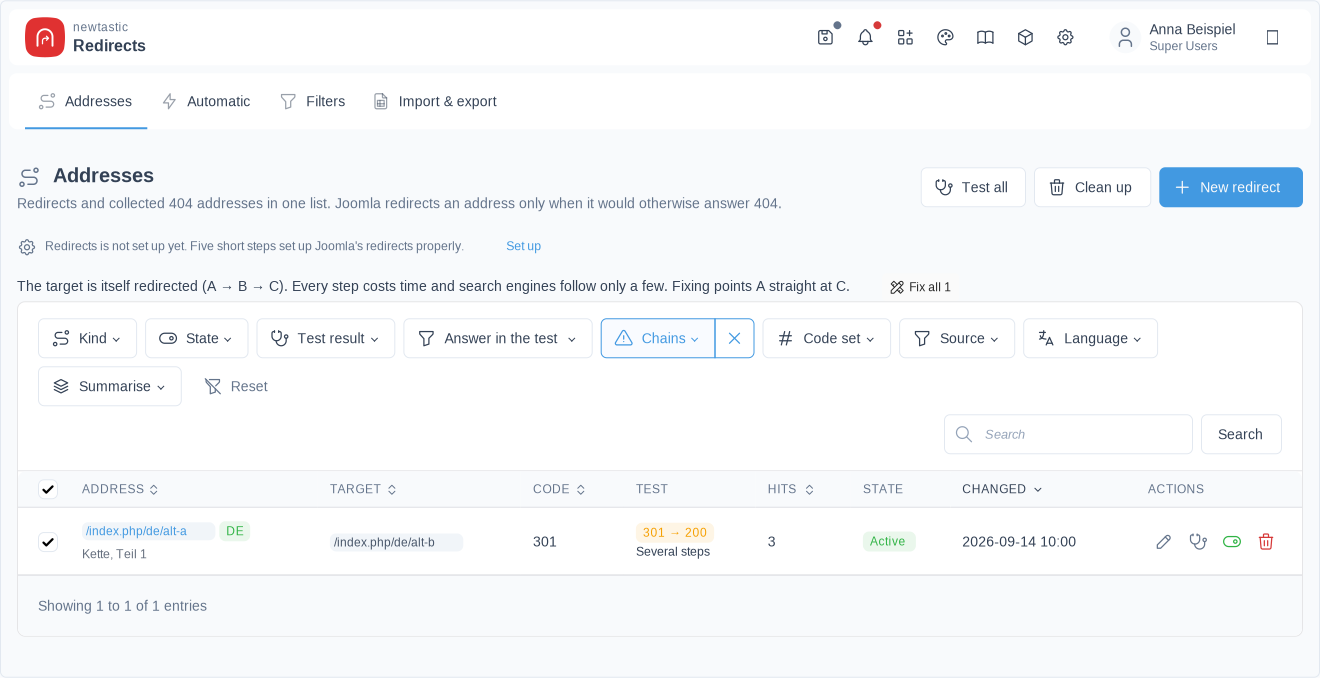
Finding “Chains”: an explanation and a button that fixes all of them at once.
Step 4
Test
Now and then, “Test all”: the test requests every active redirect as a guest, follows it to the target and shows the result in the list. Chains, loops and duplicates are fixed with one click, all at once.
04 / More insights
More insights.
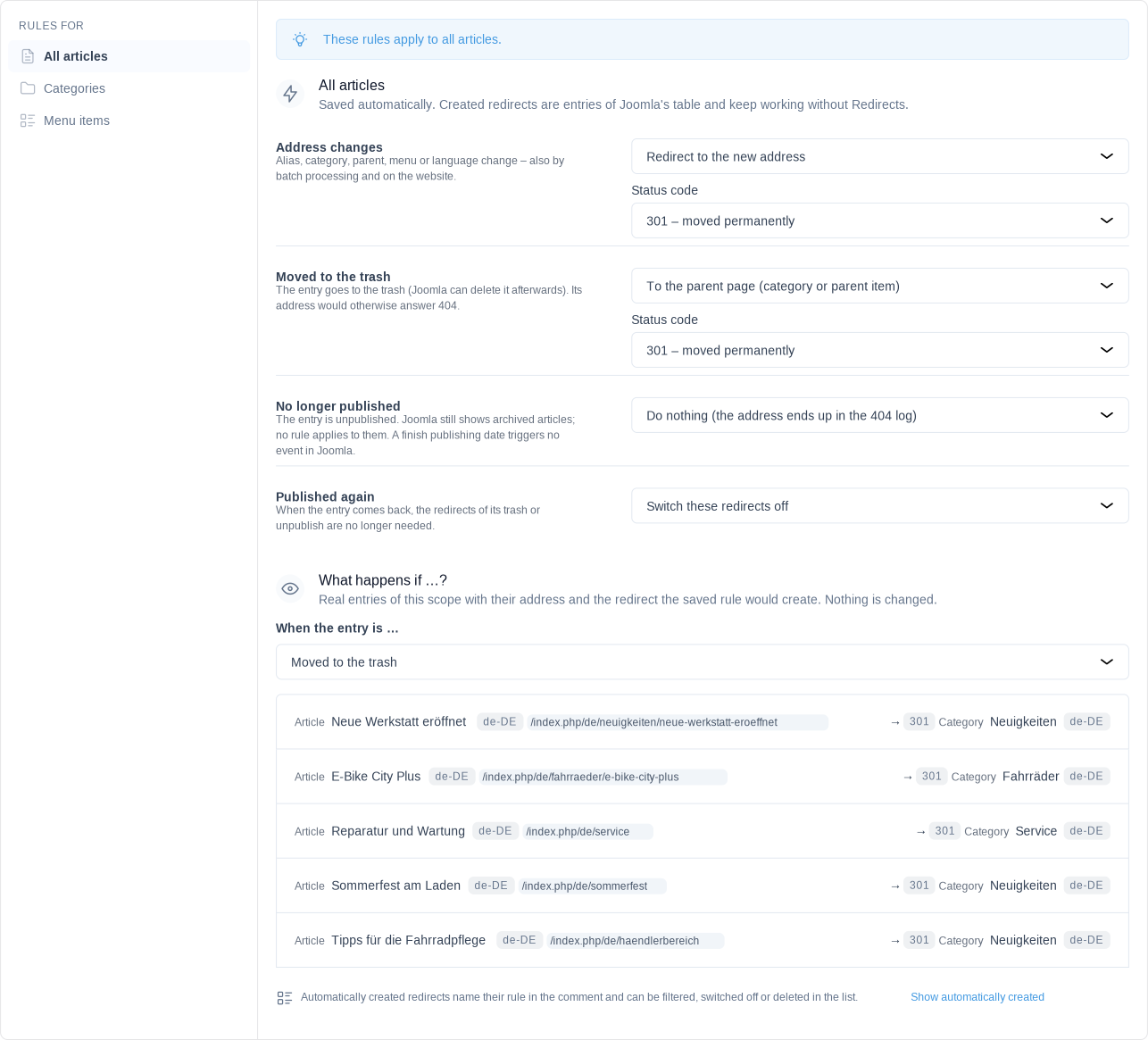
Automatic: the rules for all articles, by trigger.
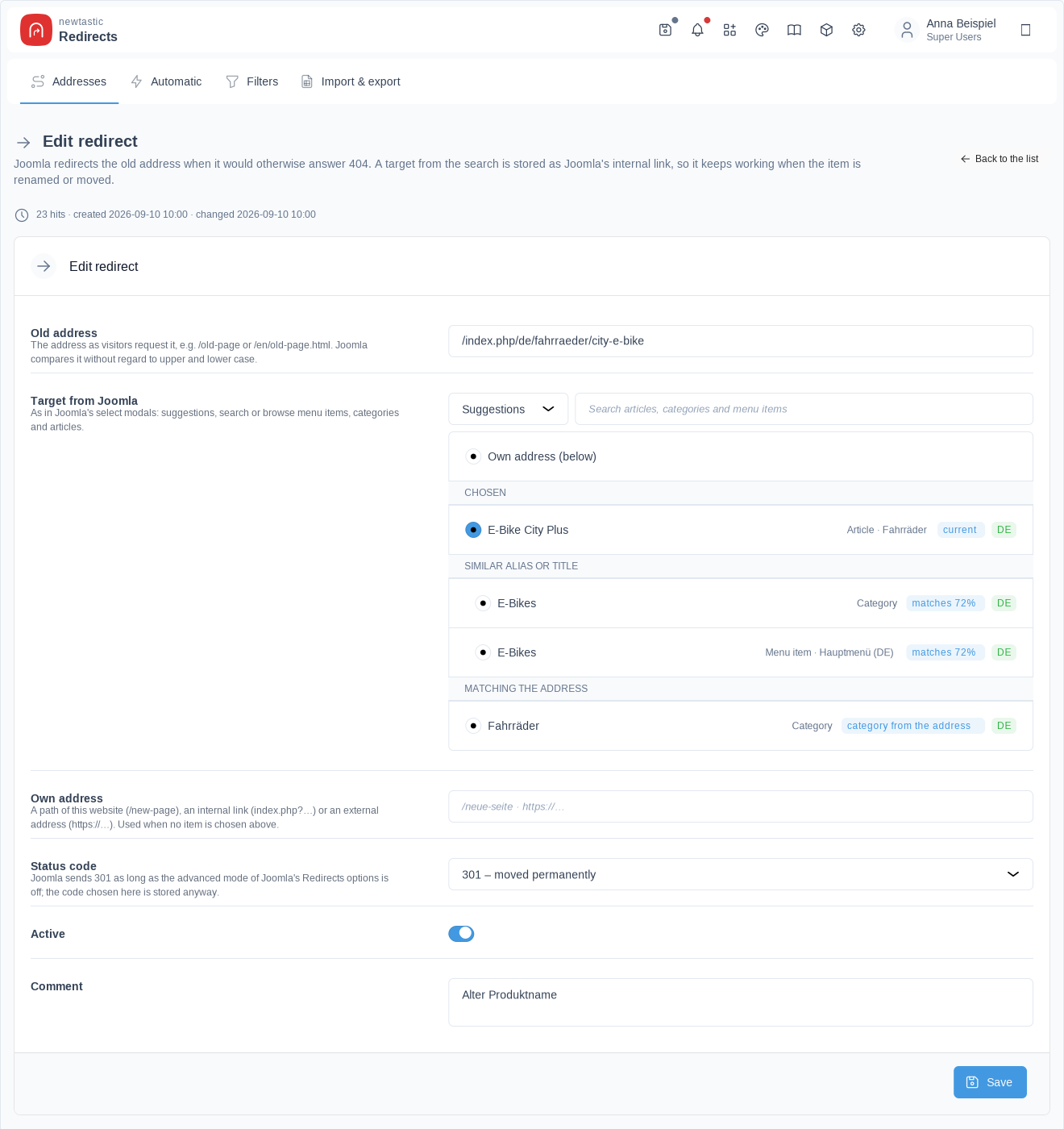
Editing a redirect: old address, target from Joomla and status code.
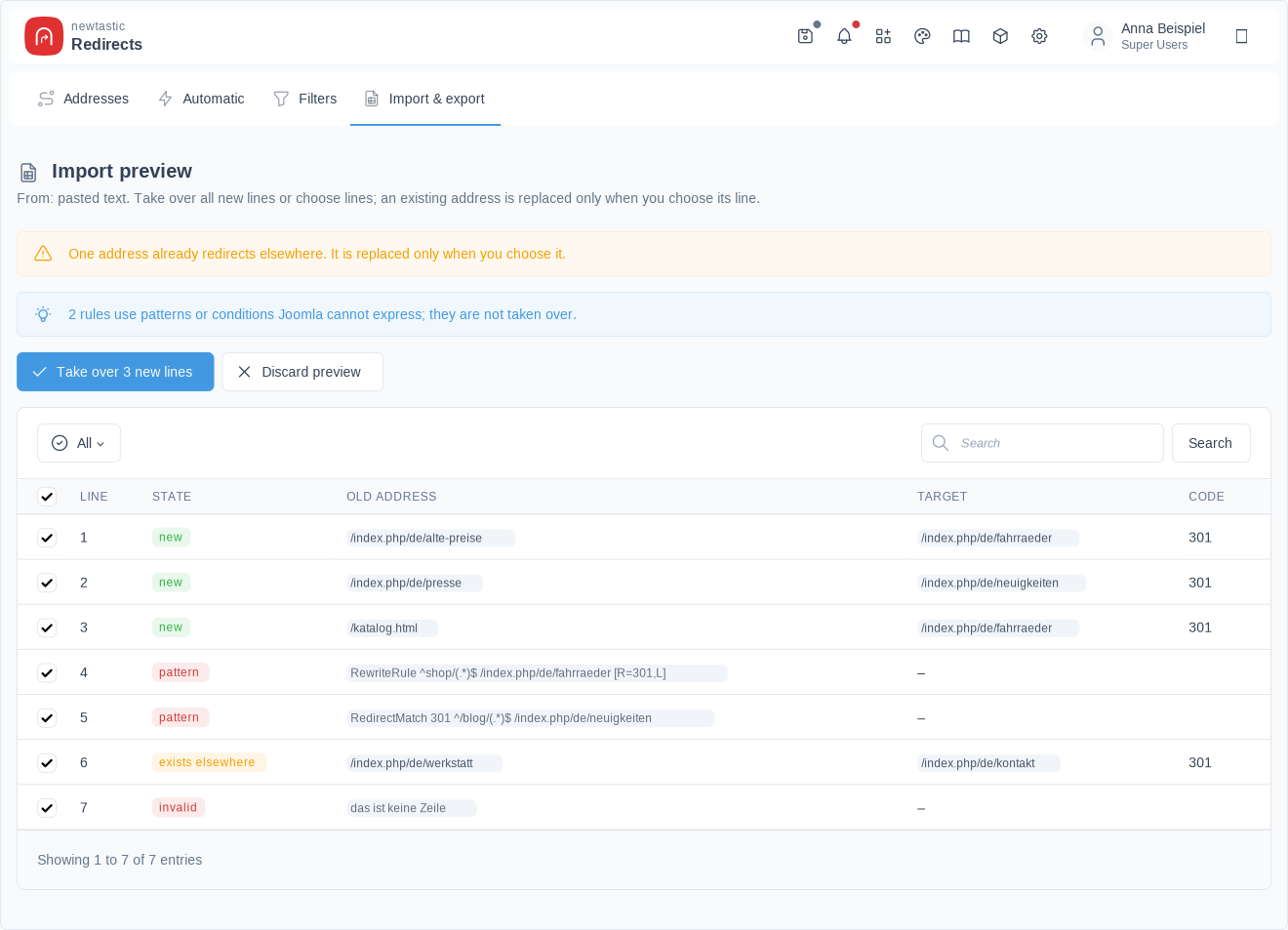
The import preview with the state of every line, before anything is saved.
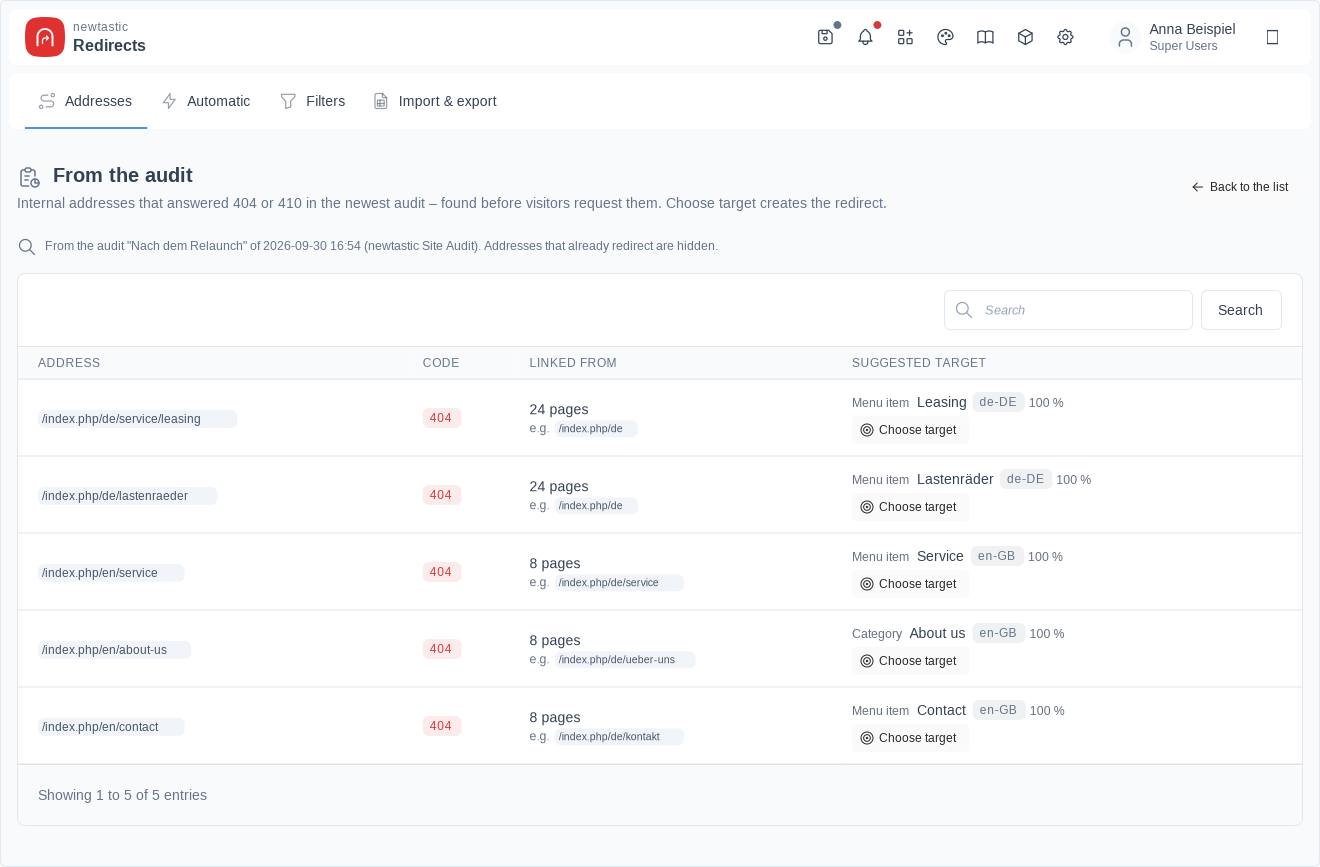
With newtastic Site Audit: broken internal addresses from the newest audit, with a suggested target.
05 / All functions
All functions.
Automatic redirects
- Old address redirects by itself when you rename or move content
- For articles, categories and menu items plus everything below (max 500)
- Rules for trash, unpublishing and publishing again
- Target of your choice: parent page, home page, chosen page or 410
- Works in editor, batch processing and frontend – for every editor too
- No chains: older redirects point straight to the new target
- Your own redirects stay untouched, renaming back is recognised
- Preview “What happens if …?” on five real items
Fix dead addresses
- Open 404 addresses with hit count and referring page
- Target suggestion with match score right next to the 404 address
- “Apply”: one click turns the suggestion into a redirect
- Understands umlauts, typos and the language of the old address
- Ignore, reopen or exclude from collecting with one click
- Notice in Joomla when new 404 addresses appeared in the last 30 days
Test and repair
- Test all, selected or single redirects the way a visitor would
- Eight clear test results, shown in the list as e.g. “301 → 200”
- Testing changes neither hit counters nor the 404 log
- Finds chains, loops, dead targets, duplicates and unused entries
- “Fix all” for chains, loops, duplicates and entries without target
- Dead targets are shown; you choose the new target yourself
Bot filters and cleanup
- Nine ready-made filter groups against bots and scanners, with examples
- Your own terms and regular expressions, with a syntax check
- Live count: how many entries each rule matches
- “Clean up now” deletes existing bot junk according to your filters
- Daily cleanup by age and hits, also as a Joomla scheduled task
- Cleanup never deletes a redirect, not even a disabled one
One list for everything
- Redirects and 404 addresses in one list, filterable by kind
- Target in plain words with title, language and an offline warning
- Filters for status, code, origin, test result, finding and language
- Search addresses, targets, comments and referring pages
- Same targets grouped in one row, expandable on demand
- Test, switch, ignore or delete selected entries together
Create a redirect
- Pick the target from articles, categories and menu items, no typing
- Target stays correct even when the content is renamed
- Or use your own path or an external address as target
- Status codes 301, 302, 303, 307, 308 and 410 “gone”, with comment
- Checks input and never overwrites changes made in Joomla's list
Import and export
- Import from CSV, .htaccess and Joomla's “old|new” lists (up to 2 MB)
- Preview with a status per line before anything is saved
- Apply selectively; existing entries are replaced only on request
- CSV export: redirects, open 404 addresses or everything
Multilingual and connected
- Old addresses with the correct language code, one per language
- No redirect into another language, home page per language
- Language versions of an item grouped in one row
- With Site Audit: redirect broken internal links before visitors do
- With Structure: moved menu items redirect automatically
Setup and safety
- Setup in five steps, each with a recommendation and “Why?”
- Everything stays in Joomla's table and settings – uninstall cleanly
- Super Users only; every change is checked on the server
- Guide right inside Joomla: seven help topics with pictures
06 / Frequently asked questions
Frequently asked questions.
Does newtastic Redirects replace Joomla's redirects?
No. There is no second redirect mechanism: Joomla's plugin “System – Redirect” redirects as it always does. Redirects only writes to Joomla's own table and exclusion list.
What stays when I uninstall Redirects?
All redirects, the collected 404 addresses and the filters stay in Joomla and keep working. Only the extension with its settings and scheduled tasks, the automatic redirects for future changes and – depending on a setting – the test results are removed.
Are redirects ever deleted automatically?
No. The clean-up only deletes collected 404 addresses; redirects are never deleted automatically – unlike Joomla's “Purge”, even disabled ones stay.
Does Redirects work together with newtastic Site Audit?
Yes. With newtastic Site Audit installed, Redirects shows the internal links that led nowhere in the newest audit – with a suggested target, before visitors find them.
The family
More extensions.
Included for our clients.
newtastic Redirects is not for sale. Have us build your website or migrate it to Joomla – and we set up newtastic Redirects for you.