★★★ newtastic Extensions · exclusive to our clients ★★★
newtastic Accessibility

Accessibility, step by step.

Check the whole website against WCAG, fix causes once in Joomla – the report and statement come along with it.
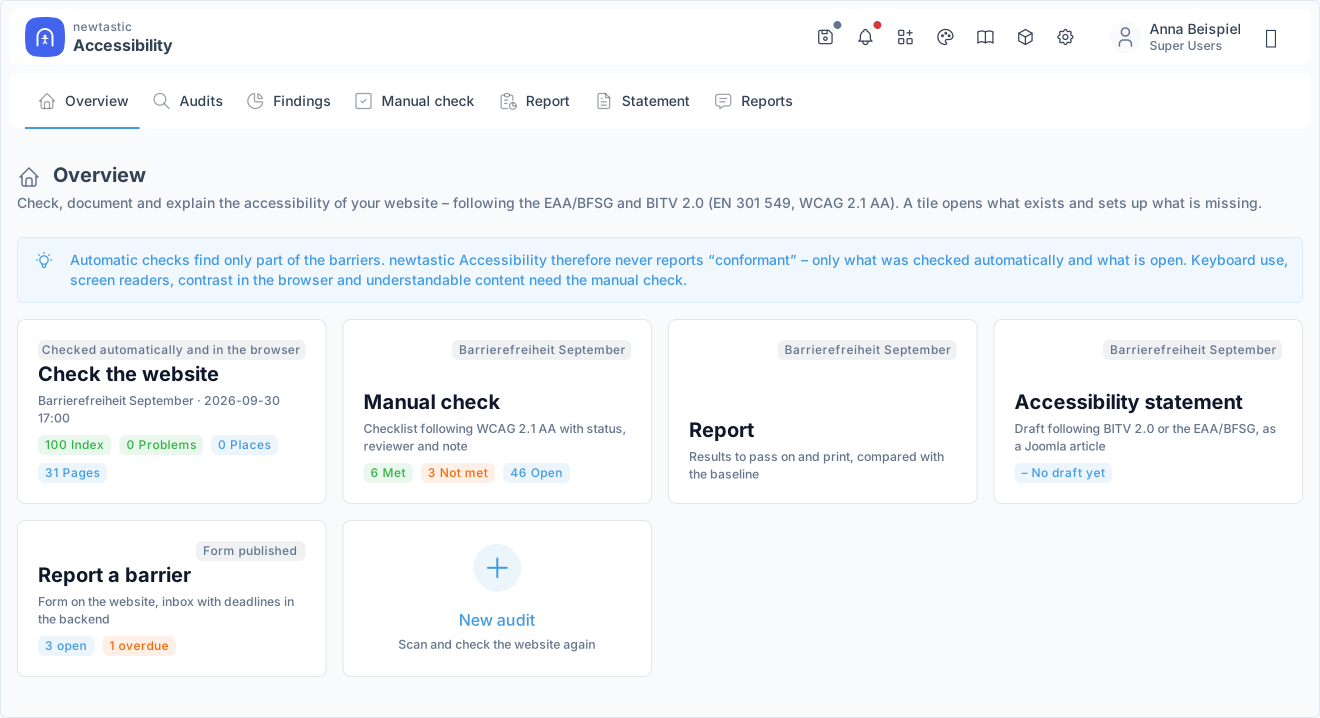
Check, document and declare accessibility – right inside Joomla.

newtastic Accessibility: Check, document and declare accessibility – right inside Joomla.
01 / In short

In short.

The problem

Joomla only checks the page that is open – you see the same menu error 200 times, and the proof never.

The solution

Accessibility checks all pages, merges errors into causes and creates the report and the statement.

Suitable for

Public bodies under BITV 2.0 and companies under the BFSG that have to prove the accessibility of their site.

02 / Your benefits

Why Accessibility?

Once, not 200 times

Identical errors become one cause – one click opens the article, module or template.

The whole website

All public pages in one run – not just the page that happens to be open right now.

Proof included

The report and a draft accessibility statement come straight from your own review.

Report a barrier

The feedback form comes with it – without a captcha, with deadlines and status in the backend.

Four-eyes principle

All 56 WCAG criteria as a checklist with notes – approval by a second person if you like.

No overlay

No cloud scanner, no overlay bar – checked on your own server and in your browser.

For all extensions: No changes to the core Removable again Joomla updates as usual German and English

03 / How you work with it

How you work with it.

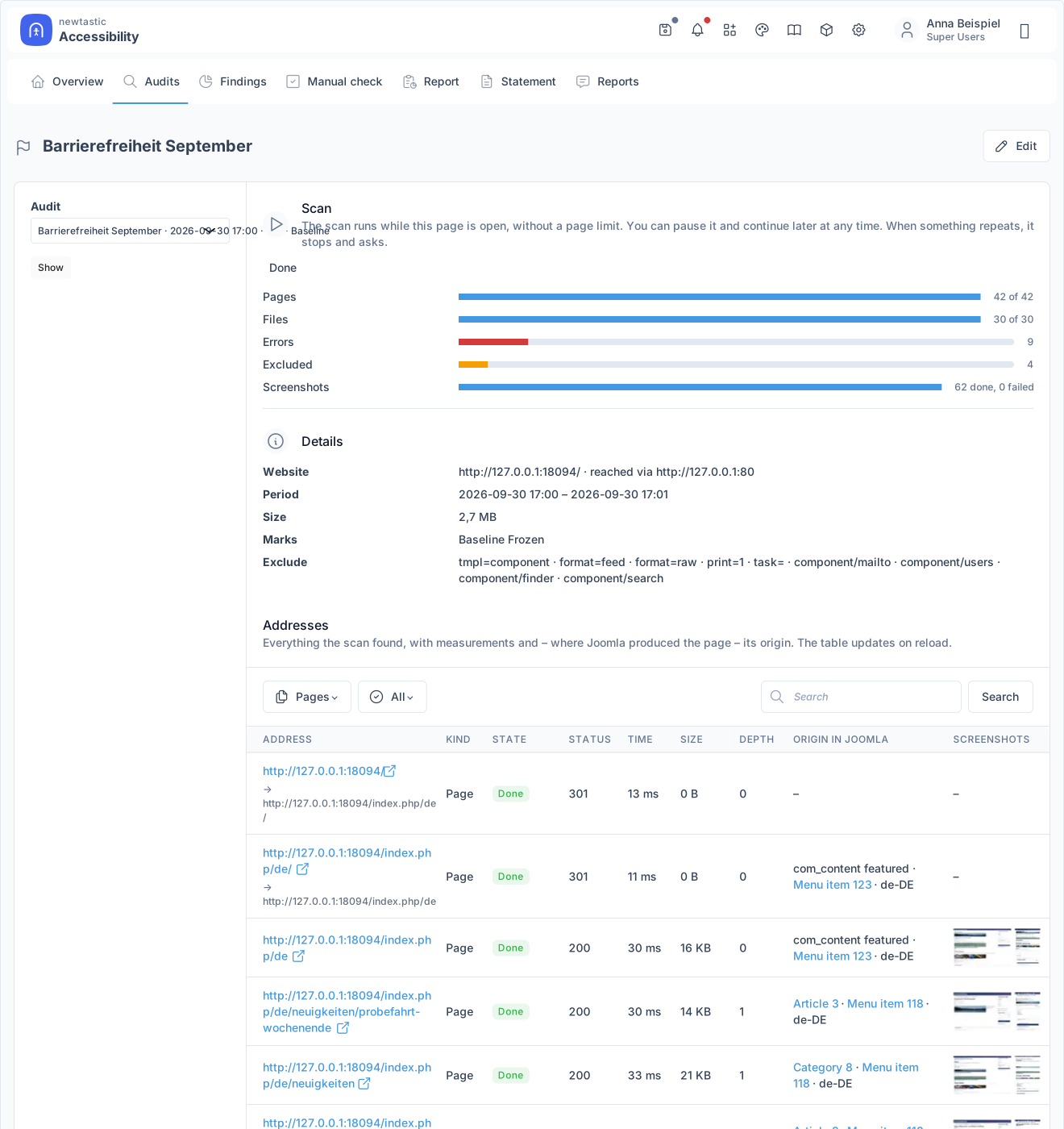
newtastic Accessibility: A scan with progress, details and every address found.

A scan with progress, details and every address found.

Step 1

Scan

A new audit fetches every page of your website as a guest while the page is open. When addresses repeat, for example in calendars, the scan stops and asks. If you like, a task in Joomla's task scheduler runs regular scans.

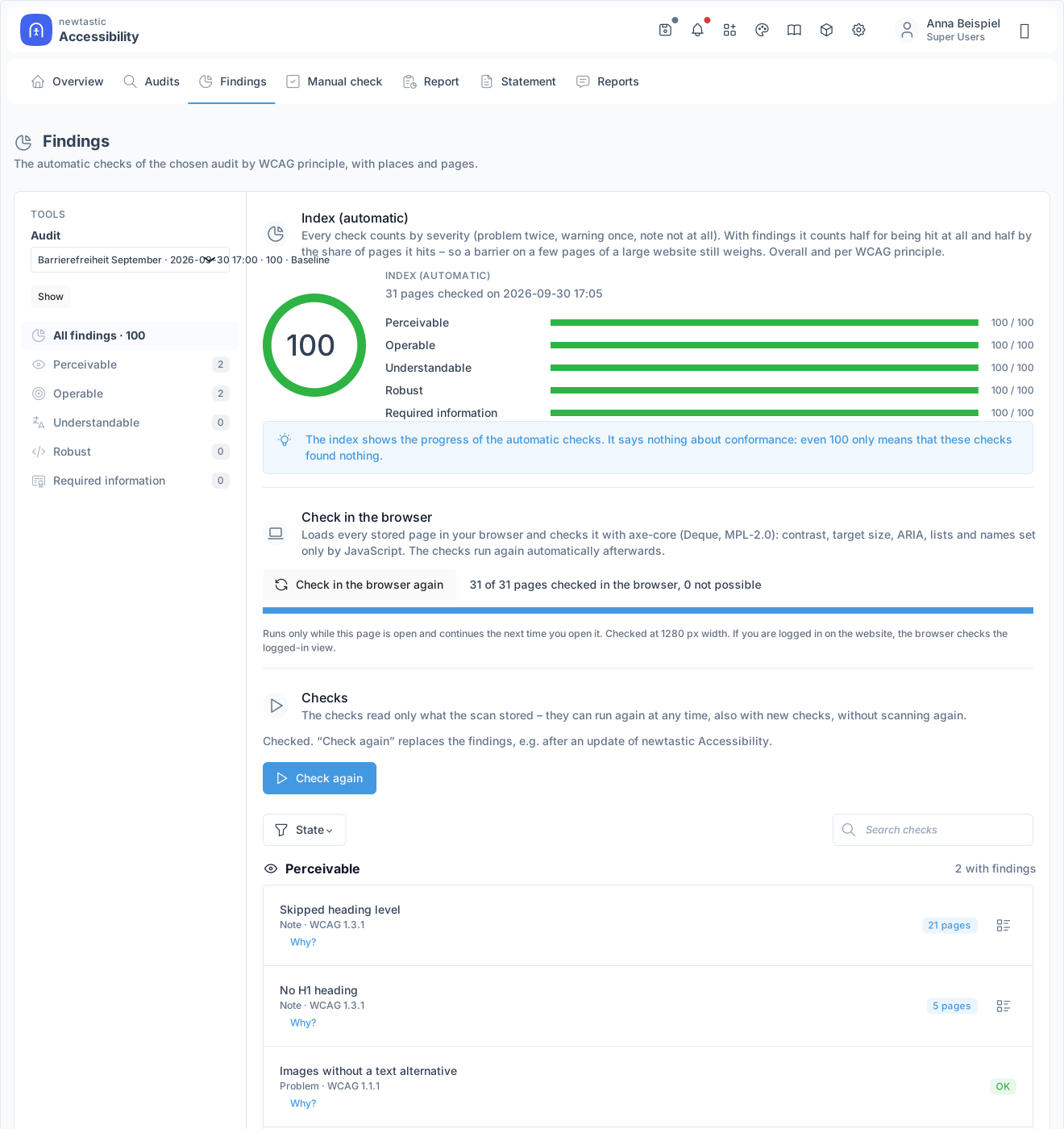
newtastic Accessibility: The findings of an audit: index per WCAG principle and the list of checks.

The findings of an audit: index per WCAG principle and the list of checks.

Step 2

Check

The automatic checks run on the stored pages, with one click your browser then checks every page as well. The findings are sorted by the four WCAG principles – perceivable, operable, understandable, robust – each with severity and explanation.

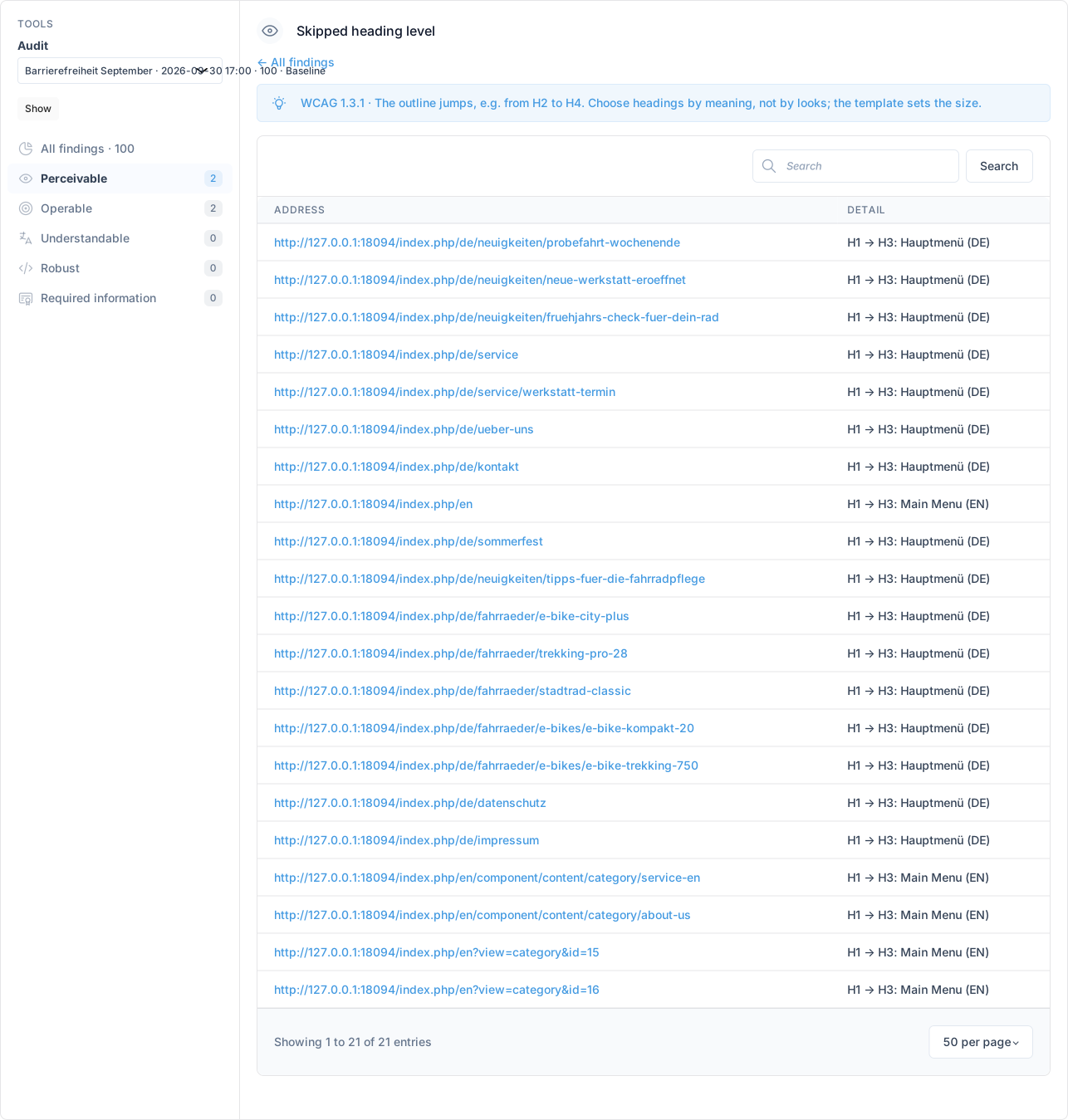
newtastic Accessibility: The places of a check with page count and example.

The places of a check with page count and example.

Step 3

Fix

For every check you see the places in Joomla with the number of pages affected. One click opens the article, module, category or template styles; the report compares with your baseline how many places are fixed.

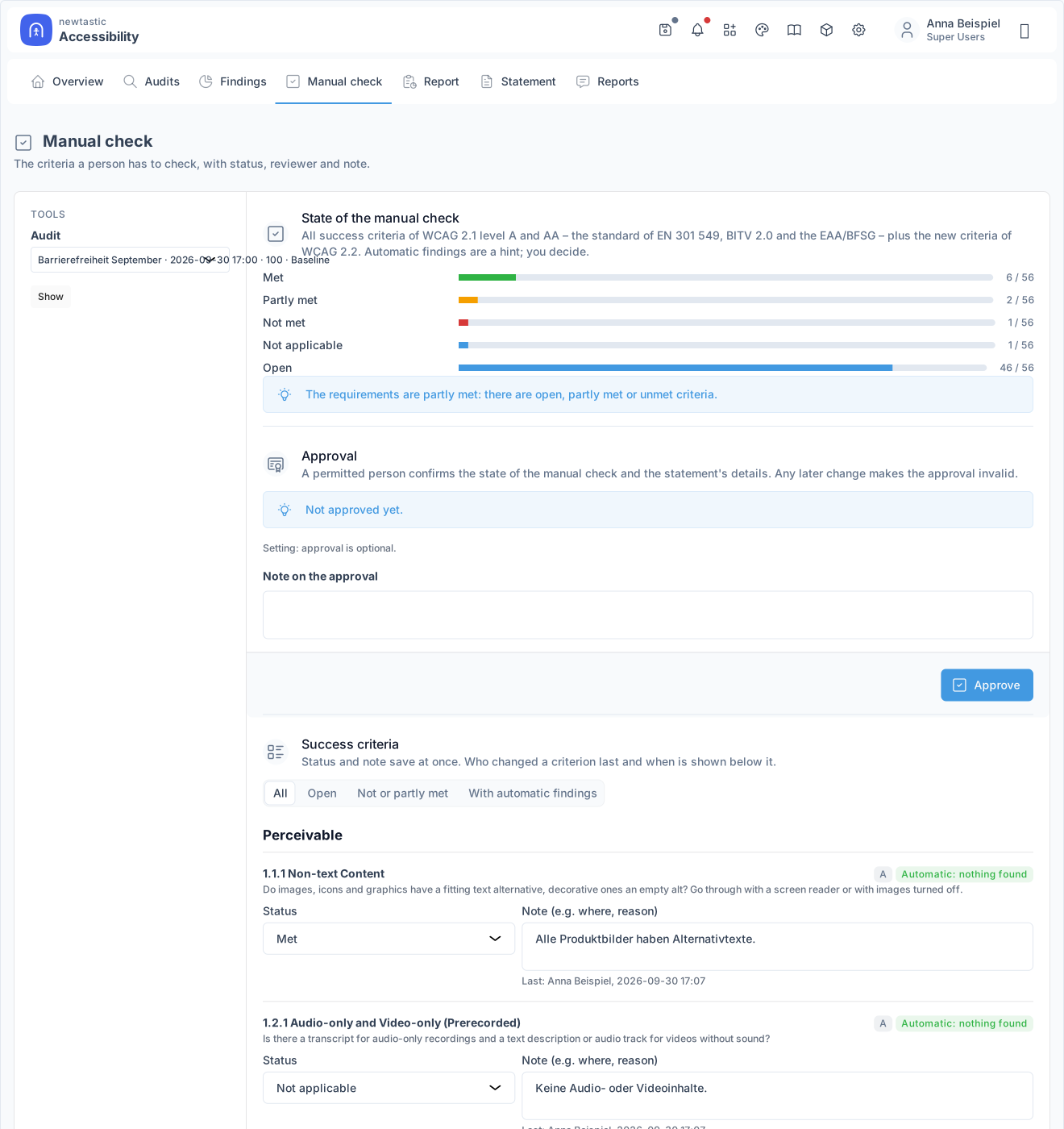
newtastic Accessibility: The manual check: status, approval and the success criteria with status and note.

The manual check: status, approval and the success criteria with status and note.

Step 4

Document

What cannot be checked automatically, you go through criterion by criterion in the checklist and have it approved if you like. This becomes the report and the draft of your accessibility statement; the “Report a barrier” form is set up right from Accessibility.

04 / More insights

More insights.

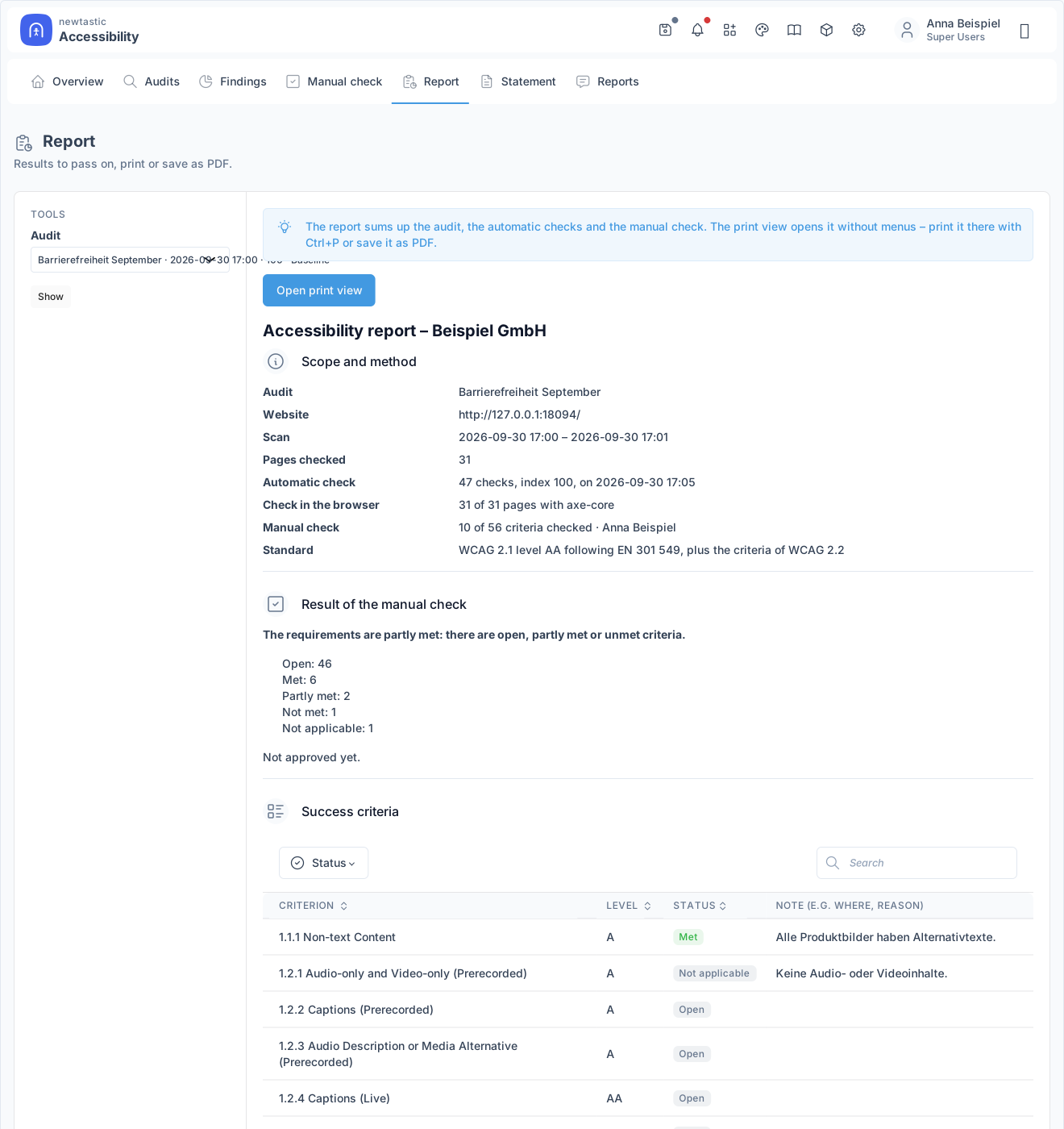
newtastic Accessibility: The report with scope, method, result and every criterion – to print or save as a PDF.

The report with scope, method, result and every criterion – to print or save as a PDF.

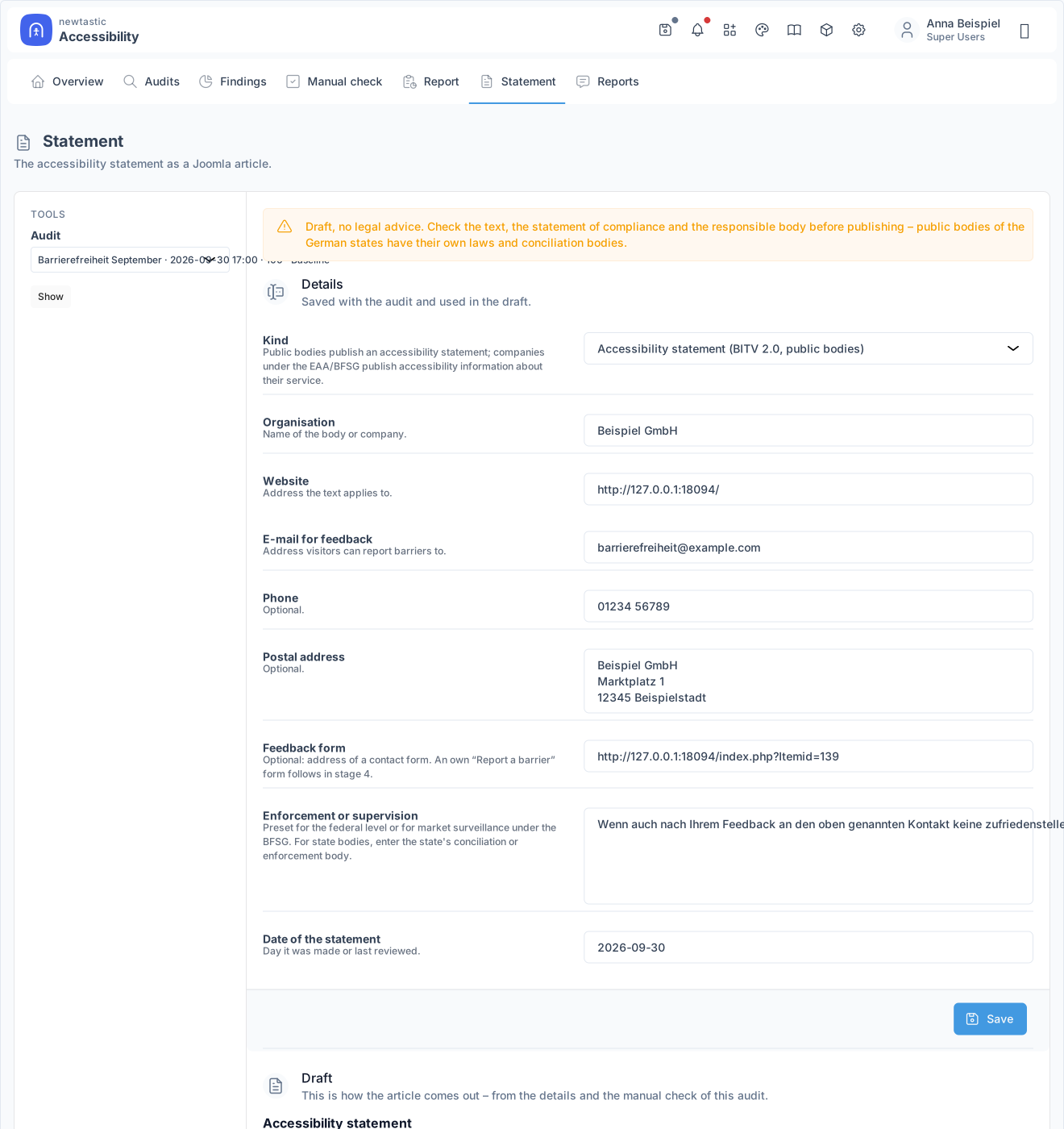
newtastic Accessibility: The details for the accessibility statement with the draft below.

The details for the accessibility statement with the draft below.

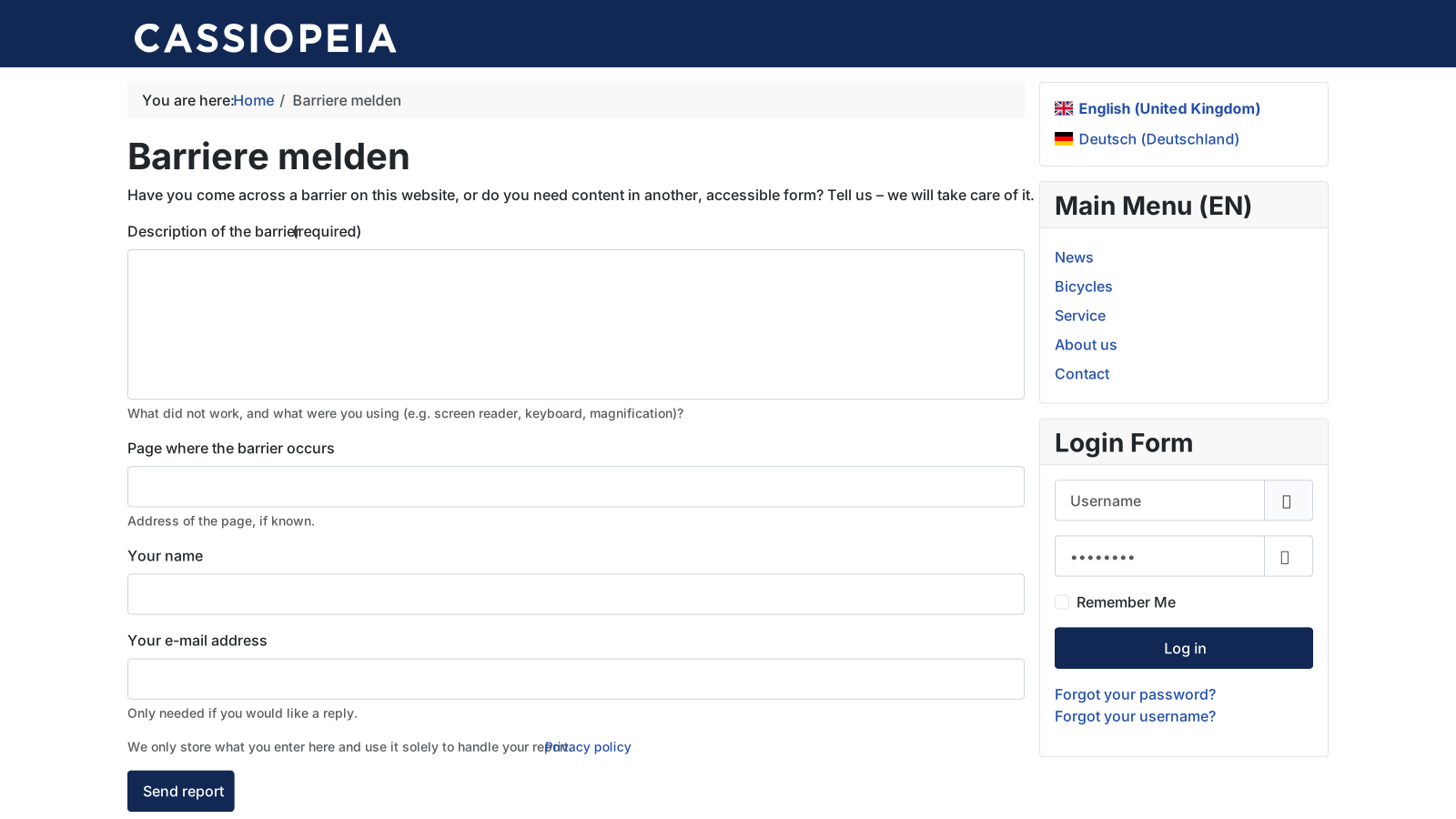
newtastic Accessibility: The “Report a barrier” form on the website.

The “Report a barrier” form on the website.

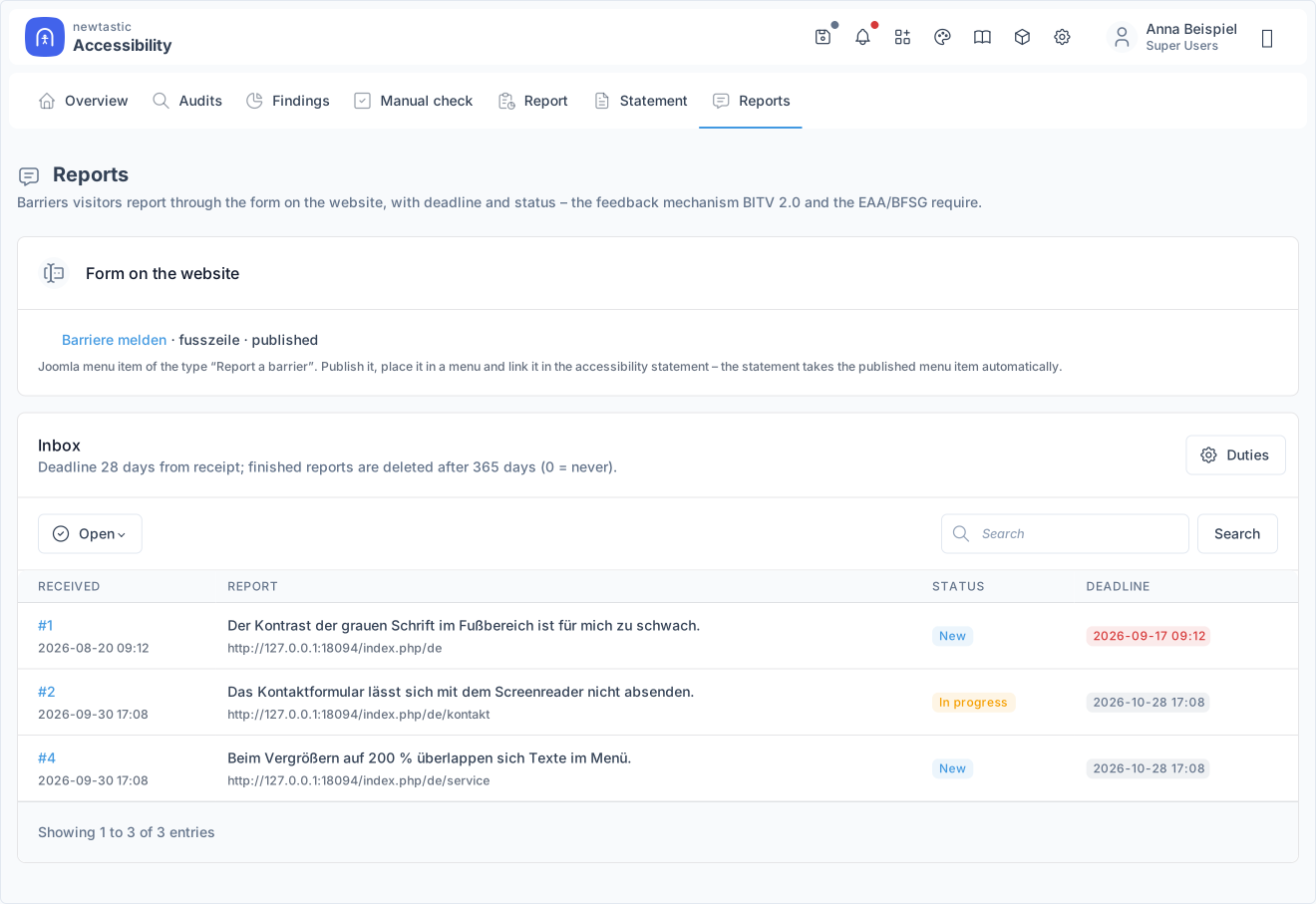
newtastic Accessibility: The inbox of reports with status and deadline.

The inbox of reports with status and deadline.

05 / All functions

All functions.

  • Scan the whole website
  • More than 40 checks against WCAG 2.1 AA
  • Place and cause in Joomla – fix it once
  • Browser check with axe-core
  • Manual check of all 56 criteria
  • Four-eyes approval
  • Report as print view or PDF
  • Draft accessibility statement (BITV 2.0 / BFSG)
  • “Report a barrier” form for visitors
  • Scheduled scans
06 / Frequently asked questions

Frequently asked questions.

Is my website “conformant” afterwards?

newtastic Accessibility deliberately never says so: automatic checks find only part of the barriers. It shows what has been checked automatically, in the browser and manually – and what remains open. The draft statement is not legal advice.

Does Accessibility change my pages?

No, never on its own. Fixes happen in Joomla's own editors; the statement and the menu item for the form are created unpublished, and you decide when to publish them.

Is any data sent to an external service?

No. Everything stays on your server, and the browser check runs in your own browser. The “Report a barrier” form stores the entries with language and time – no IP address.

What stays after uninstalling?

All content, the accessibility statement as an ordinary Joomla article and everything you changed while fixing. Remove the “Report a barrier” menu item first or switch it to another form; whether audits and reports of barriers stay is up to a setting.

Exclusive to our clients.

newtastic Accessibility is not for sale. Have us build your website or migrate it to Joomla – and we set up newtastic Accessibility for you.