★★★ newtastic Extensions · exclusive to our clients ★★★
newtastic Access
newtastic Access

Permissions you understand.

Grant permissions without studying Joomla's permission system: tick what someone should do – Joomla does the maths.
Create roles by choosing what someone should be able to do.

newtastic Access: Create roles by choosing what someone should be able to do.
01 / In short

In short.

The problem

For one role Joomla wants groups and ticks in many places – and nowhere explains why a permission applies.

The solution

Access turns “write articles – only in the blog” into Joomla permissions and then shows what the role may do.

Suitable for

Websites where several people work together – for example an editorial team, guest authors or members.

02 / Your benefits

Why Access?

In everyday words

The role wizard asks what someone should be able to do – not about Joomla's terms.

Through their eyes

See the website as a member sees it with one click – without their password.

Only certain areas

Write permissions only for selected categories, menus or modules – in one step.

Trial run

After creating the role, Joomla shows for each of your articles what the role may do.

Find risks

Finds visitors with admin rights, forgotten Super Users and a damaged permissions table.

Why may she do that?

Access shows the rule that decides – along the whole chain of Joomla's permissions.

For all extensions: No changes to the core Removable again Joomla updates as usual German and English

03 / How you work with it

How you work with it.

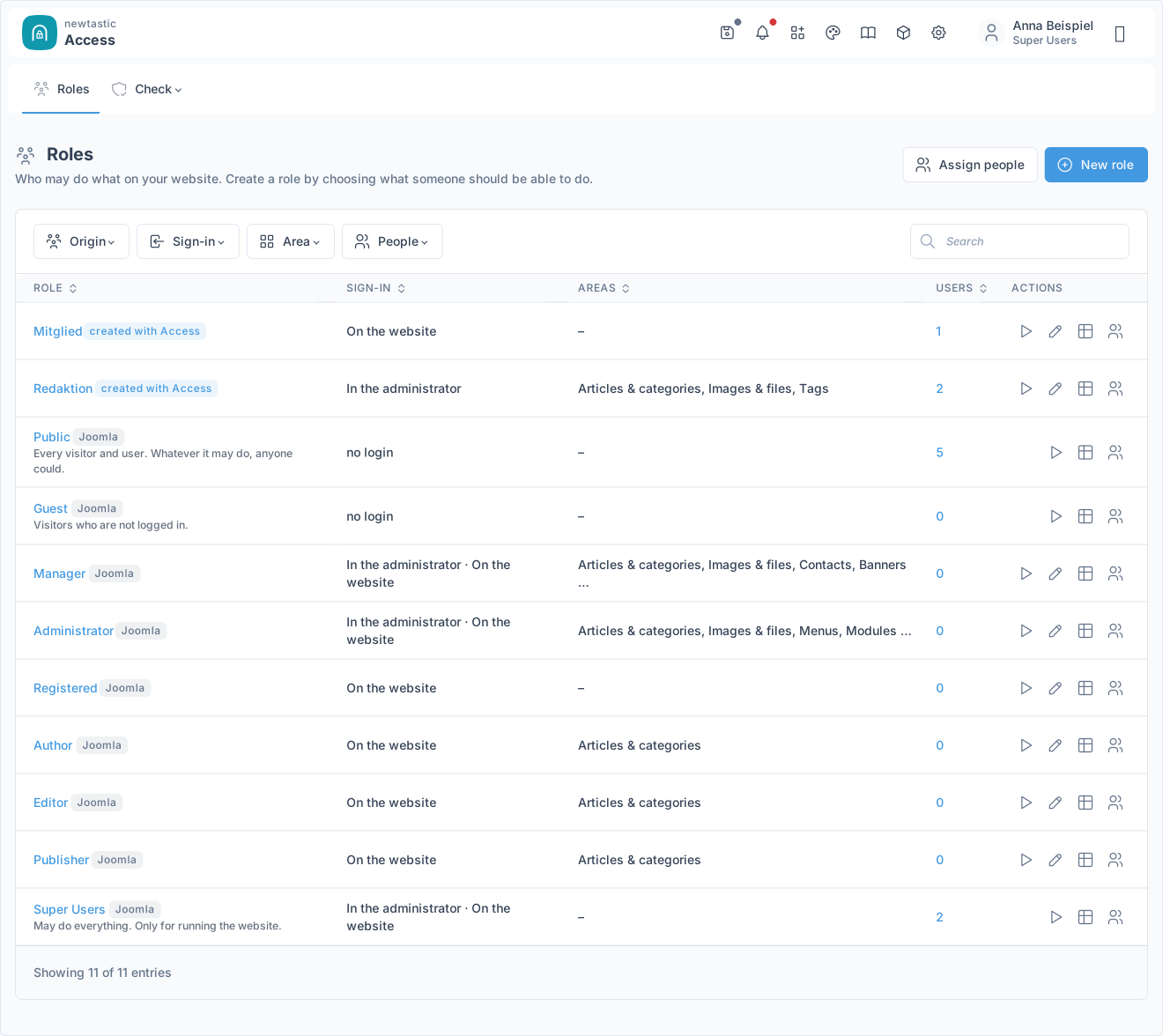
newtastic Access: The start page with your roles and Joomla's groups.

The start page with your roles and Joomla's groups.

Step 1

Create

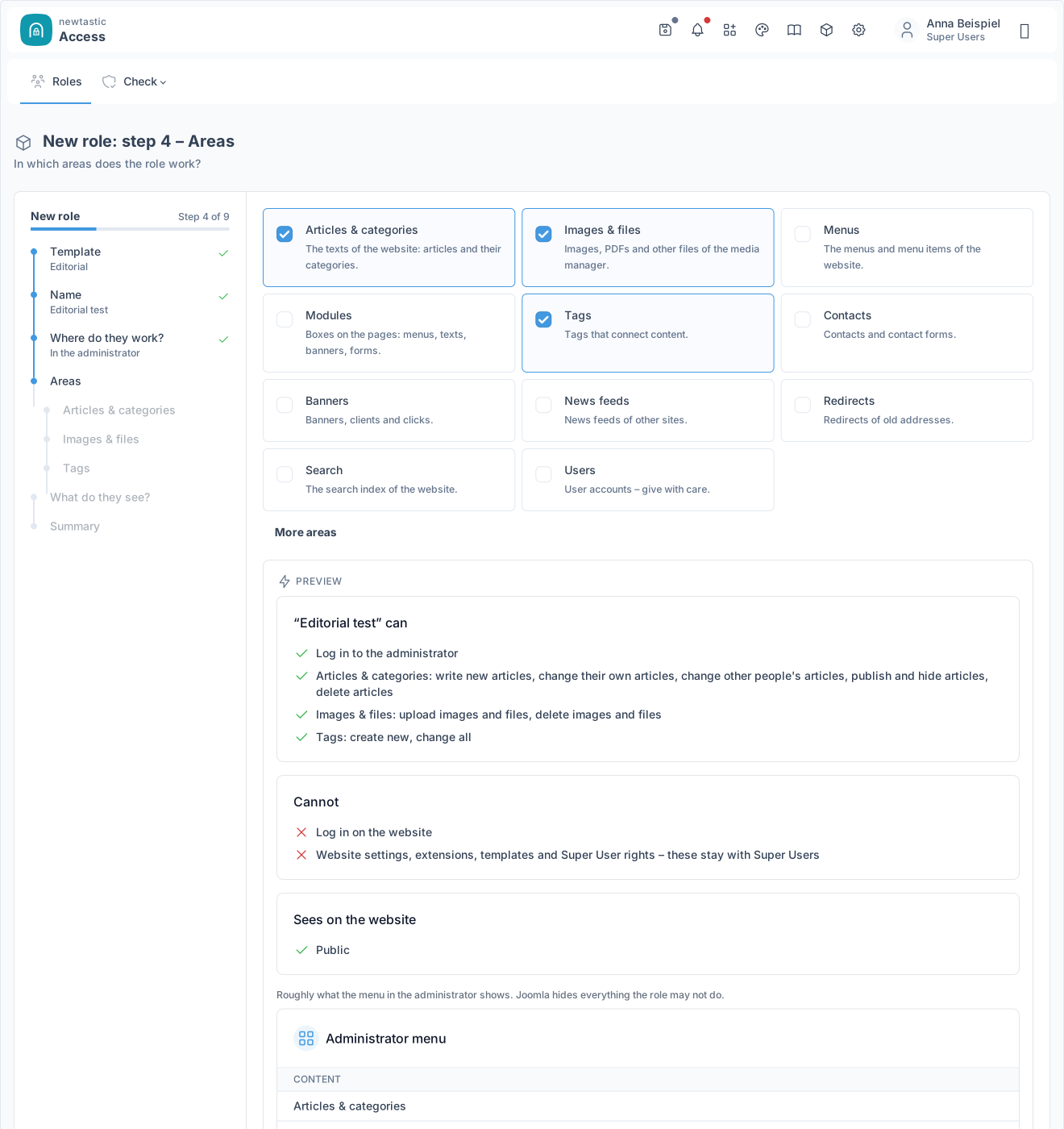
“New role” guides you question by question to a finished role, and the preview shows every choice right away. Nothing is saved until you click “Create role”.

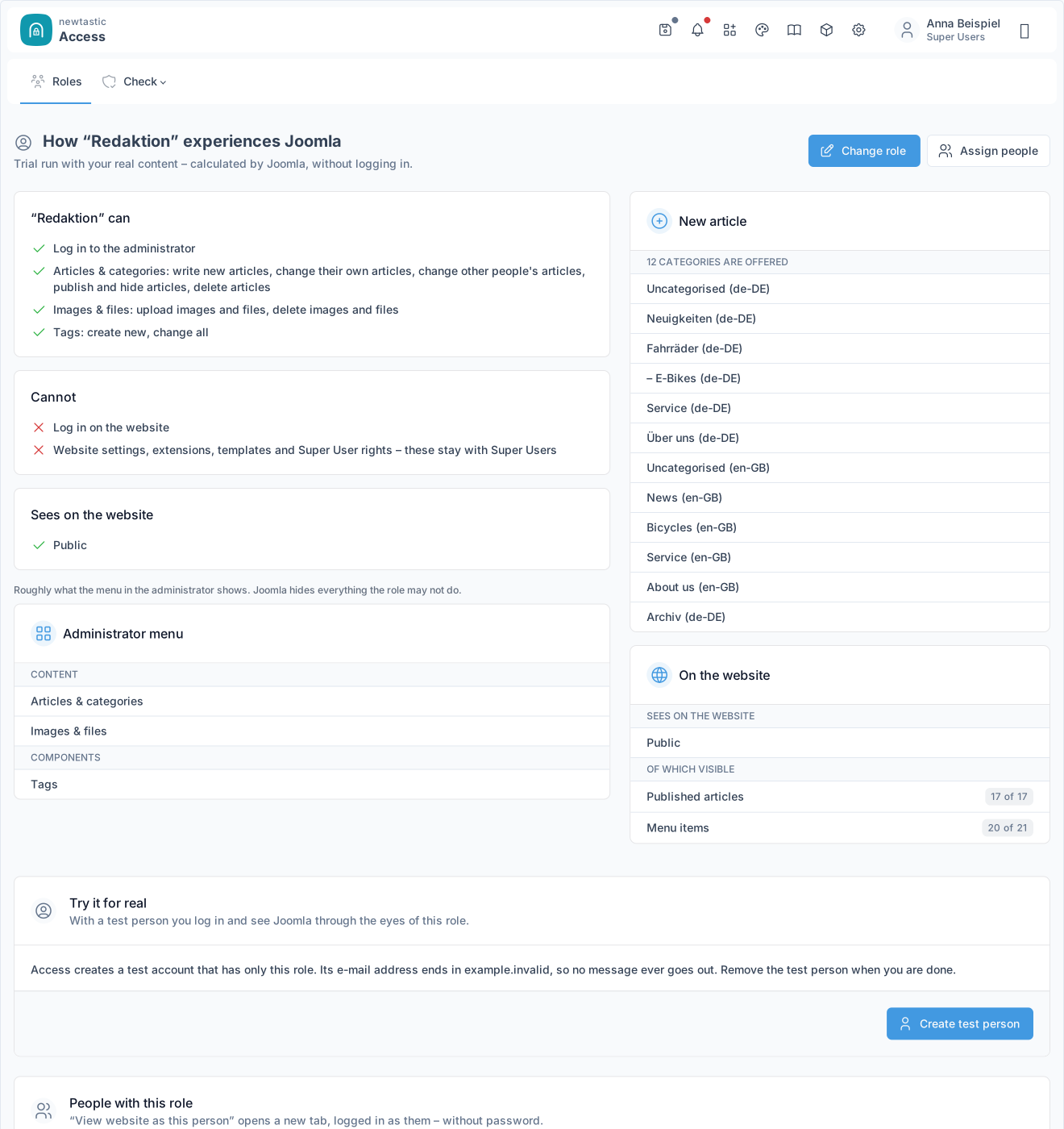
newtastic Access: The trial run of a role with your real articles.

The trial run of a role with your real articles.

Step 2

Check

The trial run shows with your real content what the role may do – edit, publish and delete for every article, answered with “Yes”, “No” or “Own only”. Nobody has to log in for it.

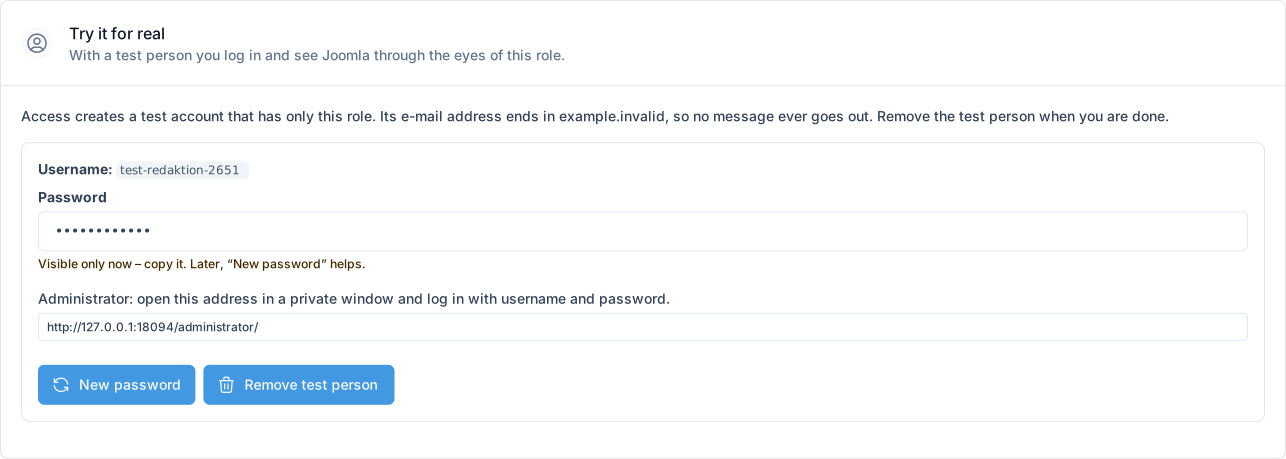
newtastic Access: The box “Try it for real” with a test person.

The box “Try it for real” with a test person.

Step 3

Experience

“View website as this person” or a test person shows Joomla through the eyes of this role. When you are done, the test person is removed with one click.

Step 4

Assign

In Joomla's user management you give people the role. “Assign people” takes you straight there.

04 / More insights

More insights.

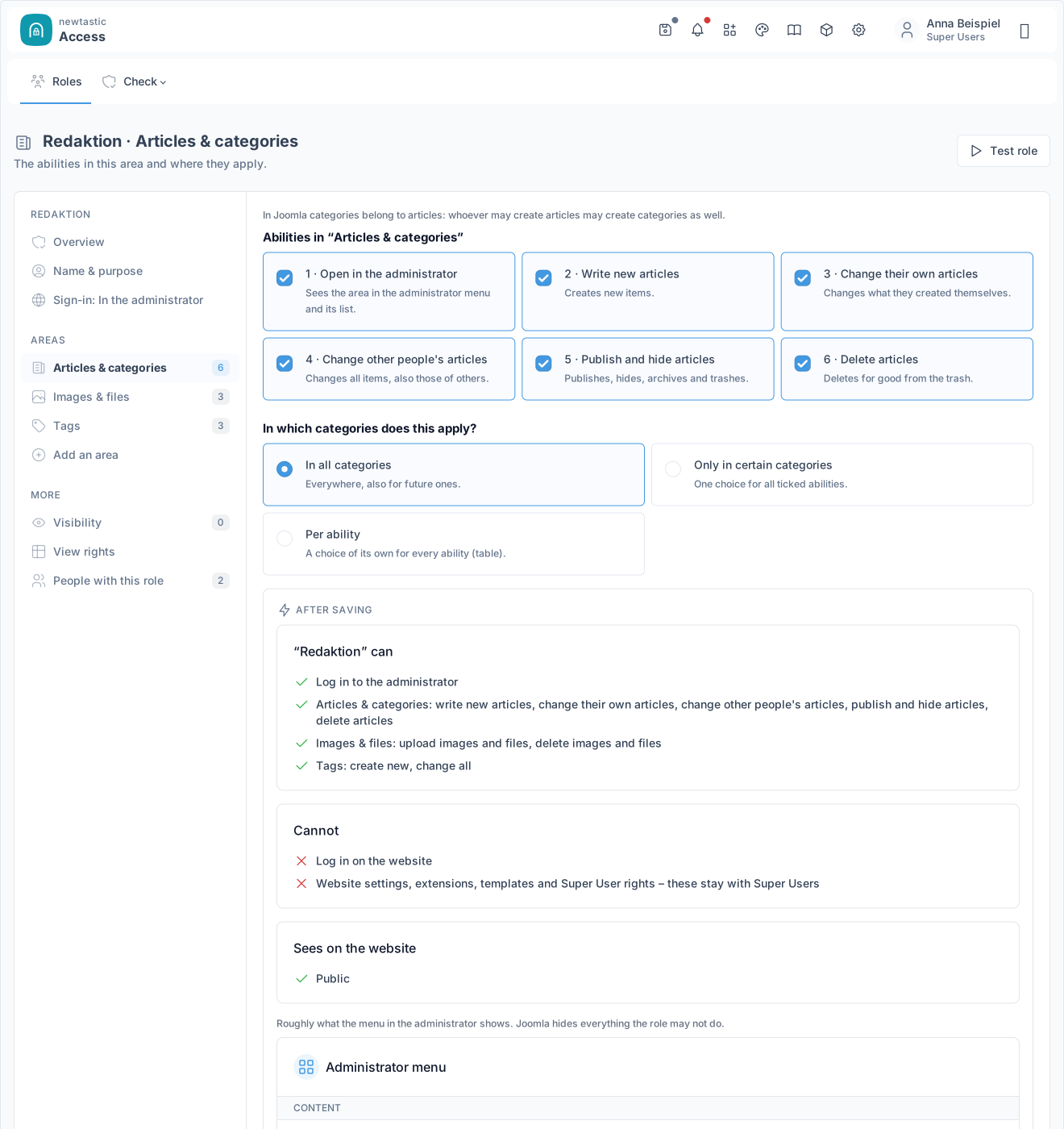
newtastic Access: Editing a role: sections on the left, question and preview on the right.

Editing a role: sections on the left, question and preview on the right.

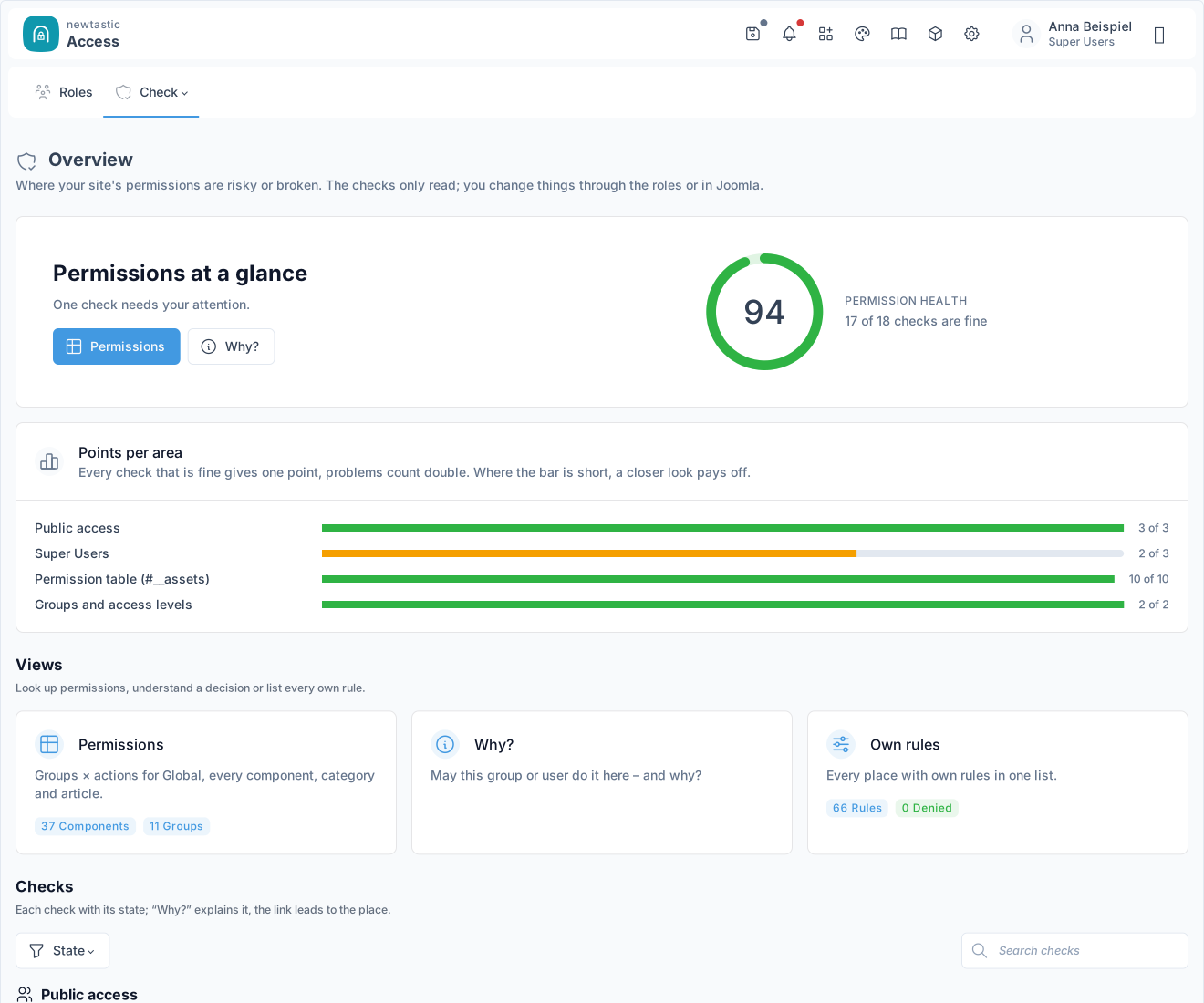
newtastic Access: Check: the overview with score, points per area and the views.

Check: the overview with score, points per area and the views.

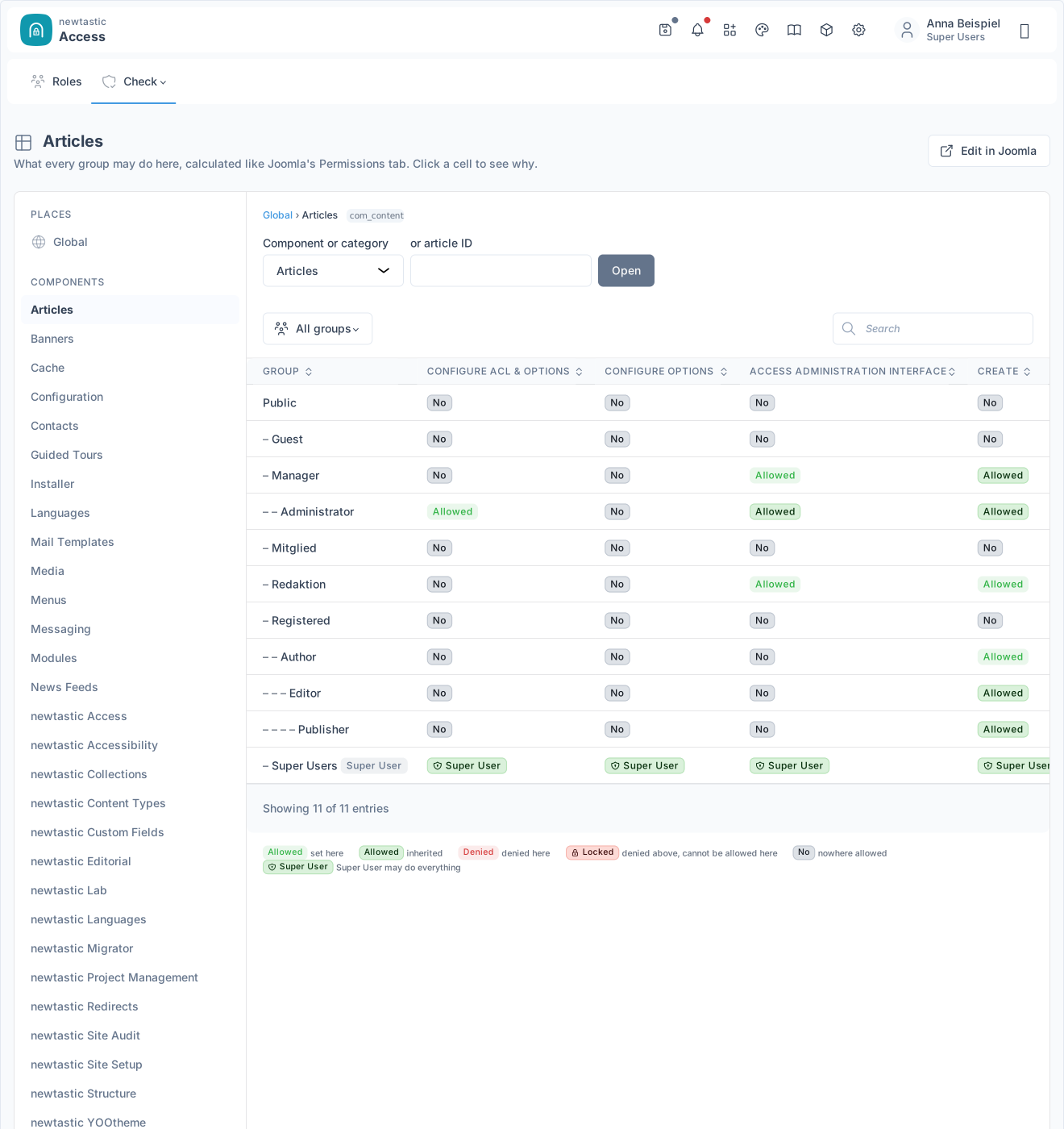
newtastic Access: The permission matrix of a component: groups in rows, actions in columns.

The permission matrix of a component: groups in rows, actions in columns.

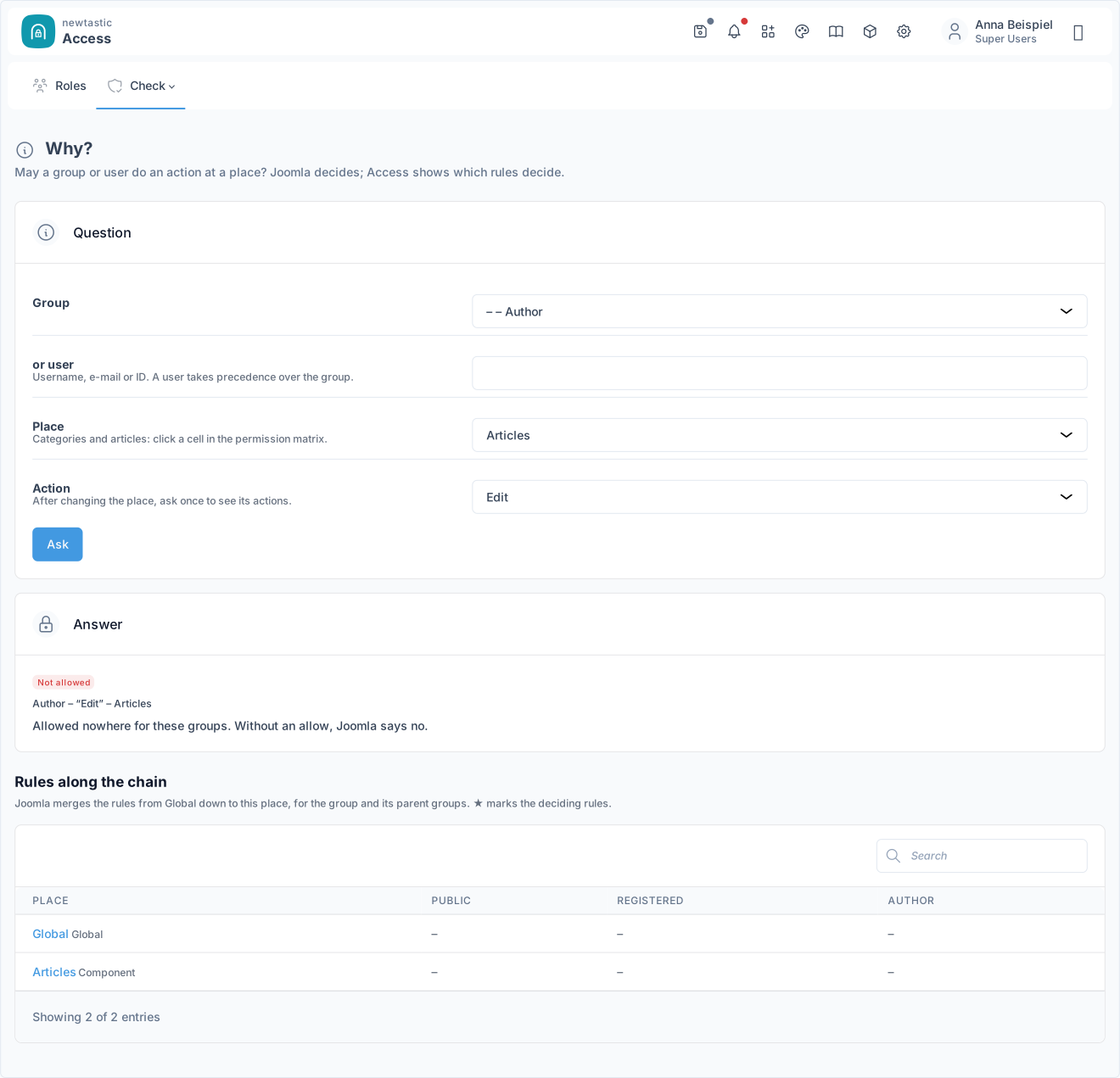
newtastic Access: “Why?”: question and answer with the rules along the chain.

“Why?”: question and answer with the rules along the chain.

05 / All functions

All functions.

Role wizard

  • Role wizard in plain words, with an explanation and tip for each step
  • Templates: editorial team, author, member, guest author, or blank
  • Where the person works: website, administrator area or both
  • Tick areas: articles, media, menus, modules, other extensions
  • Per area: create, edit own or all, publish, delete
  • Only selected categories, menus or modules, subcategories included
  • Choose protected content or create a protected area of its own
  • Live preview: what the role can do, cannot do and sees

Roles at a glance

  • All roles in one table: login, areas, number of people
  • Filter, search and sort all roles
  • Edit existing groups, including Joomla’s Registered, Author, Manager
  • Edit section by section with an “after saving” preview
  • Inherited rights shown with “comes from …”
  • Warning before a role loses its administrator rights

Trial run and test user

  • Trial run for every role, no login needed, calculated by Joomla
  • For each real article: edit, publish, delete – with the reason
  • Offered categories, menus, modules and what shows on the website
  • Create a test user in one click, no e-mail is sent
  • Strong password, shown only once, renewable any time
  • Remove the test user in one click, automatically on uninstall

View site as this person

  • See the website as this person, without their password
  • Opens in a new tab, your backend login stays
  • Button right in Joomla’s user list too
  • One-time code: valid two minutes, once, only in your browser
  • Super Users, blocked and your own account are excluded
  • Runs through Joomla’s login, including the action log

Security check

  • Permission health as a percentage, with points per area
  • Warns if guests or visitors may manage or change content
  • Super Users: several groups, blocked, inactive 180 days, emergency access
  • Nine checks find damage in Joomla’s permission table
  • Find empty groups and unused access levels
  • All “Denied” rules at a glance
  • Every check with “Why?” and a link to the spot
  • Critical problems show up in Joomla’s notices

Understand permissions

  • “Why?”: Joomla’s decision with the reason in one sentence
  • All rules from Global down to the spot, decisive ones marked
  • “May see?” for articles, categories and modules
  • Permission matrix per place or per group, calculated like Joomla
  • Every rule set on the website in one filterable list
  • Group tree with people, logins and access levels
  • Where each access level is used: articles, menu items …
  • User at a glance: everything about one person on one page

Saved safely

  • Saved the Joomla way, roles are normal Joomla groups
  • Only sets “Allowed”, existing denials stay in place
  • Super User rights and system areas are off limits
  • New roles start empty and can only do what you tick
  • Undo the latest change made with Access in one click
  • Super Users only, every action checked on the server
  • Uninstall: roles and permissions stay in Joomla
  • Guide built right into Joomla
06 / Frequently asked questions

Frequently asked questions.

Which permissions does Access not grant?

Access only sets allows, never “Denied”. It does not even offer website settings, extensions, templates or Super User rights – those stay with Super Users.

How safe is “View website as this person”?

Only Super Users can use it, and only in their own browser. Every click creates a one-time code valid for two minutes; Super Users, blocked and unactivated accounts cannot be viewed.

Who decides whether something is allowed?

Always Joomla. Access saves the same way as Joomla's Permissions tab and user management; your roles are ordinary Joomla user groups.

What happens to my roles if I uninstall Access?

They stay exactly as they are, as Joomla user groups with their permissions and access levels, and so do all users. Removed are the test persons from the trial run and – depending on the setting – the role descriptions and the change log.

Exclusive to our clients.

newtastic Access is not for sale. Have us build your website or migrate it to Joomla – and we set up newtastic Access for you.