

 Joomla hacked?
 Joomla 6 migration
 Security update PHP & YOOtheme
 Blog
 References
 About us
 Prices
 Contact

If your Joomla website offers forms, price sheets or documents for members, sooner or later you need more than a link to a PDF: categories, a download counter, files only for logged-in users. That is what download managers are for. We installed five of them on Joomla 6.2 and filled each with the same nine files: WM Downloads 2.5.0, Phoca Download 6.1.6, jDownloads 4.1.7, OSDownloads Free 2.3.4 and DOCman 6.2.0. We checked whether protected files stay protected, what the components store about visitors, how much they load on the website, how well they work with Joomla and what is left after uninstalling. Four more commercial extensions are described from vendor information. As of 3 November 2026.
The results in brief
- Protected files: none of the five hands a file meant for logged-in users to guests through its download link. Phoca Download and jDownloads, however, store that same file in a public web folder by default. Anyone who knows or guesses the address can download it without logging in. Both have a setting for a folder outside the web root.
- Vulnerabilities: in 2026, Phoca Download, jDownloads, RSFiles! and EDocman had vulnerabilities with a CVE number, including file uploads without login rated 10, the highest score. All are fixed in the current versions.
- Privacy: jDownloads logs every download with the IP address by default. The others only count.
- Joomla 6: DOCman 6.2.0 only installs on a fresh Joomla 6.2 site once you enable Joomla's plugin "Behaviour - Backward Compatibility 6".
- Speed: WM Downloads loads nothing extra on the website. jDownloads needs 49 instead of 15 requests for the same page and writes PHP warnings to the error log on every page view.
- Joomla integration: jDownloads uses the most Joomla features and is the only one with language associations for multilingual websites.
Our recommendation: for most websites, OSDownloads Free: secure by default, translated, lightweight. WM Downloads is just as secure and even lighter, but has only been around since July 2026. For large document archives with vendor support, DOCman. Phoca Download and jDownloads only with the download folder moved.
Do you need a download component at all?
Not always. Joomla can upload files through the media manager, and an article can link to them. For a few public forms that is enough. Three things are missing, though: Joomla does not count downloads, does not list files with size and type, and a file in the media manager is always public, even if the article is only visible to logged-in users. If you offer documents for members, staff or customers, you need a component that stores files protected and only delivers them after a check.
The candidates
We searched the downloads category of the Joomla Extensions Directory for extensions that support Joomla 6 and are still maintained. We left out pure attachment extensions that attach files to articles, as well as listings with hardly any users. We tested four free candidates and DOCman as a widely used commercial one. WM Downloads is included although it is new, because it is the only one built from scratch for Joomla 6.
| Version | Vendor | Price | Test | |
|---|---|---|---|---|
| WM Downloads | 2.5.0 (24 Oct 2026) | WM Studios | free (GPL) | tested |
| Phoca Download | 6.1.6 (20 Oct 2026) | Phoca (Jan Pavelka) | free (GPL) | tested |
| jDownloads | 4.1.7 (26 Jul 2026) | Arno Betz | free (GPL) | tested |
| OSDownloads | Free 2.3.4 (2 Nov 2026) | Joomlashack | free (GPL), Pro paid | tested (Free) |
| DOCman | 6.2.0 | Joomlatools | from USD 69 for 6 months | tested |
| EDocman | 4.1 (13 Oct 2026) | Ossolution | from USD 34.99 | vendor information |
| Dropfiles | n/a | JoomUnited | USD 49 for 1 year of updates | vendor information |
| RSFiles! | 1.17.15 | RSJoomla! | subscription per site | vendor information |
| Remository | 4.2.x | Martin Brampton | USD 49 per year | vendor information |
The test setup
Each component got a fresh Joomla 6.2.0 installation with PHP 8.4, German language, clean URLs and the default template Cassiopeia. In it we built the download area of a fictional municipal utility, "Stadtwerke Musterstadt": four categories (forms & applications, prices & tariffs, company, internal) and nine files, including PDFs, a Word form, an Excel sheet and a ZIP archive. The category "Intern" with the on-call rota is only available to registered users. We created and uploaded everything through each component's own forms.
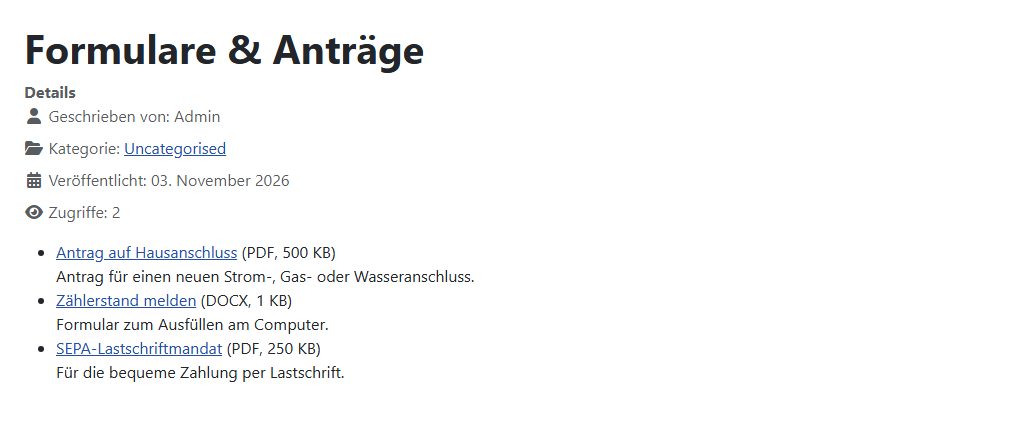
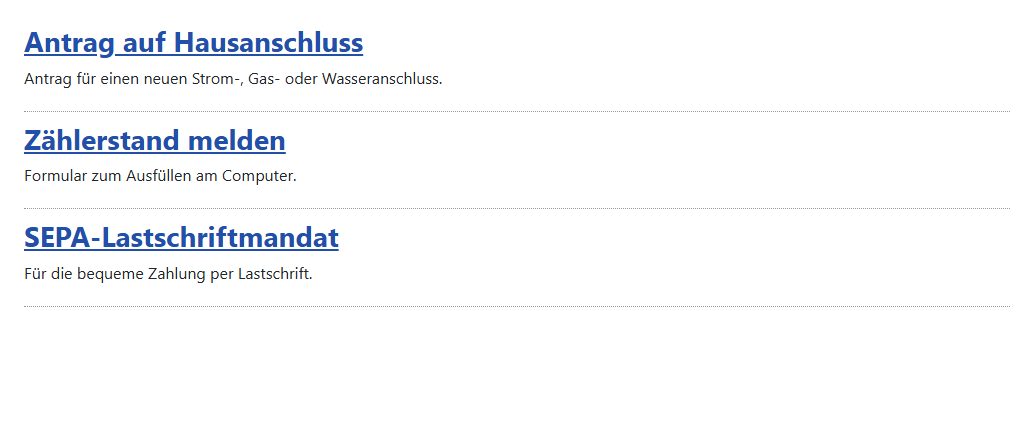
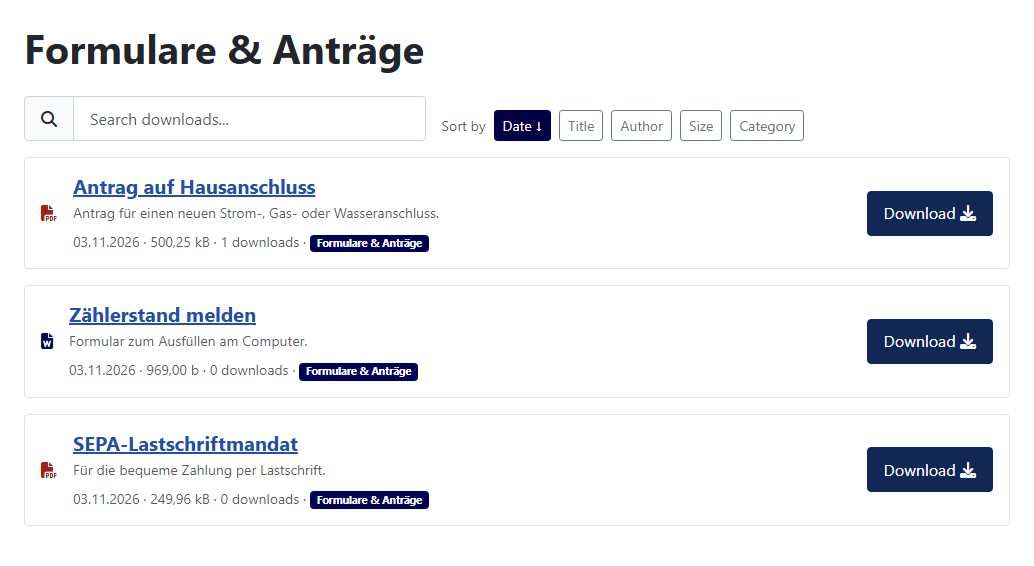
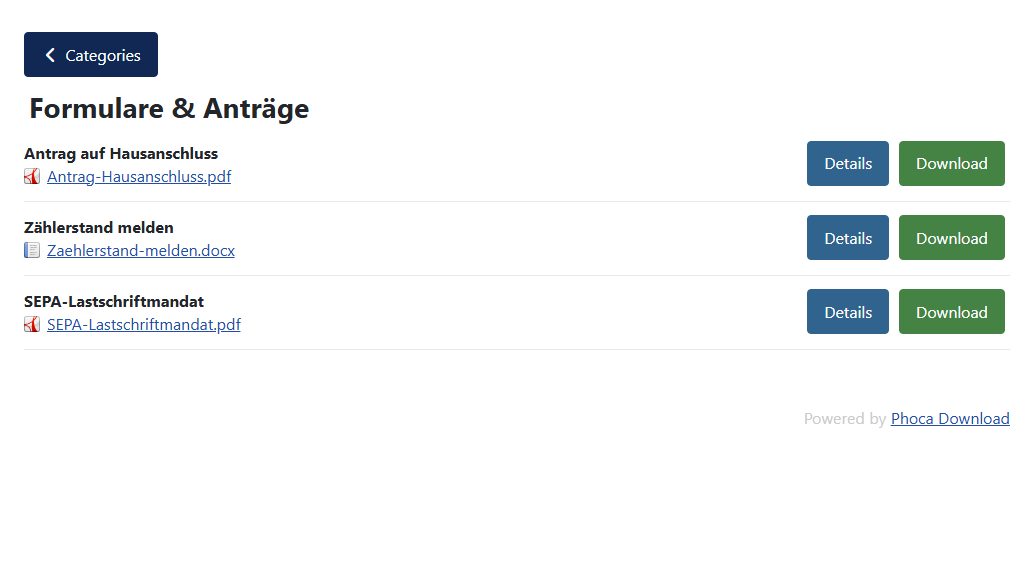
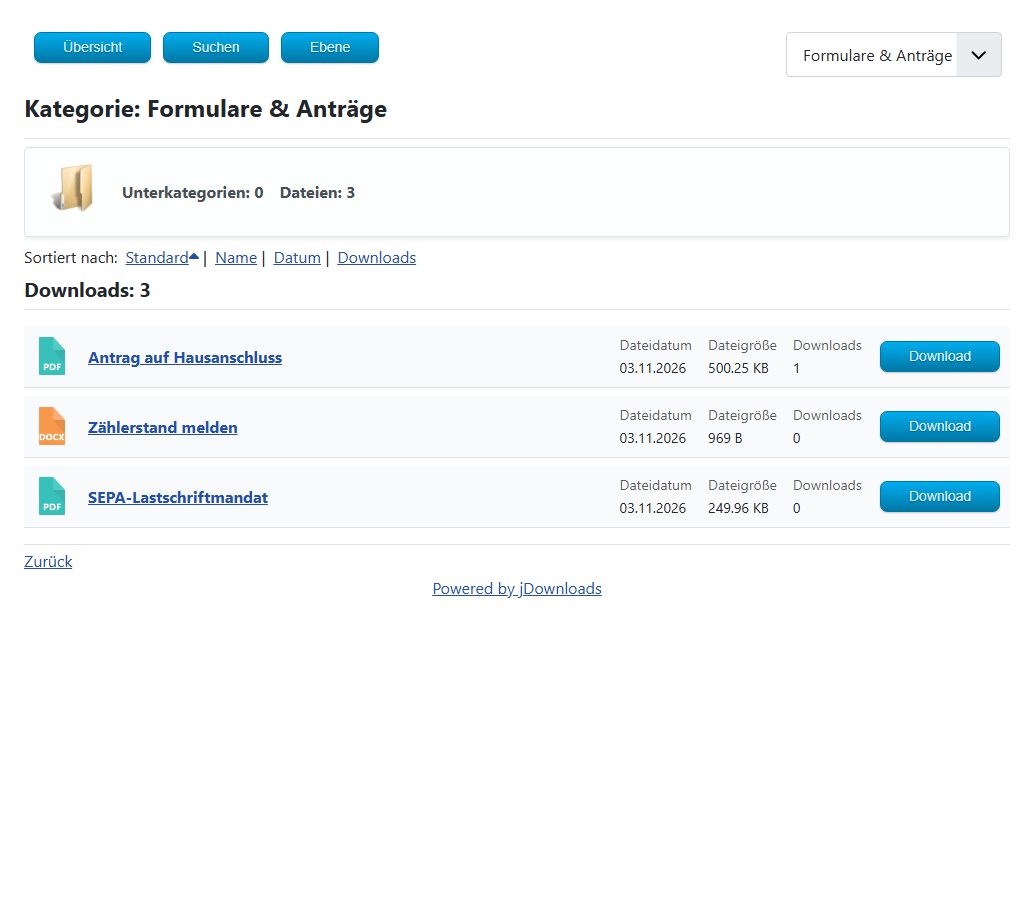
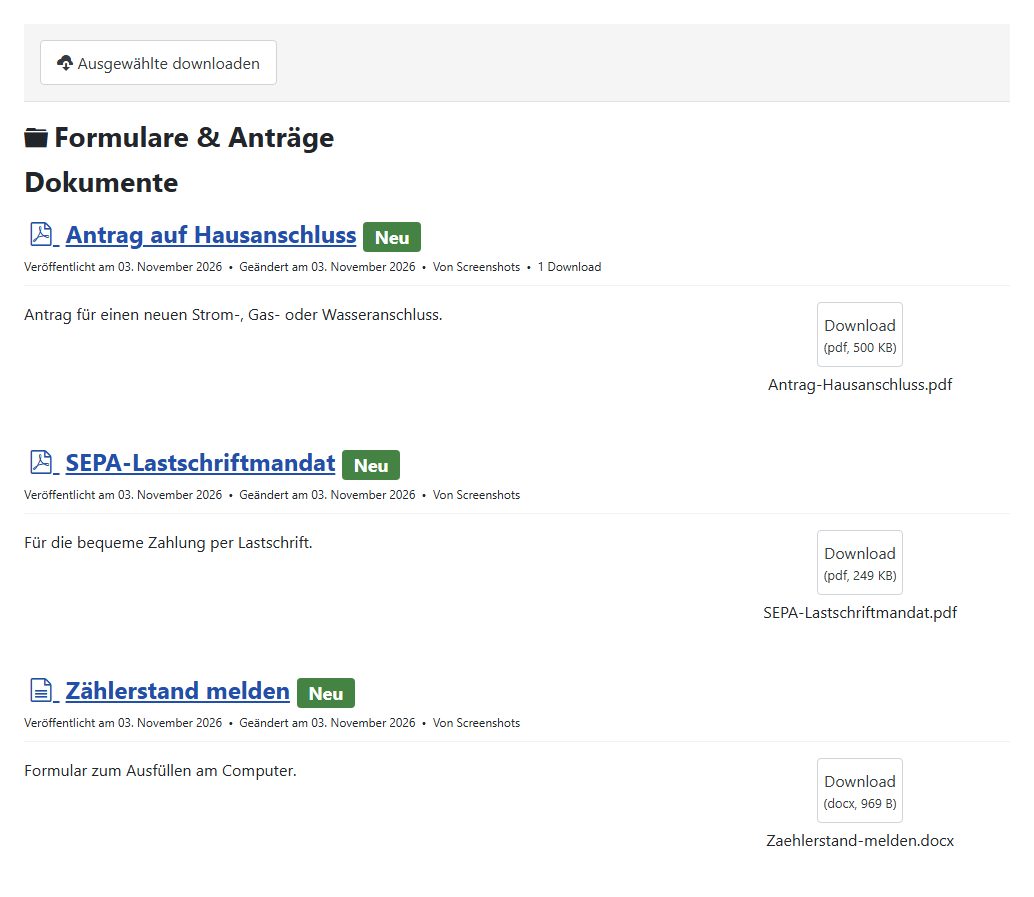
Out of the box the lists look very different. DOCman and jDownloads show date, size and counter; OSDownloads shows only title and description in the category, the download button only appears on the detail page. WM Downloads and Phoca Download ship without a German translation, so a German website shows "Search downloads", "Sort by" or "Categories" until you translate the strings with language overrides. Phoca Download and jDownloads add a "Powered by" link below the list by default.
Protected files: the most important test
A download manager has one core job: a guest must not get a file that only logged-in users may see. We checked that twice, both times without logging in. First through the component's download link, then directly through the address where the file sits on the server.
| Through the component | Directly by address | Default storage | |
|---|---|---|---|
| WM Downloads | blocked (403) | blocked (403) | media/com_wmdownloads/files, name with random part |
| Phoca Download | redirect to login | publicly accessible | phocadownload/<folder>/, original name |
| jDownloads | redirect to login | publicly accessible | jdownloads/<category>/, original name |
| OSDownloads | notice page, no file | blocked (403) | media/com_osdownloads/files, name with random part |
| DOCman | redirect to login | blocked (403) | joomlatools-files/docman-files/<folder>/, original name |
Through their own links all five protect the file correctly. The difference is the storage. WM Downloads, OSDownloads and DOCman put an .htaccess file into the folder that blocks direct requests. Phoca Download and jDownloads store files under their original name in a public folder whose subfolders are named after the categories. With jDownloads the address of our internal file was simply /jdownloads/Intern/Bereitschaftsplan-November.pdf, and the web server delivered it without login.
Both offer a way out: Phoca Download under "Absolute Path", jDownloads under "Upload directory path". This puts the folder outside the web root, and files only leave through the component. With Phoca you create the folder yourself, with jDownloads you move existing files by FTP. If you offer internal files, do this right at the start.
A note on .htaccess: it only works on Apache and LiteSpeed servers. On nginx the folder needs its own rule in the server configuration. WM Downloads and OSDownloads also add a random part to file names, so the address cannot be guessed even then.
Vulnerabilities in 2025 and 2026
Download managers accept files and hand them out. That makes them a popular target: whoever can upload a PHP file takes over the website. Exactly this kind of hole appeared twice in 2026 with the top score of 10, in RSFiles! and in jDownloads 4.1.0 to 4.1.5. An overview of all vulnerabilities in Joomla extensions in 2026 is in our post on extension vulnerabilities.
| Extension | CVE | Type | Score | Fixed in |
|---|---|---|---|---|
| Phoca Download | CVE-2026-57828 | file upload for logged-in users | 9.0 | 6.1.3 |
| Phoca Download | CVE-2026-76569 | cross-site scripting | 5.3 | 6.1.5 |
| Phoca Download | CVE-2026-102787 | CSRF | 5.3 | 6.1.6 |
| jDownloads | CVE-2026-61900 | file upload without login | 10.0 | 4.1.6 |
| jDownloads | CVE-2025-55758 | CSRF | 5.4 | 4.0.48 |
| RSFiles! | CVE-2026-57827 | file upload without login | 10.0 | 1.17.12 |
| RSFiles! | CVE-2025-50057 | denial of service | 6.9 | – |
| EDocman | CVE-2026-57832 | SQL injection without login | 8.7 | 3.9 |
| OSDownloads | CVE-2017-20259 | SQL injection without login | 8.8 | – |
| Remository | no CVE number | SQL injection | – | 4.2.20 |
All holes are fixed in the current versions; the versions we tested are not affected. For WM Downloads and Dropfiles we found no entry, for DOCman the latest is from 2022, for OSDownloads an old bug in version 1.7.4. The takeaway: install updates right away, and only enable uploads from the website if you really need them.
What is stored about visitors
| Stored by default | With IP address | |
|---|---|---|
| WM Downloads | counter per file | no |
| Phoca Download | counter per file and user; detailed log available, off by default | only with the log |
| jDownloads | log of every download with time, file, user | yes, by default |
| OSDownloads Free | counter per file | no |
| DOCman | counter per document | no |
By default jDownloads writes the visitor's IP address to the database for every download, guests included. This can be switched off in the options. If you use it, mention it in your privacy policy and delete old entries regularly. None of the five ships a plugin for Joomla's privacy tools that would include such data in an access request or delete it. More on this on our page about technical data protection in Joomla.
Load time and data
We measured the category page "Forms & applications" with three files. The differences are smaller than with page builders, but visible. WM Downloads loads no CSS or JavaScript of its own and is as light as Joomla alone. OSDownloads and DOCman load jQuery and their own scripts, DOCman also its framework. jDownloads loads jQuery, all Bootstrap scripts, a lightbox and a rating feature and ends up at 49 requests and 388 KB, a good 60 percent more than the Joomla page with the same links.
On the server side DOCman stands out: time to first byte was 103 ms (median), the others took 24 to 49 ms. On fast hosting hardly anyone notices; on cheap shared hosting it adds up. And jDownloads: during our measurement run with 24 page views, 144 PHP warnings landed in the server's error log, about 6 per page view. The website still works, but the log fills up and real errors get lost in it. The other four produced no messages at all.
Installation on Joomla 6.2
| Extensions | of which system plugins | Tables | Files | Without compatibility plugin | German included | |
|---|---|---|---|---|---|---|
| WM Downloads | 4 | 0 | 1 | 89 / 0.2 MB | yes | no |
| Phoca Download | 1 | 0 | 11 | 730 / 2.8 MB | yes | no |
| jDownloads | 19 | 1 | 7 | 1,882 / 8.3 MB | yes | yes |
| OSDownloads | 5 | 1 | 3 | 539 / 4.7 MB | yes | yes |
| DOCman | 13 | 3 | 16 | 2,165 / 39.2 MB | no | yes |
System plugins run on every page view, even where no downloads are shown. jDownloads adds one, OSDownloads one plus its own framework, DOCman three plus the Joomlatools framework at almost 40 MB.
DOCman 6.2.0 aborted the installation with the message to enable the plugin "Behaviour - Backward Compatibility 6" first. This Joomla plugin keeps older programming interfaces available; on new Joomla 6 installations it is switched off. With the plugin enabled everything worked. If you use DOCman, keep the plugin on until the vendor fixes this. The other four run without it.
Working with Joomla
| WM Downloads | Phoca | jDownloads | OSDownloads | DOCman | |
|---|---|---|---|---|---|
| Categories | Joomla | own | own | Joomla | own |
| Joomla access levels | yes | yes | yes | yes | yes |
| Language per file | yes | yes | yes | no | no |
| Language associations | no | no | yes | no | no |
| Tags | no | own | Joomla | no | own |
| Joomla custom fields | no | no | yes | no | yes |
| Smart Search | included, on | separate plugin from Phoca | included, off | no | included, off |
| Updates through Joomla | yes | yes | yes | yes | yes |
jDownloads goes furthest here: Joomla's tags, custom fields and language associations work as they do for articles. For multilingual websites it is the only candidate that links language versions of a file. WM Downloads and OSDownloads use Joomla's categories, which feels familiar. DOCman has its own categories and tags but supports Joomla's custom fields. For downloads to show up in the site search, enable the Smart Search plugin in jDownloads and DOCman and rebuild the index.
Working in the backend
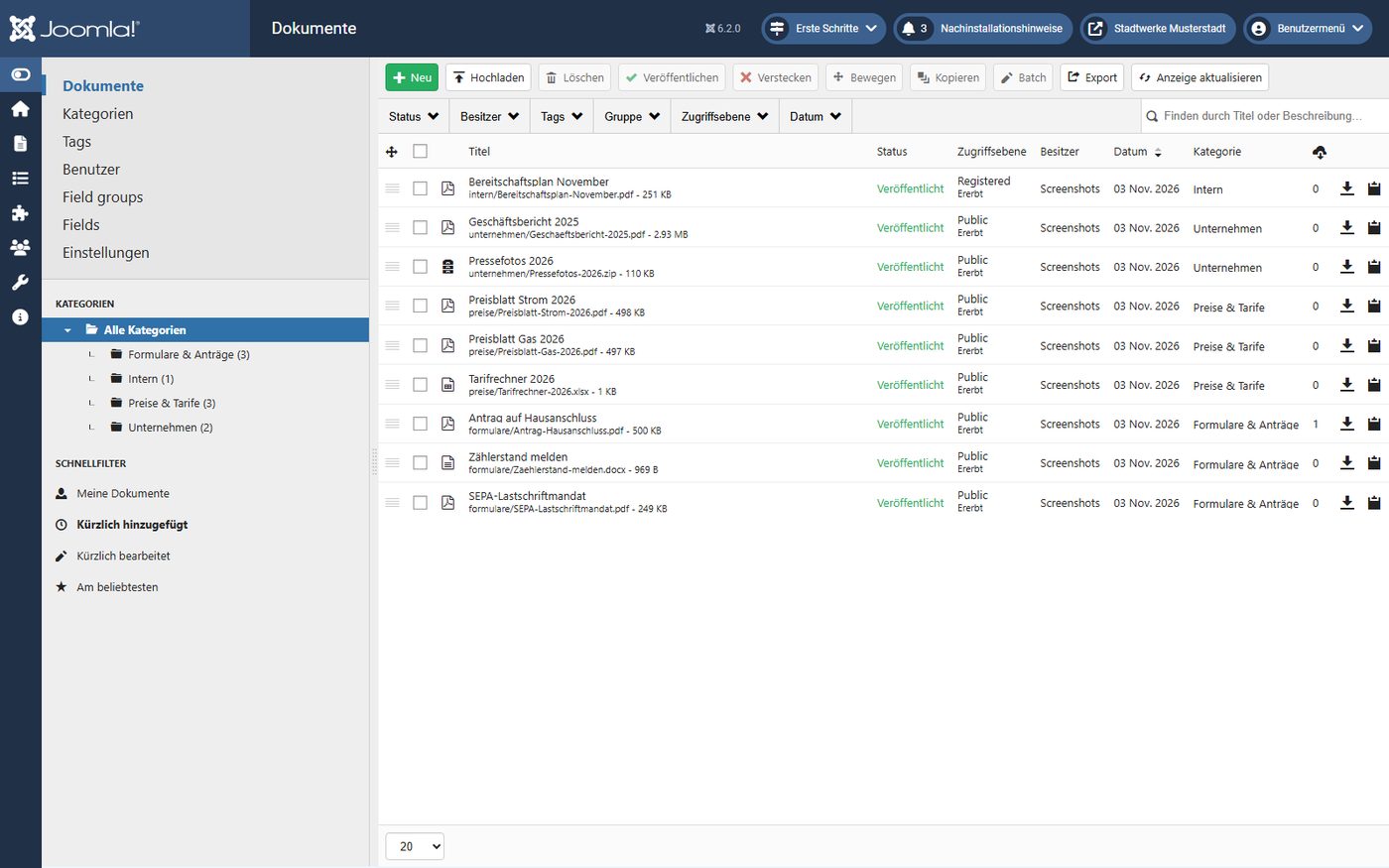
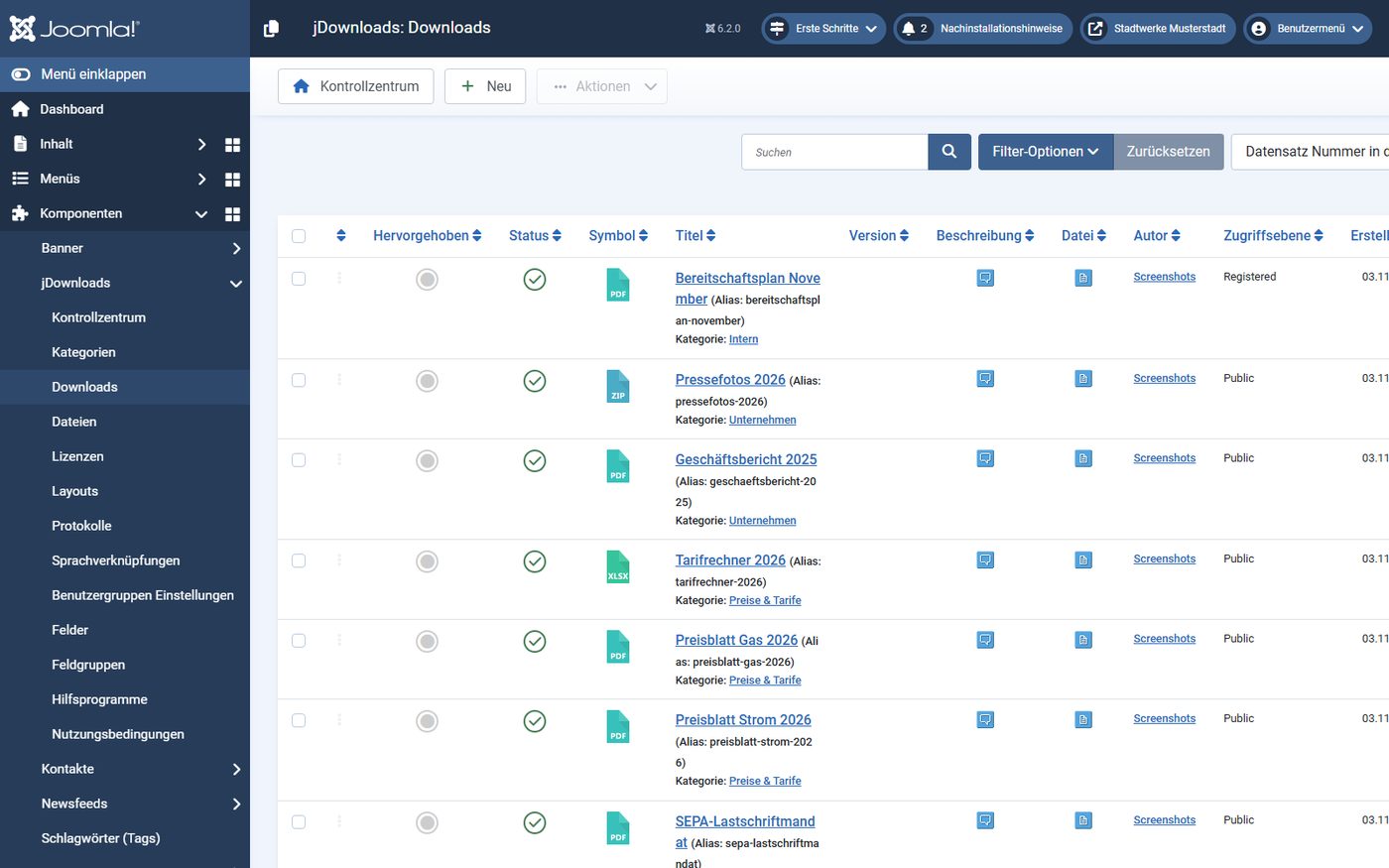
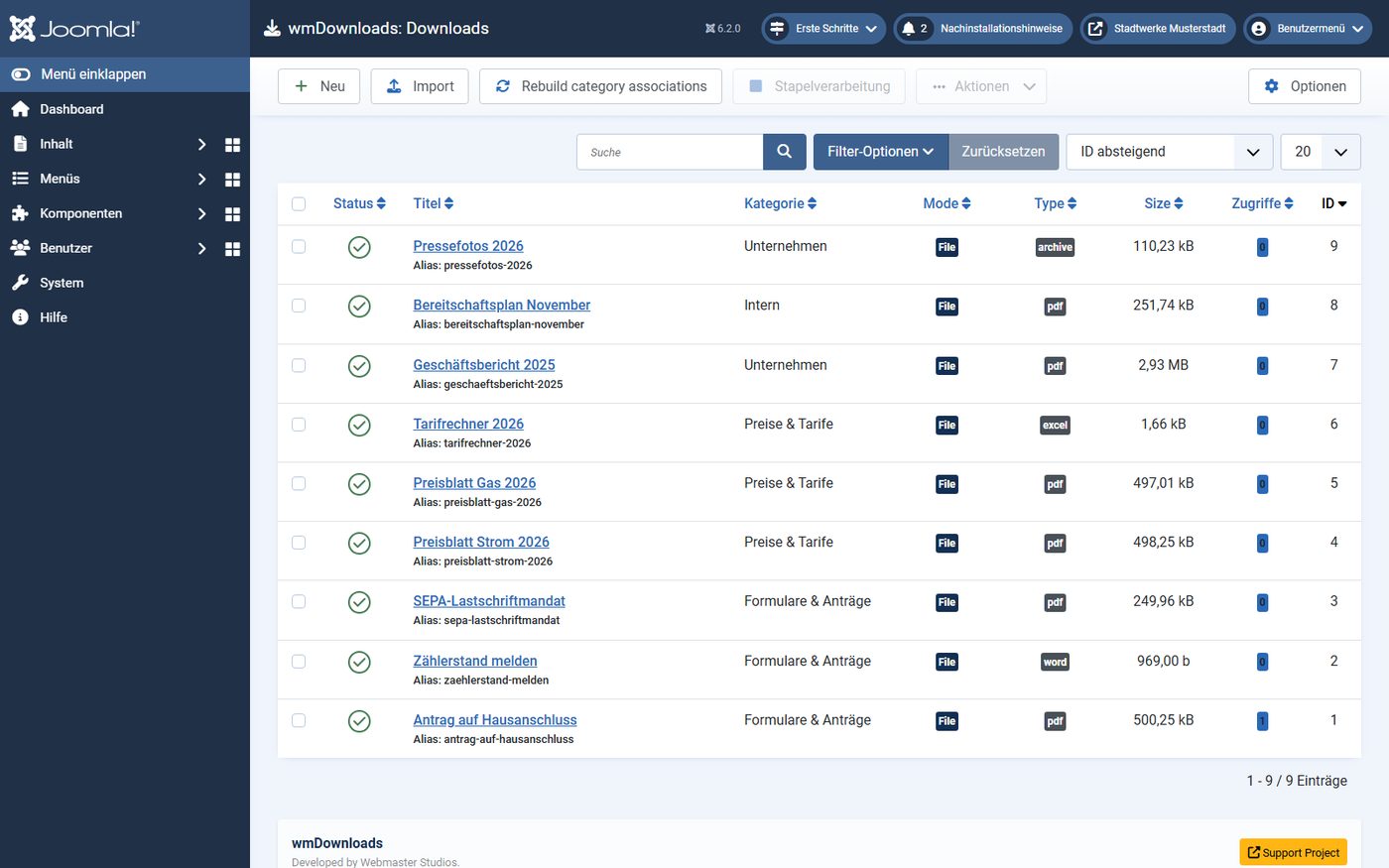
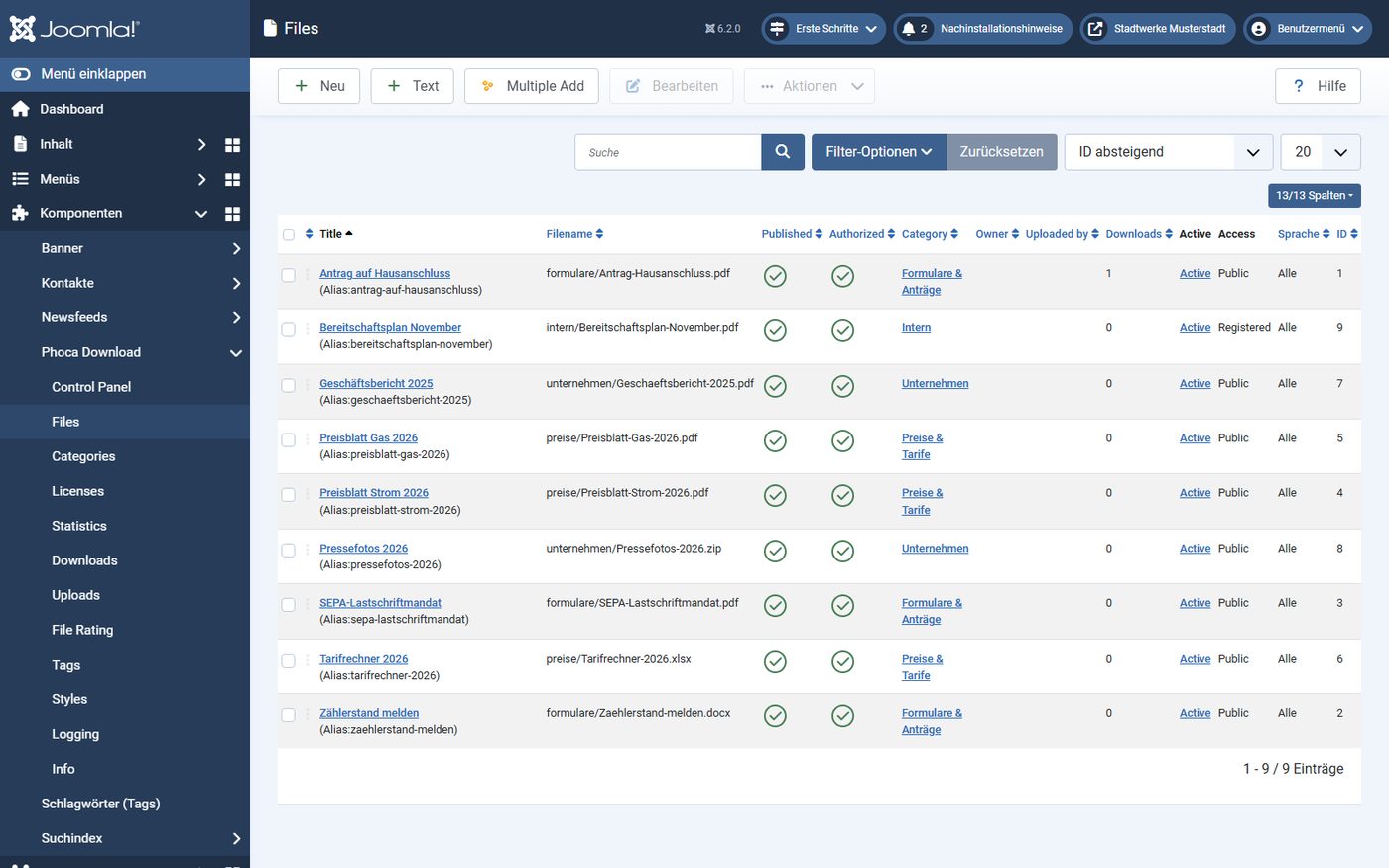
Four of the five use Joomla's familiar lists and forms. DOCman has its own interface with a category tree and drag-and-drop multi upload: choose a category, drop the files in, and DOCman creates the documents itself. In Phoca Download you first upload files into a folder and then link them to an entry in a second step. In the others, upload and entry are one form.
Uninstalling: what is left
| Uploaded files | Also left | |
|---|---|---|
| WM Downloads | deleted | nothing |
| Phoca Download | kept | 1 table |
| jDownloads | kept (asked when uninstalling) | 7 tables |
| OSDownloads | deleted | 2 active extensions |
| DOCman | kept | 3 active extensions, 4 tables |
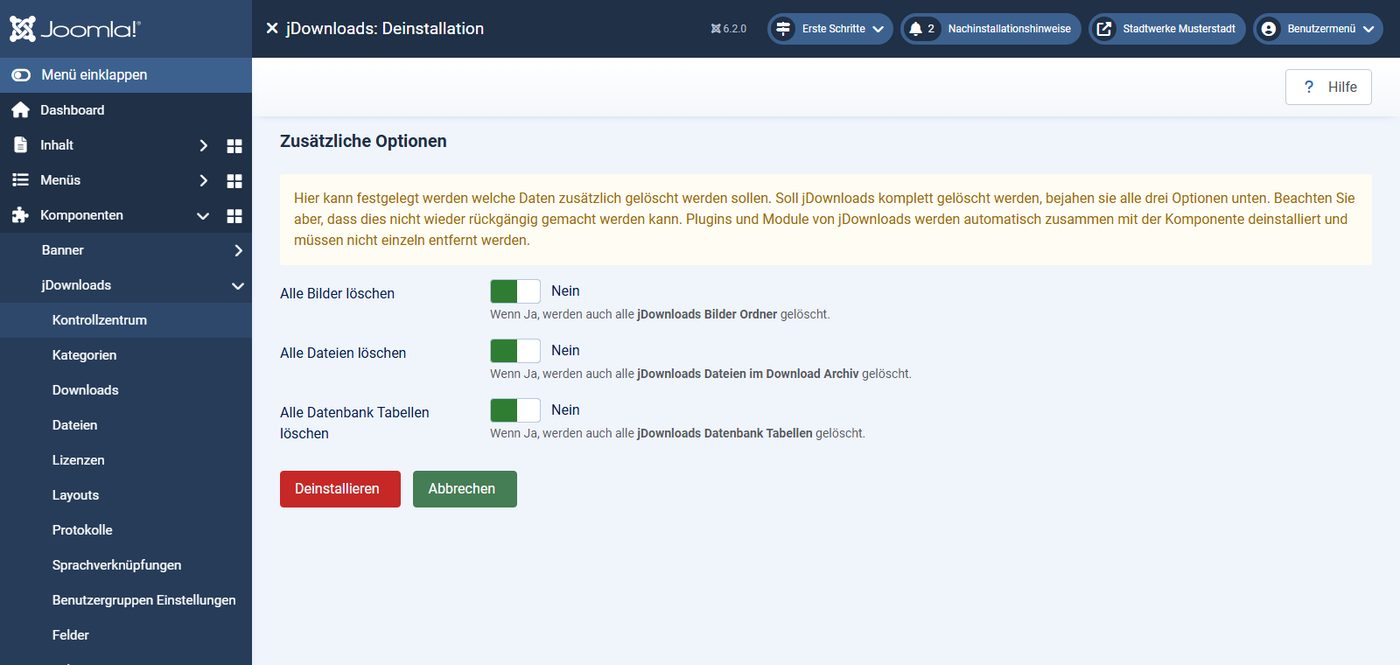
Worth a close look. WM Downloads and OSDownloads also delete all uploaded files when uninstalled, without asking. If you only want to switch, back up the folder first. jDownloads asks on its own page whether images, files and tables should be deleted; by default everything is kept. DOCman leaves three active system plugins and its framework, OSDownloads one system plugin and its framework. You remove those yourself in the extension manager. With all five the menu item stays and then leads nowhere, which is normal Joomla behaviour.
The components in detail
WM Downloads 2.5.0
Small, tidy, Joomla 6 only. Uses Joomla's categories, stores files protected with random names, ships a Smart Search plugin and a module for the latest downloads, and loads no files of its own on the website. Missing: a German translation, tags, custom fields and uploads from the website. The project is young; whether it will be maintained long term remains to be seen.
Phoca Download 6.1.6
Around since 2008, free, with many features: licences to confirm, statistics, its own tags, uploads for users, preview and playback of media. Extra modules and plugins are available separately from Phoca. By default files are public; move the folder outside the web root before the first internal download. Three vulnerabilities in 2026, all fixed in 6.1.6. English only in the package.
jDownloads 4.1.7
The candidate with the deepest Joomla integration: custom fields, tags, language associations, twelve modules, uploads from the website, limits per user group, German included. On the other hand it is the heaviest on the website (49 requests), writes several PHP warnings per page view, logs IP addresses and stores files publicly. The vulnerability rated 10 affected the new 4.1 series up to 4.1.5. According to the vendor, a rewritten version 6.0 is in the works and will not be backward compatible. jDownloads is currently not listed in the Extensions Directory.
OSDownloads Free 2.3.4
Plain and secure by default: protected storage with random names, Joomla's categories, translated, no PHP messages, little weight on the website. The category page shows no download buttons, only the detail page does. Smart Search and language per file are missing; the paid Pro version has more features. Back up the uploaded files before uninstalling.
DOCman 6.2.0
The most polished interface in the test: drag-and-drop multi upload, category tree, downloading several files at once, Joomla's custom fields, 27 languages in the package. Storage is protected. In return DOCman costs money, needs the compatibility plugin on Joomla 6.2, responds more slowly than the others and brings a large framework that stays after uninstalling. Thumbnails and search inside PDF content run through the Joomlatools Connect service, which only comes with the larger plans.
Commercial extensions we did not test
We did not install these four. The information comes from the vendor websites and the Extensions Directory.
- EDocman 4.1 by Ossolution: document management with Joomla's access rights, storage on Dropbox, Google Drive and Amazon S3, PDF viewer and indexing of PDF content. Supports Joomla 4 to 6. In 2026 an SQL injection without login, fixed in 3.9.
- Dropfiles by JoomUnited: drag-and-drop management, sync with Google Drive, Dropbox and OneDrive, file versions, according to the vendor integration with YOOtheme Pro and import from DOCman, jDownloads, EDocman and Phoca Download. Joomla 3 to 6. No CVE found.
- RSFiles! 1.17.15 by RSJoomla!: private folders per user, permissions per file, download limits, licence confirmation, large files in chunks. Joomla 3 to 6. In 2026 a file upload without login rated 10, fixed in 1.17.12.
- Remository by Martin Brampton: storage in the database or on Amazon S3, selling downloads by subscription. The vendor reports a critical SQL injection, fixed in 4.2.20.
Which component fits?
| If you … | then |
|---|---|
| offer a few public forms | Joomla alone: file in the media manager, link in an article |
| want a clear download area with a counter | OSDownloads Free or WM Downloads |
| offer files only to members or staff | OSDownloads, WM Downloads or DOCman, which protect files by default |
| run a multilingual website with language associations | jDownloads, with the folder moved and the IP log switched off |
| need a large archive with many uploads and vendor support | DOCman |
| already use Phoca Download or jDownloads | move the folder outside the web root and update to the latest version |
Have your download area checked
Already using a download component and not sure whether internal files are really protected? We check storage, permissions and version and set up the area so only authorised users get the files. We also help with the choice for a new project.
How we tested
- Docker environment with Joomla 6.2.0 from the official package, PHP 8.4.26 with OPcache, MariaDB 10.11 and Apache 2.4; German, clean URLs, template Cassiopeia, otherwise Joomla's defaults. Each component got its own fresh installation.
- Packages from the vendors or their GitHub pages, installed through Joomla's extension manager; DOCman with a purchased licence. We recorded the checksums of all packages.
- Content created through the components' backend forms (automated with Playwright), with the vendor's default settings. One menu item "Downloads" each with the component's overview.
- Protection: requests without login through the component's download link and through the file's storage address.
- Load time: Chromium via Playwright, cache disabled, five runs per profile, median. Mobile profile like Lighthouse: 412 × 823 pixels, 4x CPU slowdown, 150 ms latency, 1.6 Mbit/s.
- PHP messages: the web server's error log during the measurement run (24 page views per component).
- Uninstalling through Joomla's extension manager, then comparison with the fresh Joomla installation.
- Vulnerabilities: CVE records from cve.org and the NVD, as of 3 November 2026.
- Everything ran locally. On real hosting the times are longer; the gaps stay.


